Windows 7 USB/DVD Download Tool is an official program from Microsoft for creating a bootable USB flash drive of Windows systems for subsequent installation on a PC or laptop.
You can download the program from our website at the following link: Download
The Windows 7 USB/DVD Download Tool is very easy to use. After installation, run the shortcut on your desktop to open the program:
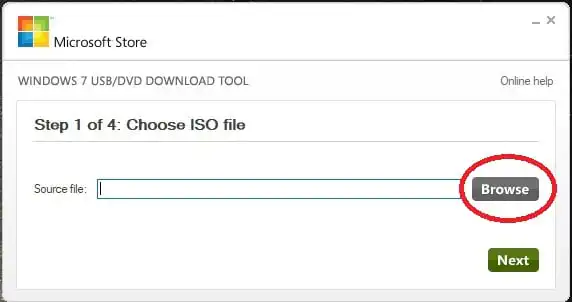
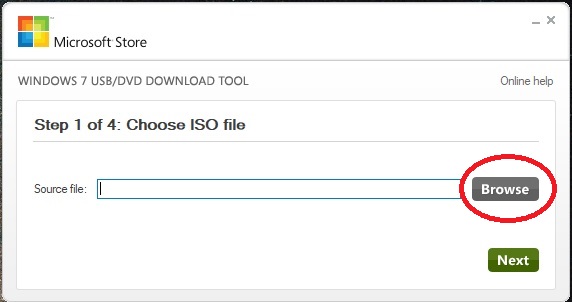
1) Click on the “Browse” button and select a pre-prepared Windows 7 ISO image. You can download the original ISO image of Windows 7 from our catalog on the next page.
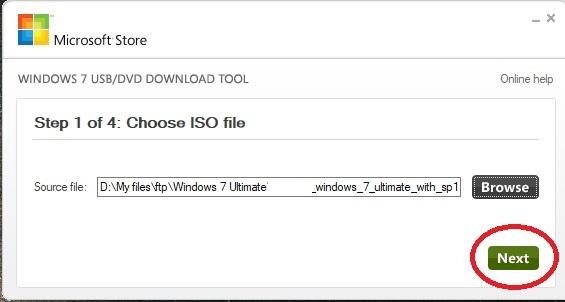
2) Next, after selecting the Windows image, click “Next”.
3) Choose “USB device” if you want to burn to a USB flash drive, or “DVD” if you want to burn to a disk.
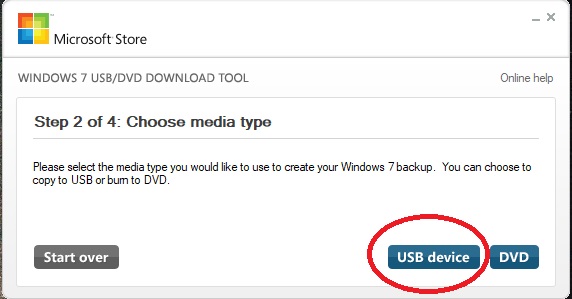
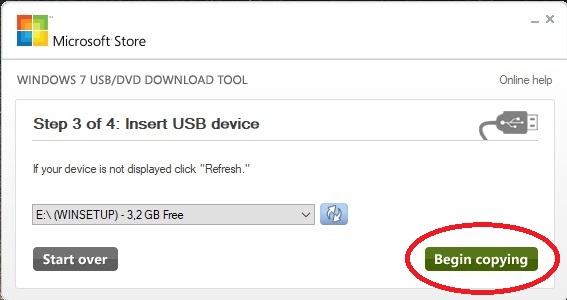
4) The next step is to choose your USB flash drive. If you have only one USB flash drive or disk connected to your PC, it will be selected automatically. Then click the “Begin copying” button.
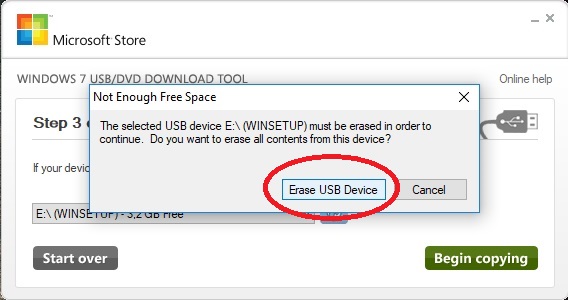
5) In the next window, click the button as shown in the screenshot below.
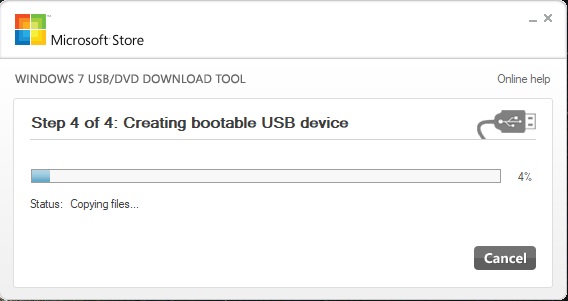
6) Once you start recording the flash drive, wait until the process is completed.
You can also purchase a Windows 7 product license key for all versions in our catalog at the lowest price, with instant delivery of the product to your email immediately after payment.