In this guide, we will step-by-step demonstrate how to connect OneDrive cloud storage with the “For Business” or “Pro Plus” plan as a network drive in your Windows system. The procedure differs from the “Home” and “Personal” plans.
1) Open Internet Explorer (IE) and go to the page https://login.microsoftonline.com/.
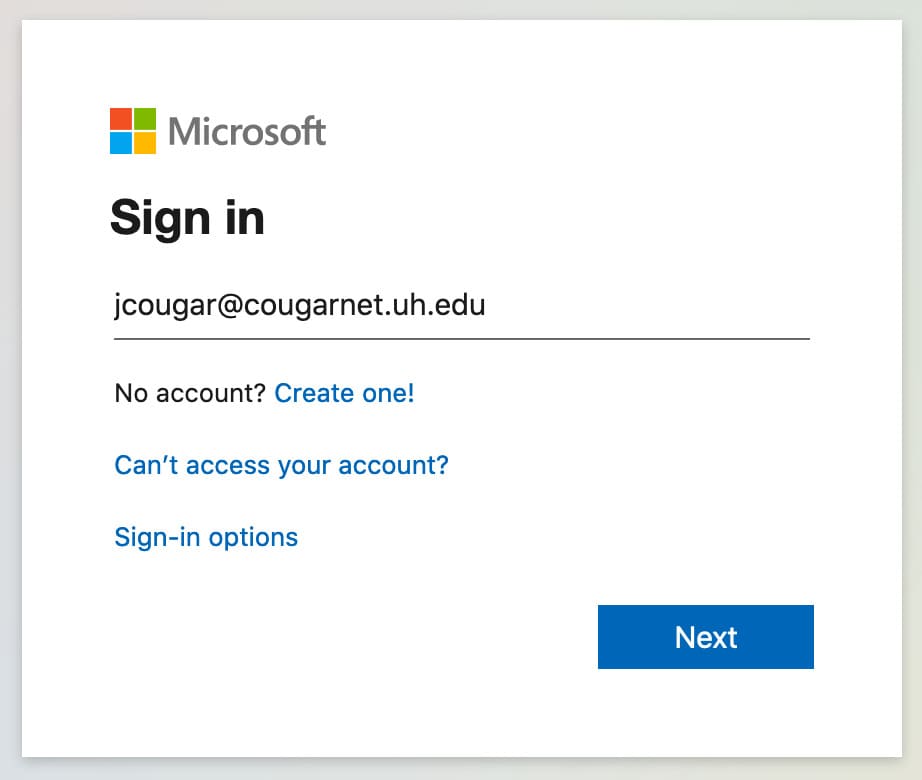
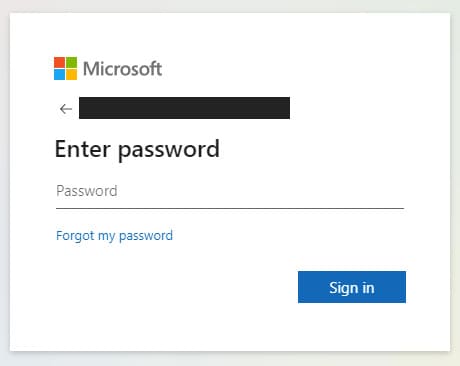
2) Log in with your Microsoft Office 365 credentials.
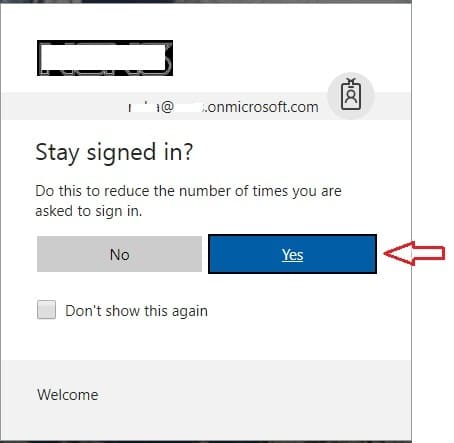
When prompted with the question “Stay signed in?”, make sure to click “Yes”.
3) Now, you’re in your Microsoft Office account. Go to the OneDrive application.
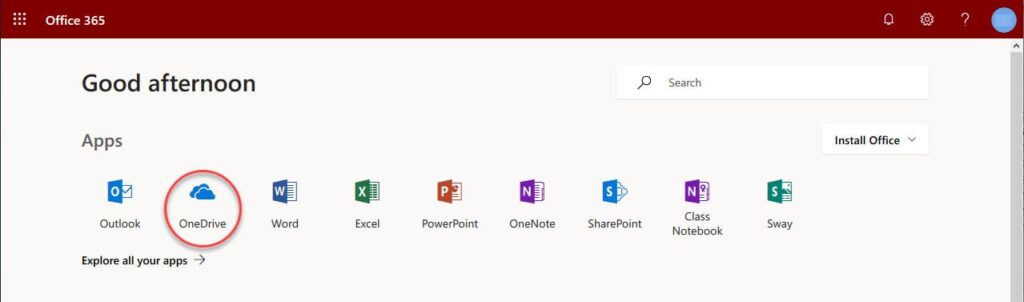
Next, pay attention to the browser’s address bar. Copy it somewhere like Notepad before the word “_layouts“.

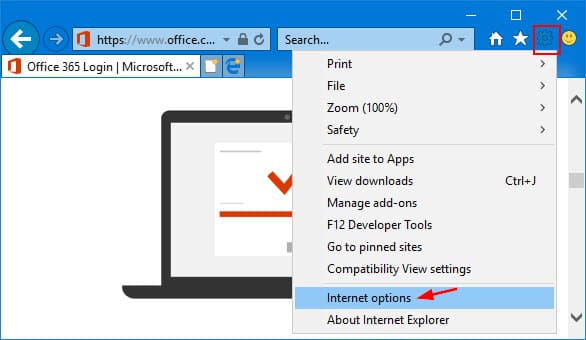
4) Now, go to Internet Explorer settings. Internet options => Security => Trusted sites => Sites.
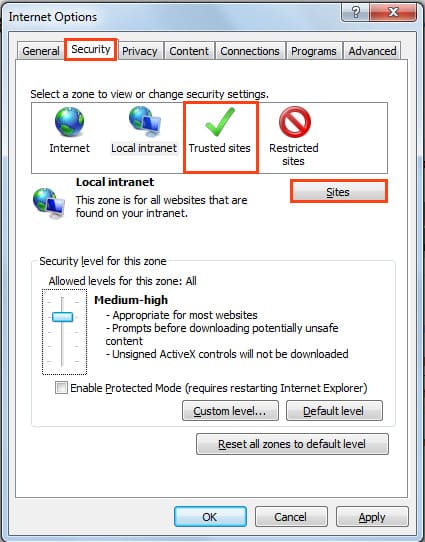
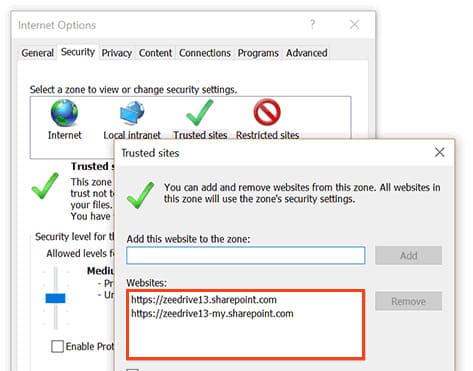
Now, enter the following 4 addresses into the trusted sites. Instead of “my_login,” input your URL, which was before .sharepoint (without “my”):
https://my_login.sharepoint.com
https://my_login-my.sharepoint.com
https://my_login-myfiles.sharepoint.com
https://my_login-my-files.sharepoint.com
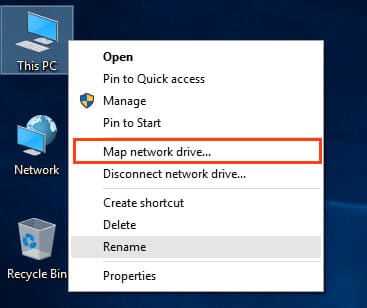
5) Now you can proceed to connect the network drive itself. From File Explorer, right-click on “This PC” => Map network drive.
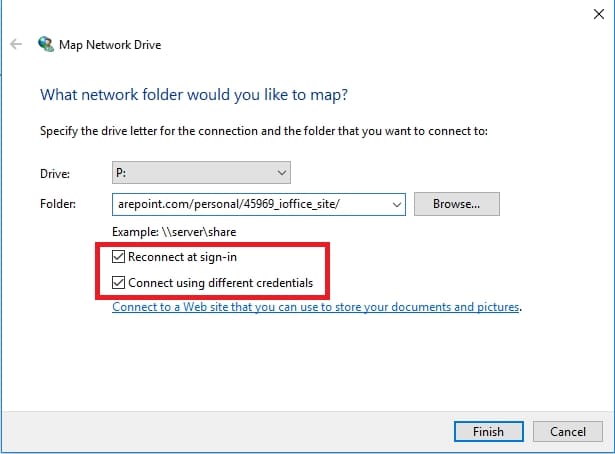
In the “Folder” input field, paste the address from the OneDrive page according to step 3’s instructions. Attention! Before the word “_layouts“. Make sure to check all the boxes.
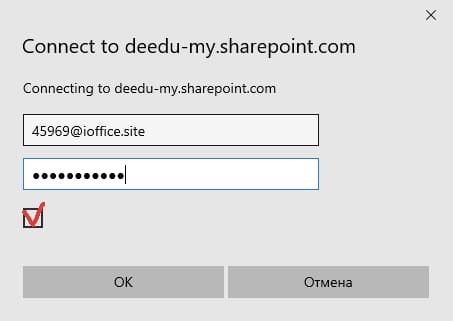
In the next window, input your Microsoft Office account credentials (login-password).
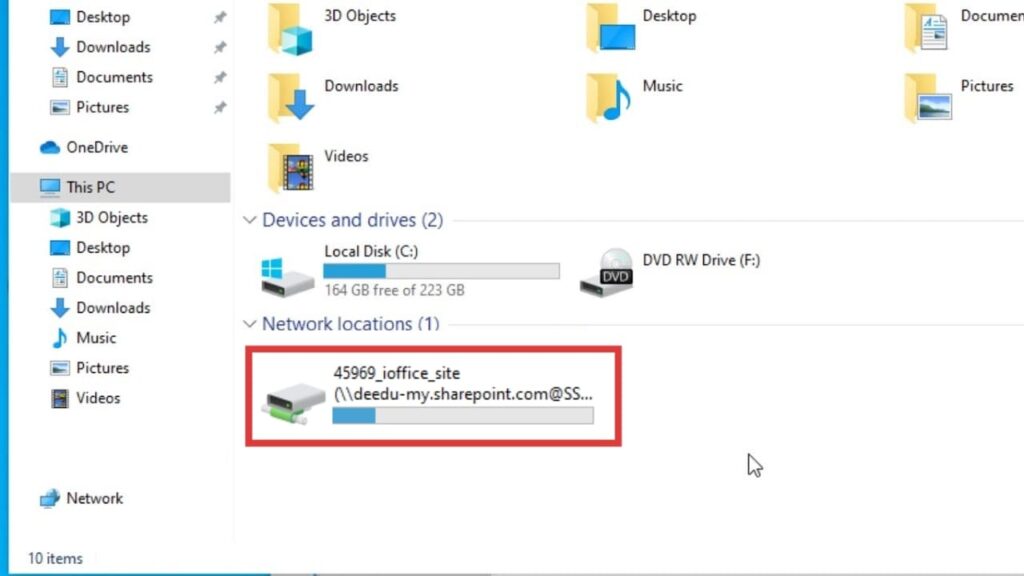
That’s it, the network drive is now connected. Cloud synchronization occurs through the “Documents” folder on the connected drive.
You can purchase a lifetime subscription to OneDrive 5 TB in our online store. Instant delivery of license data to your email. Warranty. Round-the-clock technical support. The license includes Word, Excel, PowerPoint, Outlook, OneNote, Publisher, Access, as well as access to OneDrive for 5 TB.