Sometimes, when opening a file in Microsoft Office, you may find it opens in read-only mode, allowing you to view or print the file but not edit it. This restriction may be due to security settings or specific configurations. Below are the main reasons why a file might open in read-only mode and steps to resolve the issue.
Antivirus Software Causes Files to Open in Read-Only Mode
– Some antivirus programs protect your computer by opening potentially dangerous files in read-only mode.
– Refer to your antivirus provider’s instructions for guidance.
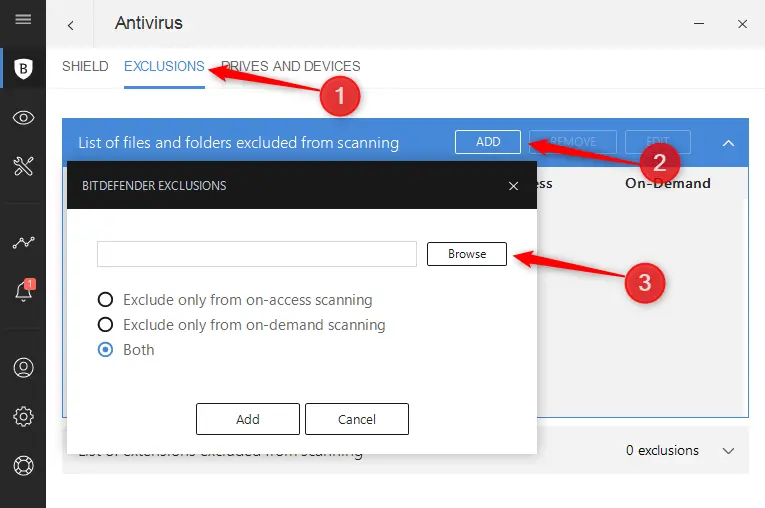
– Example for Bitdefender: Add applications or processes to exclusions in the Bitdefender Control Center.
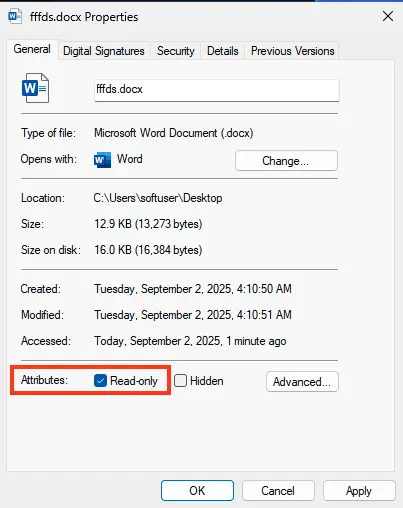
File Properties Set to Read-Only
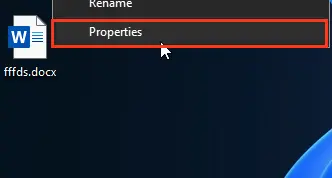
1. Right-click the file and select Properties.
2. In the properties window, uncheck the Read-only attribute.
3. Click OK to save changes.
Content Opens in Protected View
– Files from the internet or other potentially unsafe sources may contain viruses or malware.
– Such files open in Protected View, allowing safe viewing with reduced risk.
OneDrive Storage is Full
1. If the file is stored in OneDrive and the storage is full, you cannot save the document.
2. To check available space:
– Click the OneDrive icon in the notification area and select Manage Storage.
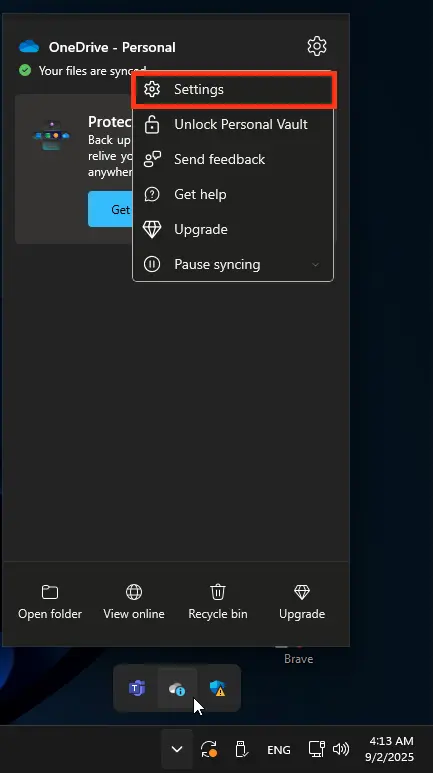
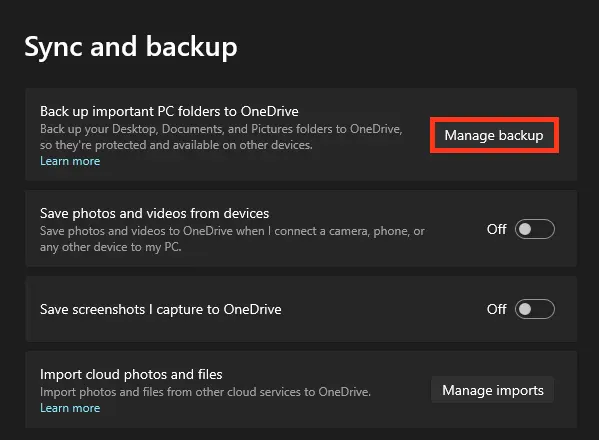
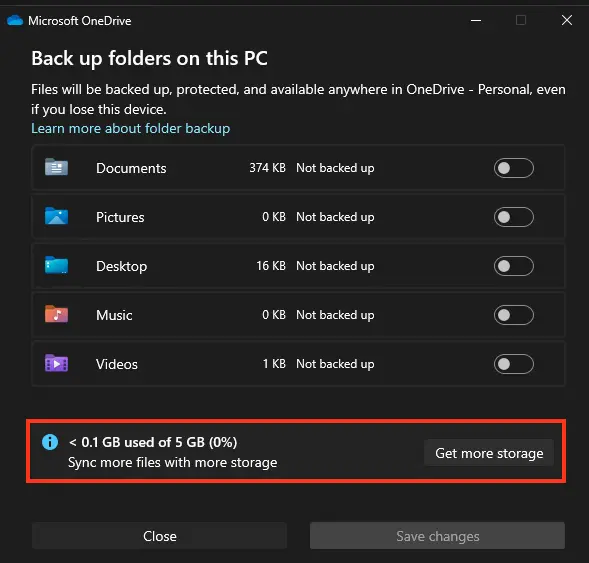
– Alternatively, visit onedrive.live.com, sign in, and check the storage value in the bottom-left corner.
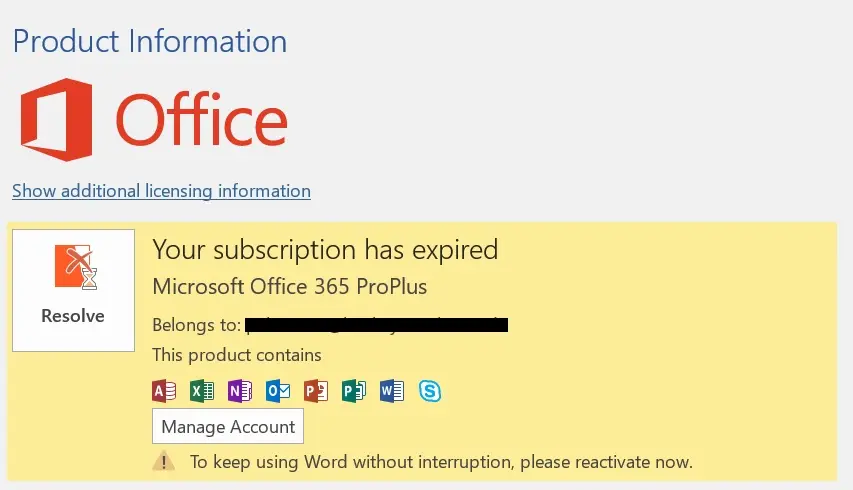
Is Your Product Activated?
– When opening an application, you may see a message about unlicensed products or an activation error.
– This can occur if Microsoft 365 or Office is not activated or if the subscription has expired.
If the Issue Persists
1. Restart your computer.
2. Install Office updates.
3. Run an online Office repair.
4. Check your internet connection.
The issue of Office files opening in read-only mode can stem from various factors, including security settings, antivirus software, or storage limitations. By following these recommendations, you can quickly identify the cause and restore full access to your documents.