





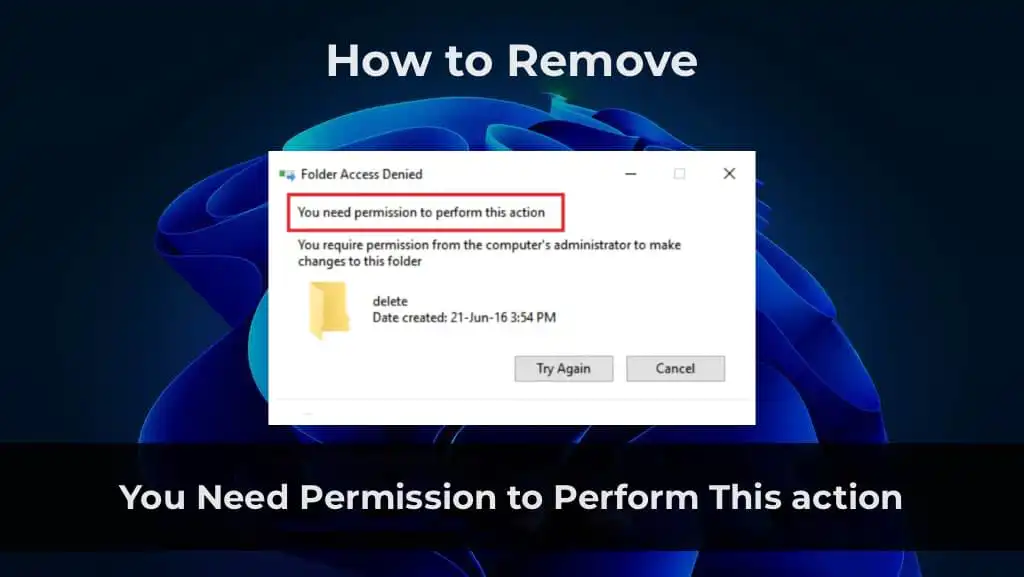
In this article, we will explain how to fix the error “You Need Permission to Perform This action”, which may occur when working with files or folders in Windows. We will go through step-by-step actions to change permissions and resolve the access issue.
Problem Description
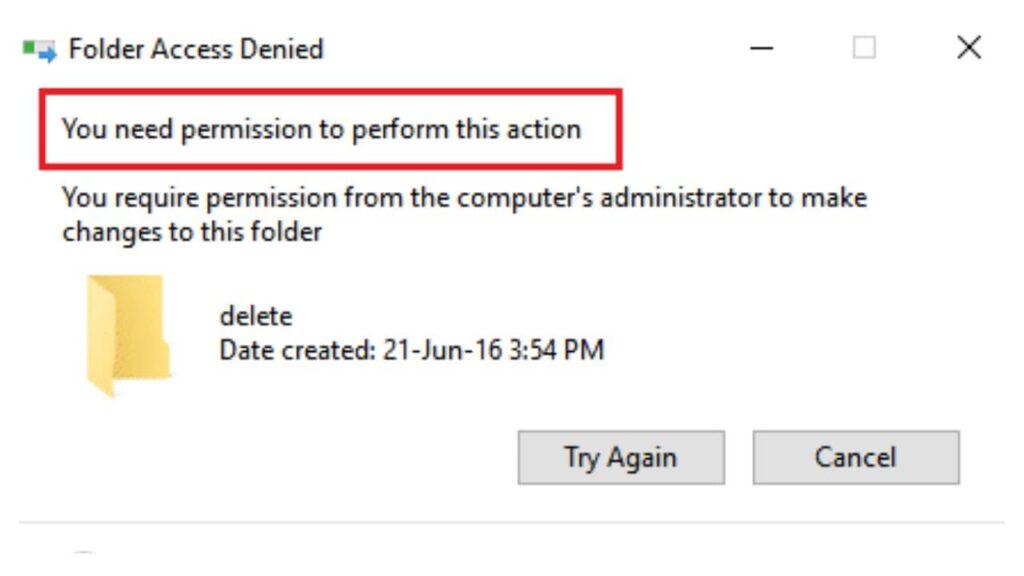
This error occurs when attempting to perform an action on a file or folder, such as deleting them, and appears as follows:
Access to the file is denied
You need permission to perform this operation
Request permission from “Administrators” to modify this file
Problem Solution
The solution will be divided into two types: for individual files or groups of files, and for folders with nested files and directories.
Editing File Permissions
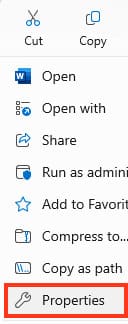
1. Right-click on the file that has the issue and select “Properties”.
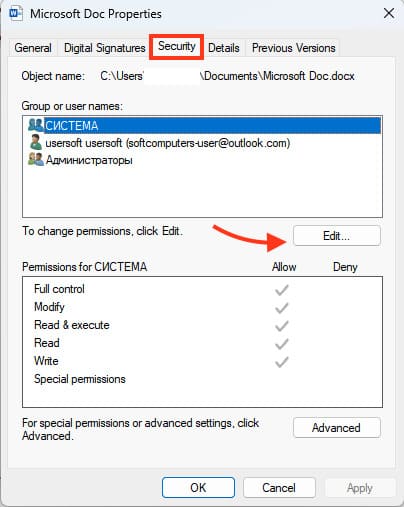
2. In the “Properties” window, go to the “Security” tab.
3. Click the “Edit” button.
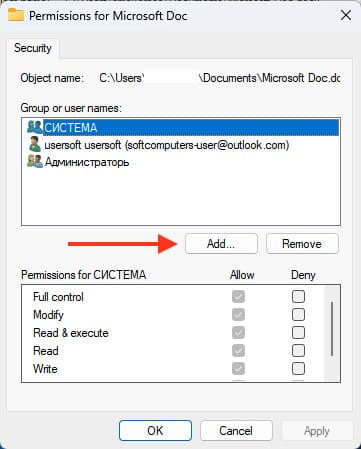
4. In the opened permissions configuration window, click the “Add” button.
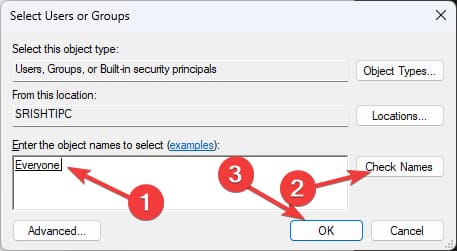
5. In the “Enter the object names to select” window, enter “Everyone”.
6. Click the “Check Names” button. If the word “Everyone” is underlined, click “OK”.
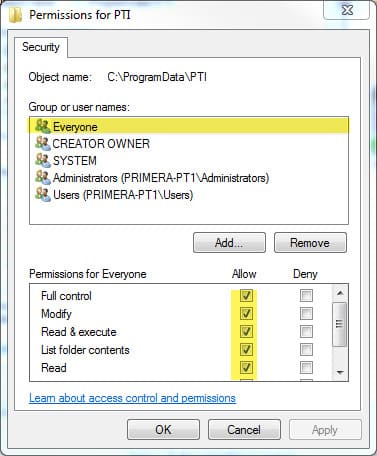
7. In the permissions settings window, select the “Everyone” group and check the “Full control” option in the “Allow” column.
8. Click “OK” and confirm the changes, then try to perform the desired action with the file again.
Editing Folder and Its Contents Permissions
1. Right-click on the folder that has the issue and select “Properties”.
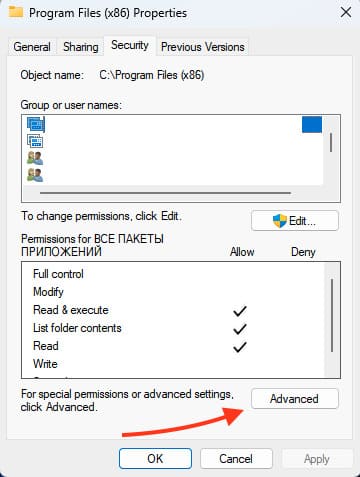
2. Go to the “Security” tab and click the “Advanced” button.
3. In the next window, click “Change permissions” if the button is available.
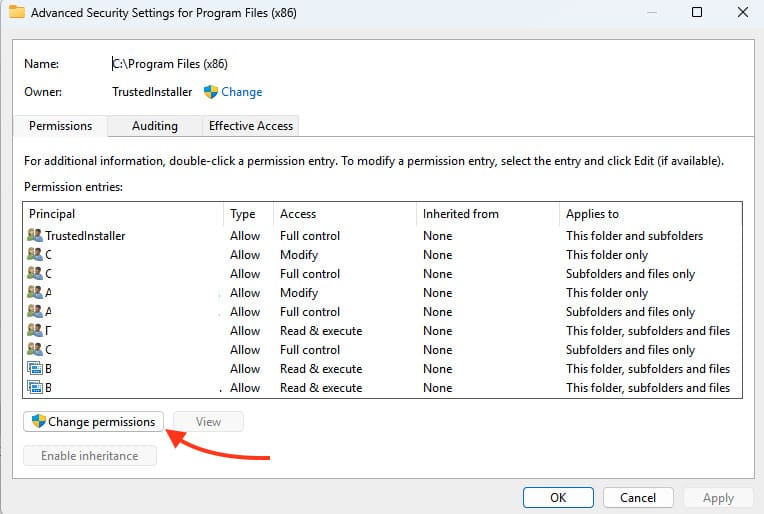
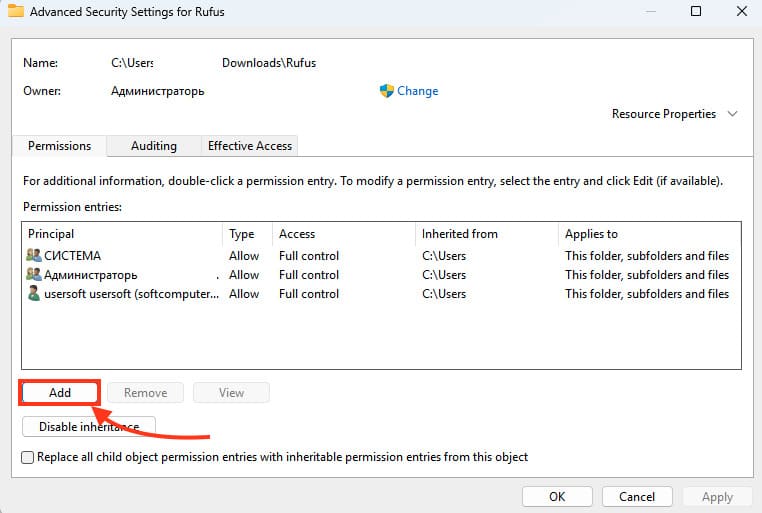
4. Click the “Add” button, then the “Select a principal” label.
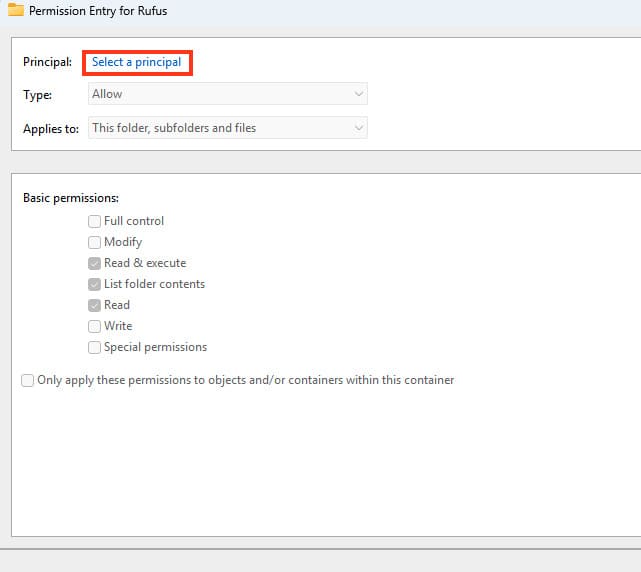
5. In the “Enter the object names to select” window, enter “Everyone”.
6. Click the “Check Names” button, then “OK”.
7. In the window, check the “Full control” option and click “OK”.
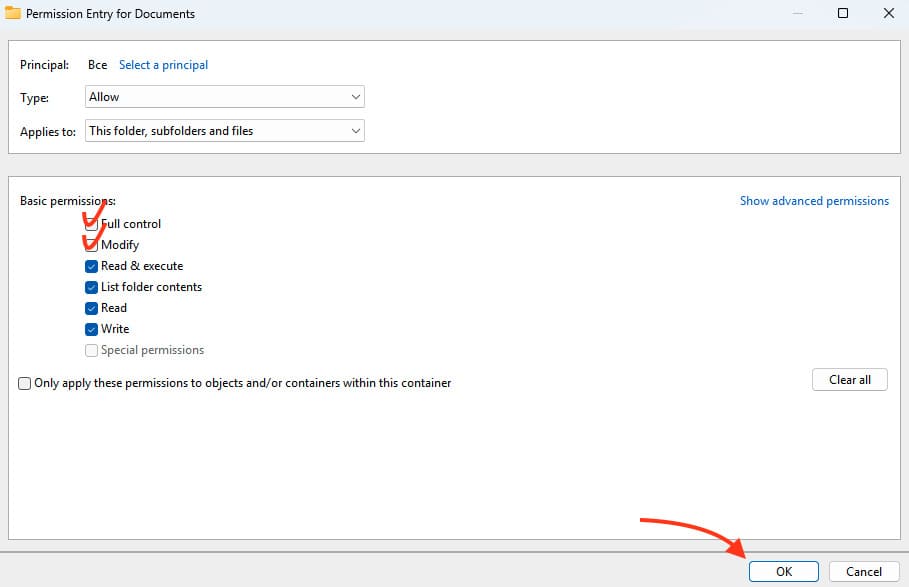
8. Check the “Replace all child object permission entries with inheritable permission entries from this object” option and click “OK”.
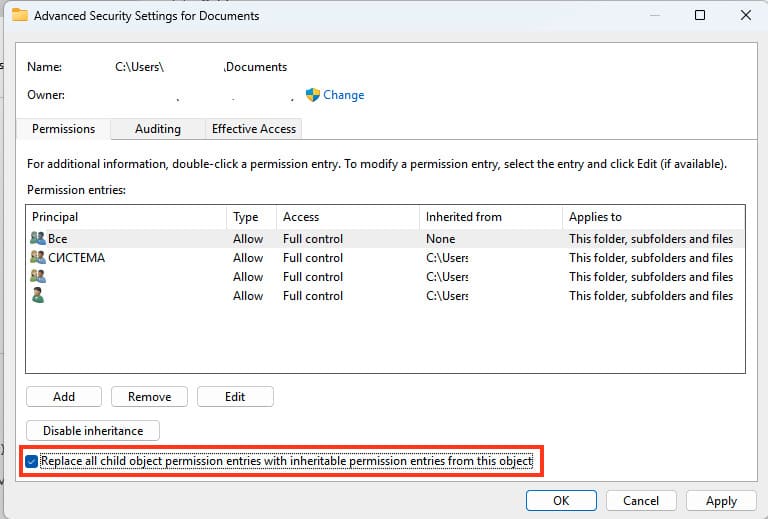
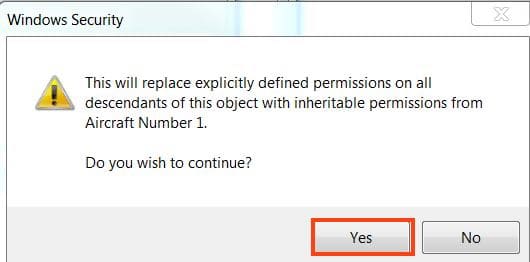
9. A warning will appear, click “Yes”, then “OK” to close all windows.
After performing these steps, try to perform the desired action with the folder again.