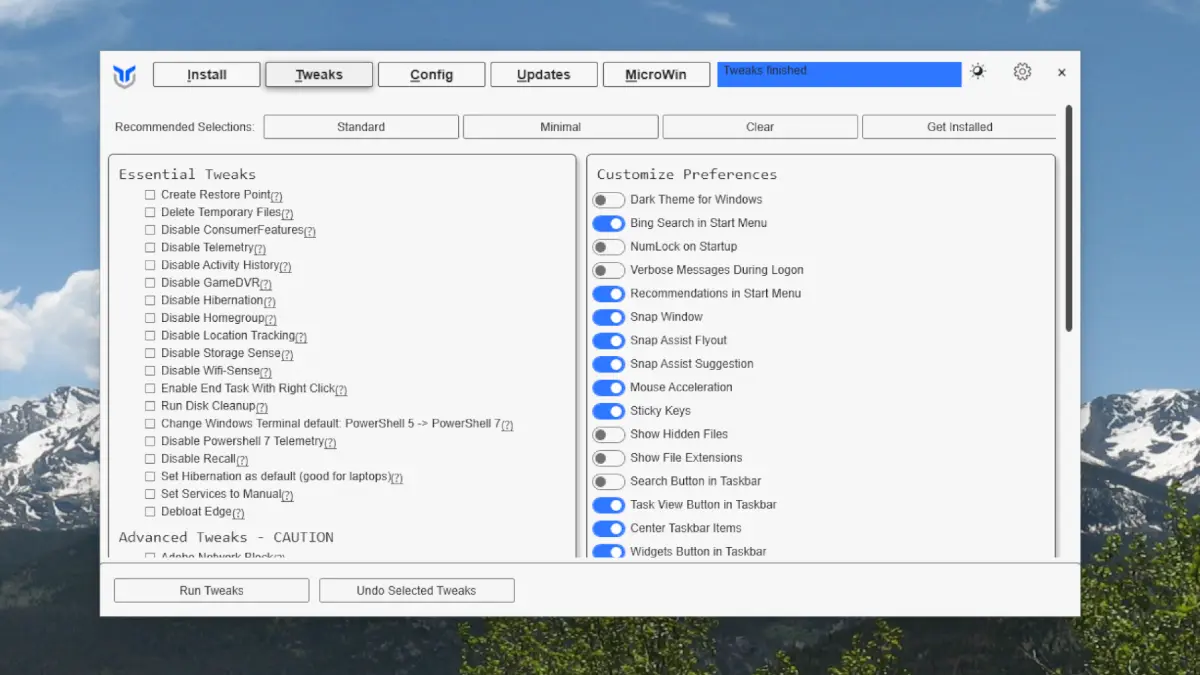
WinUtil is a free, regularly updated utility with new features added frequently. It is a PowerShell script with a graphical interface that allows users to flexibly configure Windows settings, apply system tweaks, and quickly install needed applications. This guide explains how to launch WinUtil and details its features.
Launching WinUtil
To use WinUtil, there’s no need to manually download files—it runs directly through PowerShell. Follow these steps:
1. Open Windows PowerShell or Windows Terminal as an administrator. Right-click the Start button and select the appropriate option.
2. Enter the command:
irm "https://christitus.com/win" | iex
3. Press Enter. The utility will automatically download the necessary files from the developer’s official website and launch its graphical interface.
Alternatively, you can download the script directly from our server.
WinUtil Features
The utility’s features are organized into separate tabs. Let’s explore each one:
1) Install
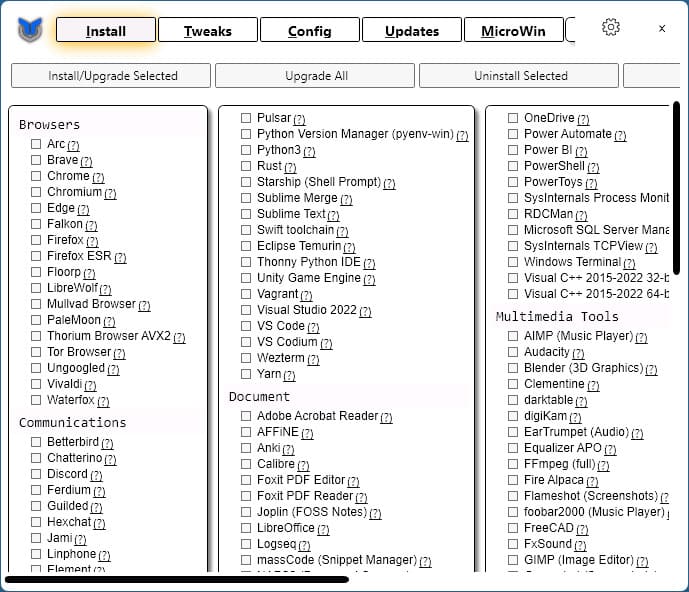
This tab allows you to install, update, or remove applications and system components using WinGet. Features include:
– Select applications for installation or updating and click Install/Upgrade Selected.
– To remove applications, use Uninstall Selected.
– The Upgrade All button updates all installed applications available through WinGet.
2) Tweaks
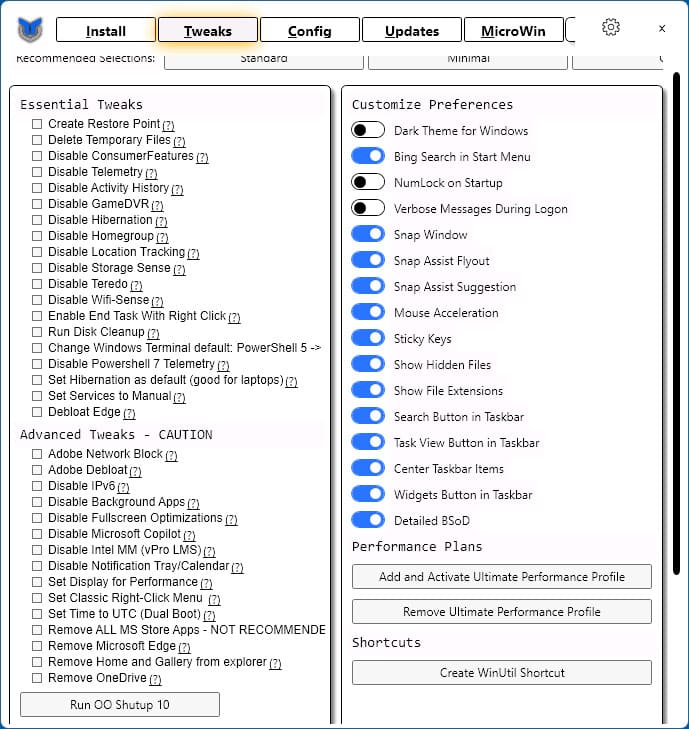
This tab is designed for fine-tuning Windows. Its capabilities include:
– A list of popular tweaks (on the left). Clicking the “?” icon opens documentation for the selected option.
– Apply tweaks by clicking Run Tweaks.
– Manage common settings, such as adding the Ultimate Performance power plan or creating a WinUtil shortcut.
– Quick access to O&O Shutup 10 for configuring Windows privacy settings.
3) Config
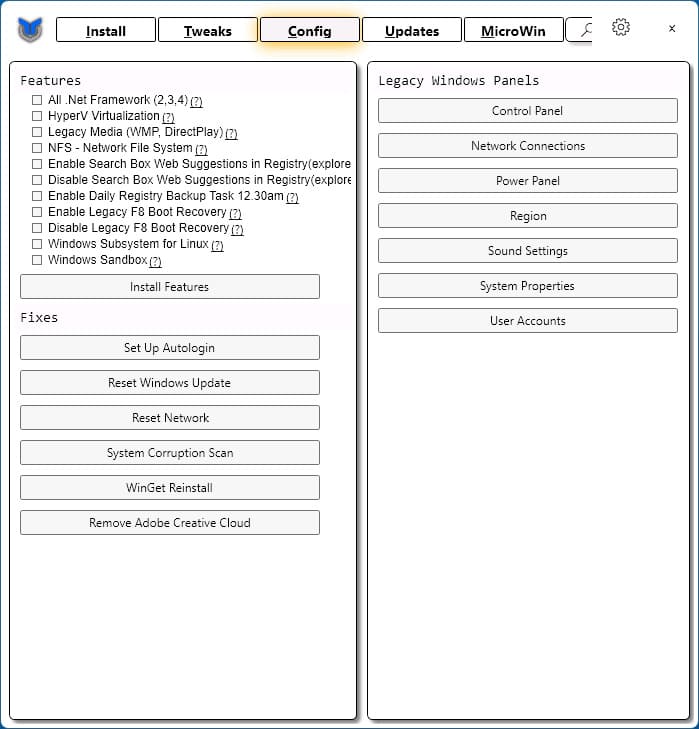
This tab offers additional configuration options:
– Installing Windows components.
– Enabling automatic registry backups.
– Configuring automatic Windows login.
– Resetting network settings and Windows Update.
– Checking system file integrity.
– Accessing classic system configuration windows.
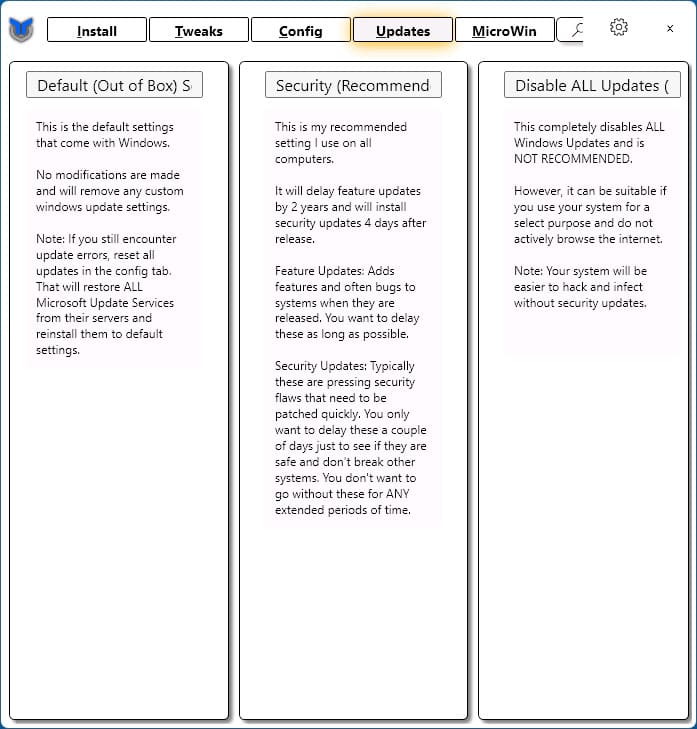
4) Updates
This tab manages Windows update settings with three modes:
– Standard settings.
– Installing only security updates.
– Disabling updates entirely or deferring them for up to 2 years.
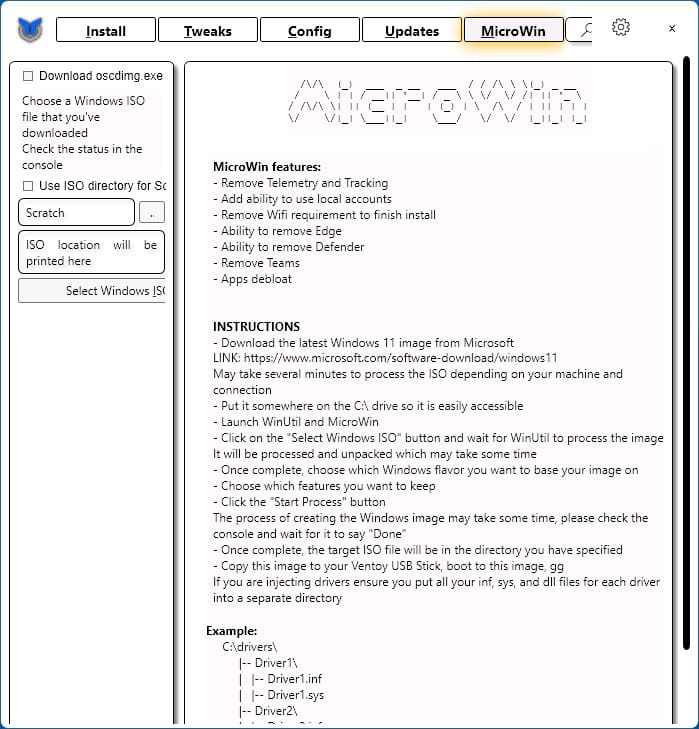
5) MicroWin
This feature allows you to create a customized Windows 11 ISO. Capabilities include:
– Removing unnecessary applications.
– Disabling telemetry.
– Eliminating requirements for internet connection or a Microsoft account during installation.
Additional Features
– Export and import utility settings.
– Select pre-configured tweak sets for the Tweaks tab.
Advantages and Development of WinUtil
While WinUtil’s feature set may seem limited compared to alternatives, it is updated weekly, and its capabilities are likely to expand significantly over time. Its current ease of use and simplicity make it a worthy tool for configuring Windows.
If you’re looking for a lightweight and convenient way to manage Windows settings, apply tweaks, and install applications, WinUtil is an excellent choice.