


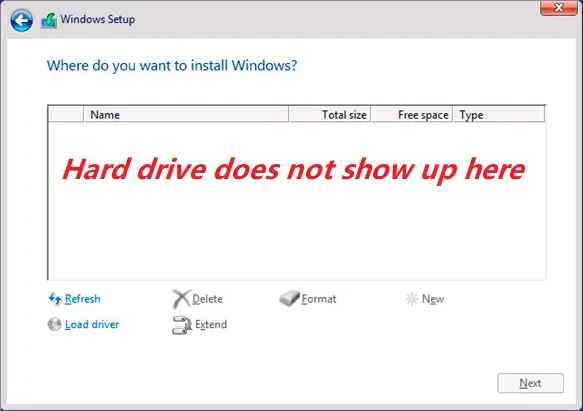
This guide explains how to resolve SSD/HDD detection issues during Windows 11/10 installation when drives are visible in BIOS/UEFI but not in the installer. The problem often occurs due to missing drivers or incorrect BIOS settings.
Buy genuine Windows 11/10 product keys with instant delivery:
Windows 11 – $11.70
Windows 10 – $10.90
Method 1: Disable VMD Controller in BIOS/UEFI
Ideal for modern laptops/PCs with Intel 11th Gen+ CPUs.
Steps:
1. Enter BIOS/UEFI (typically via F2/Del key). Switch to Advanced Mode if available.
2. Navigate to:
Advanced → System Agent Configuration → VMD Setup Menu
or similar path depending on your BIOS.
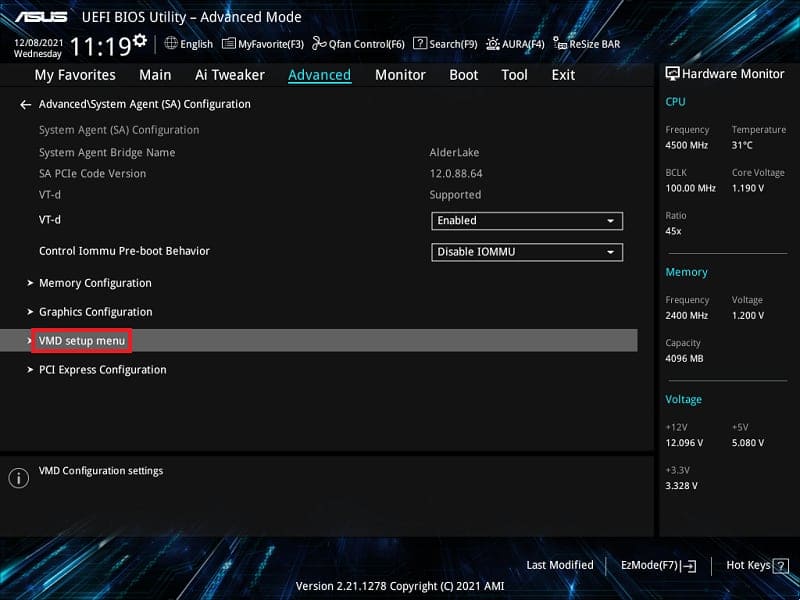
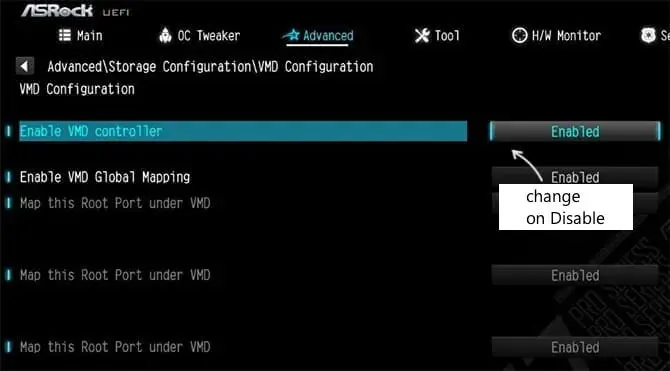
3. Set Enable VMD Controller to Disabled. Save changes (F10).
Note: Disables Intel Optane/RAID support. Use only if not needed.
Method 2: Install Intel RST Driver During Installation
Required for systems using VMD technology.
Steps:
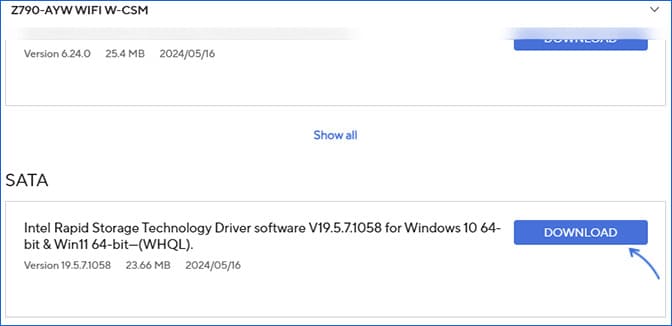
1. Download Intel RST driver from:
Motherboard/laptop manufacturer’s website Intel Download Center
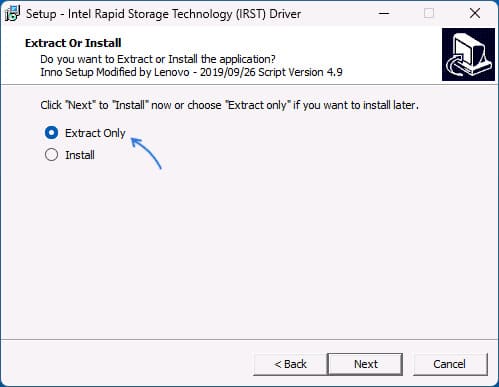
2. Extract driver files to a folder on your Windows installation USB:
Right-click driver file → Extract All
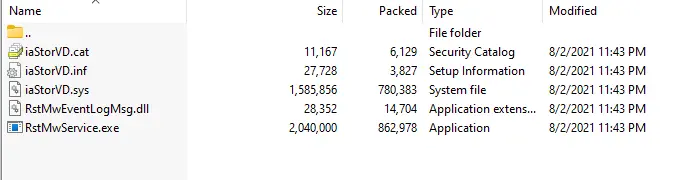
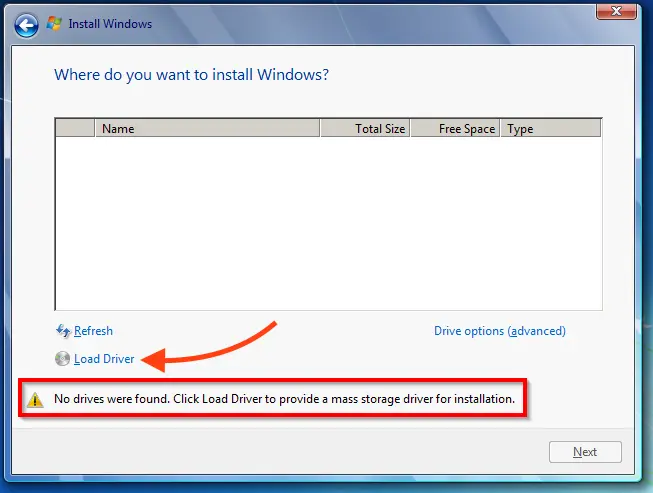
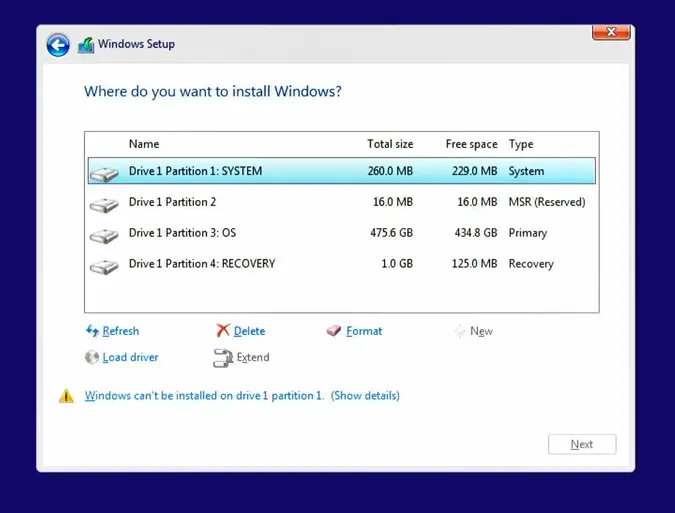
3. Boot from installation media. At partition selection screen:
Click Load Driver → Browse → Select driver folder
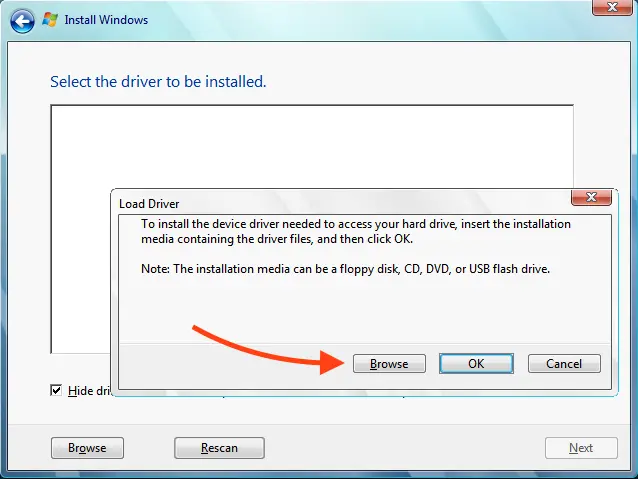
4. Select driver and click Next to install.
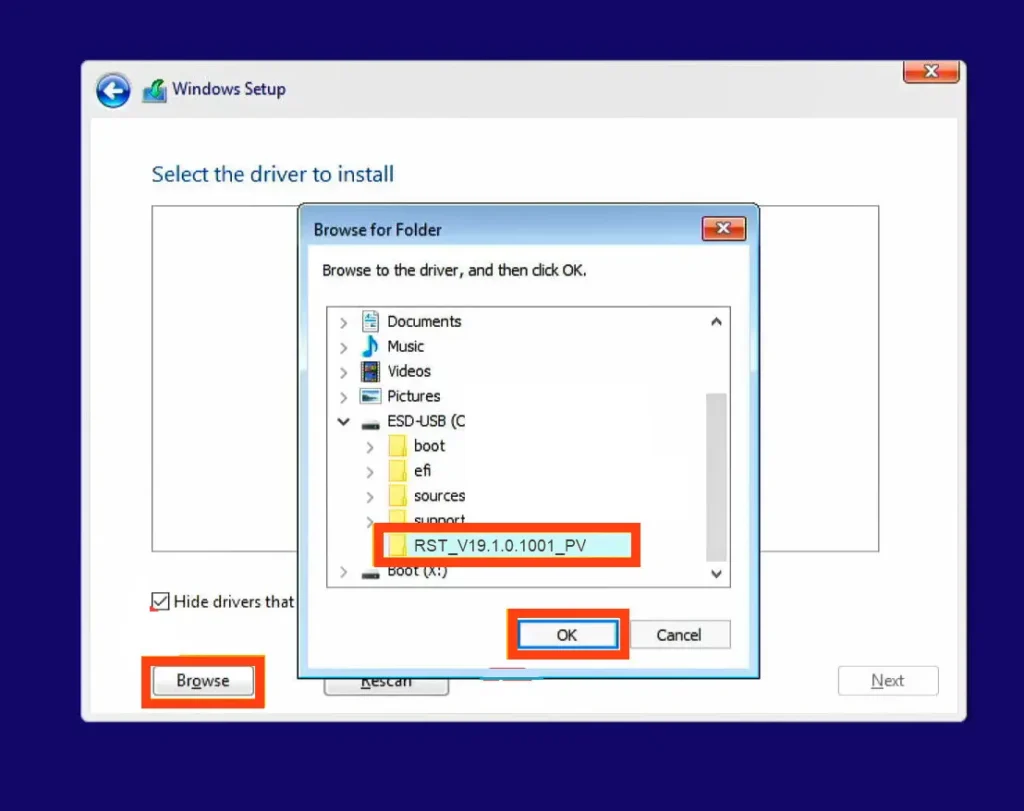
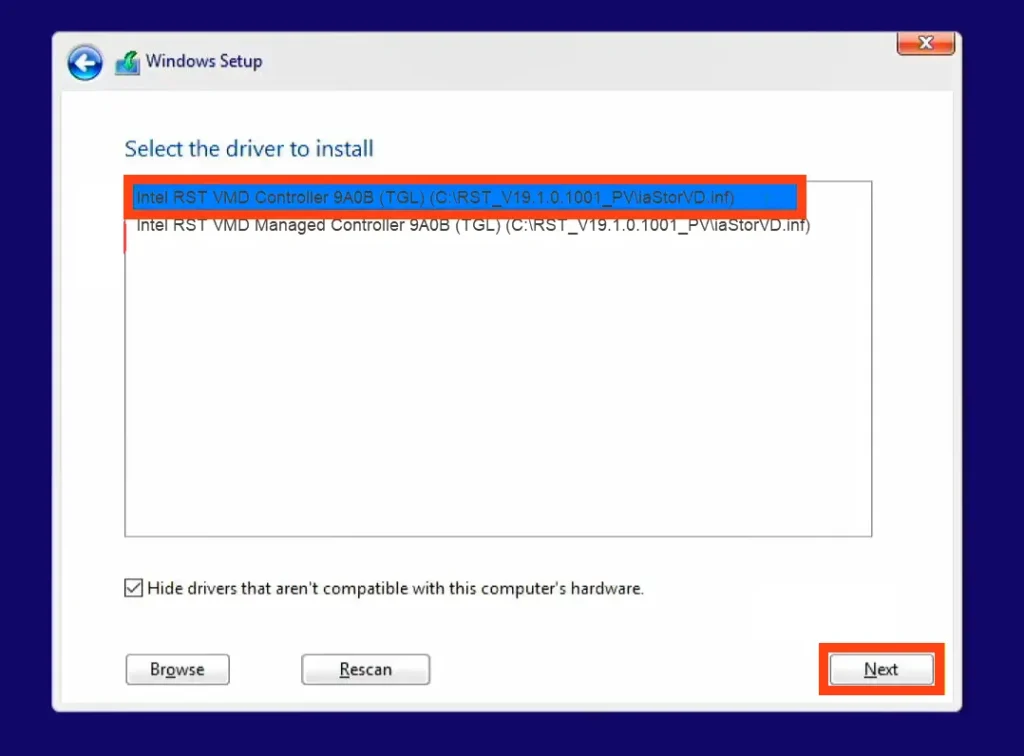
5. Drives will appear after successful driver load.
Important Notes
– Insure drive is properly connected and detected in BIOS
– Methods work for Windows 10/11 and older versions
– Backup data before modifying BIOS/installing drivers