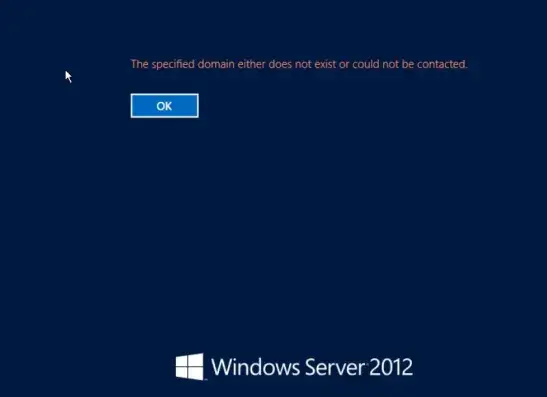
The error “The specified domain either does not exist or could not be contacted” in Windows is most often caused by incorrect network settings (IP address, DNS servers, default gateway) on the client computer, which prevents connection to the Active Directory domain controller for authentication.
The error when adding a computer to Active Directory: “The following error occurred attempting to join the domain: The specified domain either does not exist or could not be contacted.”
The following error occurred attempting to join the domain softcomputers. The specified domain either does not exist or could not be contacted.
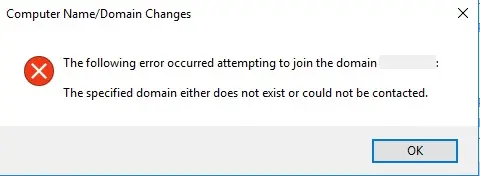
This indicates that the specified AD domain is inaccessible from the computer. The cause may be incorrect network settings (IP, DNS) that prevent Windows from resolving the IP address of the domain controller.
What to Check
1. Verify the network settings on the computer and ensure they are correct.
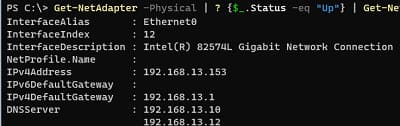
2. Check DNS functionality:
ipconfig /all
Or using PowerShell:
Get-NetAdapter -Physical | ? {$_.Status -eq "Up"} | Get-NetIPConfiguration
3. Refresh the IP address:
ipconfig /release

ipconfig /release6

ipconfig /renew
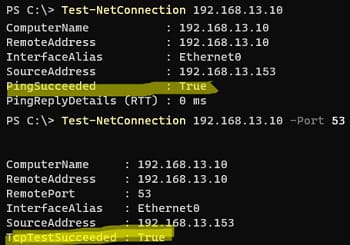
4. Verify DNS server availability:
Test-NetConnection 192.168.13.10

Test-NetConnection 192.168.13.10 -Port 53
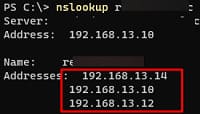
5. Ensure the DNS server resolves the domain name:
nslookup softcomputers.org
6. Check the hosts file for incorrect entries:
Get-Content -Path "C:\Windows\System32\drivers\etc\hosts"
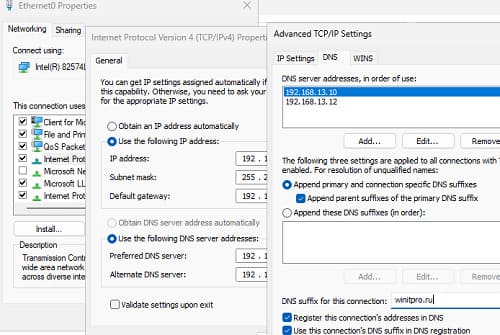
7. Manually set the correct DNS server:
Open ncpa.cpl, go to the network adapter properties, select TCP/IPv4, and specify the correct DNS server IP.
8. Clear the DNS cache:
ipconfig /flushdns

net stop dnscache

net start dnscache
9. Additional settings:
– Enable the Use DNS suffix option in the connection settings.
– Add the IP address of your domain controller in the WINS tab.
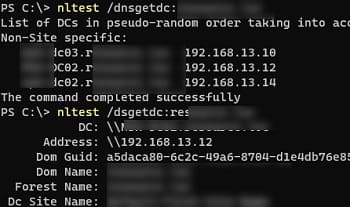
10. Attempt to discover domain controllers using the command:
nltest /dnsgetdc:softcomputers.org
11. Verify connectivity to the domain controller:
nltest /dsgetdc:softcomputers.org
If the issue is resolved, retry adding the computer to the domain.
“The Specified Domain either Does Not Exist” During Windows Login
The error “The specified domain either does not exist or could not be contacted” may also occur when attempting to log into Windows with a domain account.
What This Could Mean
– The domain controller is inaccessible due to incorrect network settings.
– Issues with the domain controller (e.g., if the error occurs on multiple computers).
How to Resolve the Issue
1. Log in using a local account: Enter .\administrator on the Windows login screen.
2. Verify network settings: Ensure the IP address and DNS servers are configured correctly.
3. If the DC is unavailable, log in using a cached domain account (if credential caching was previously enabled).
4. Verify that the NetLogon service is running on the domain controller.
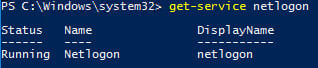
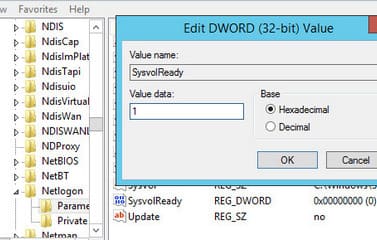
Ensure that the SYSVOL and NETLOGON network shares are published. If they are missing, set the SysvolReady registry parameter to 1:
HKEY_LOCAL_MACHINE\SYSTEM\CurrentControlSet\Services\Netlogon\Parameters
5. Check the status of domain controllers using the commands:
dcdiag
repadmin
By following these steps, you can resolve issues with domain access and connectivity to Active Directory domain controllers.