



In this article, we will go through step-by-step with screenshots on how to reset Windows 7 to factory settings.
(Attention! This article provides informational instructions only. I’m not responsible for the safety of your files after system reset)
In Windows 7, resetting to factory settings directly through the system is partially impossible, as it is done in Windows 10. In Windows 7, you need a bootable disk or flash drive with the Windows 7 installer. Therefore, before starting the reset procedure, download the Windows 7 installer that matches your version of Windows 7 from our catalog on the next page. After creating the bootable flash drive with Windows 7, insert it into your computer.
Next, write the installer to the flash drive.
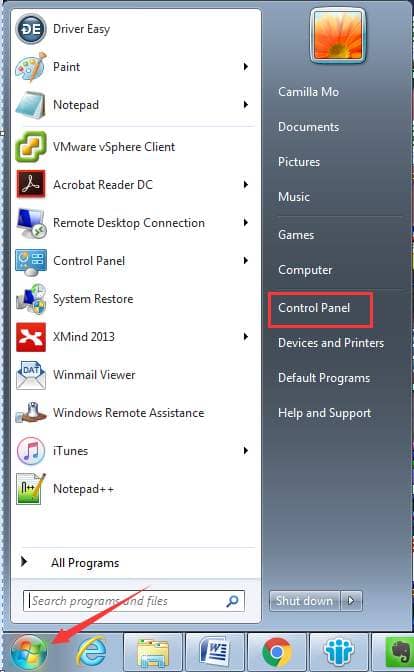
Now we can proceed with the system reset procedure. To do this, go to “Start” => Control Panel => System and Security => Backup and Restore => Restore system settings or your computer => Advanced recovery methods.
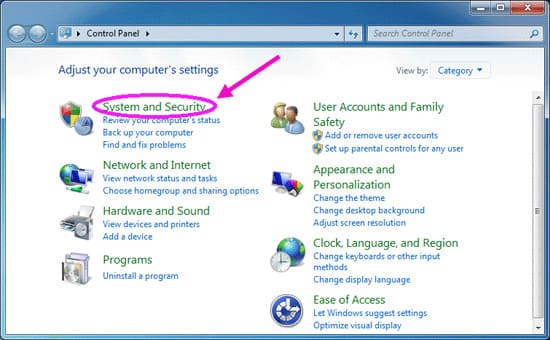
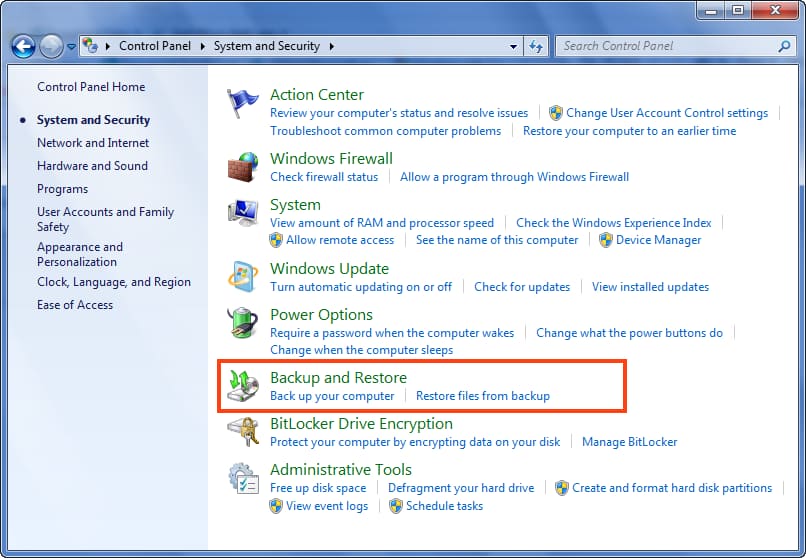
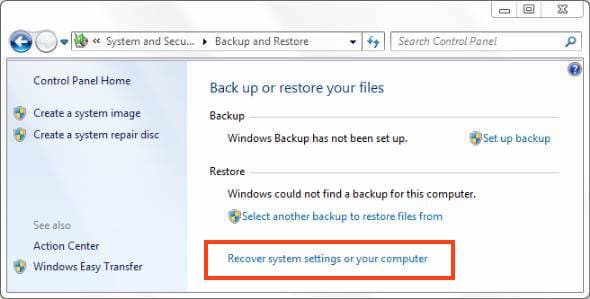
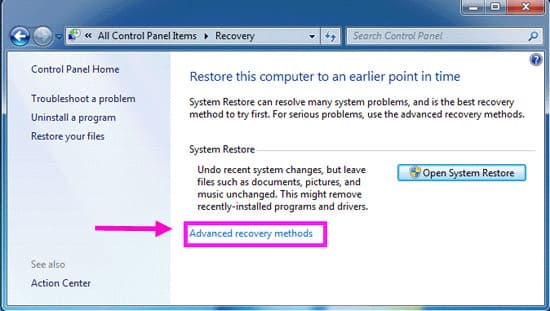
In this article, we will look at resetting the system by reinstalling it and subsequently restoring user files. Click on the corresponding item.
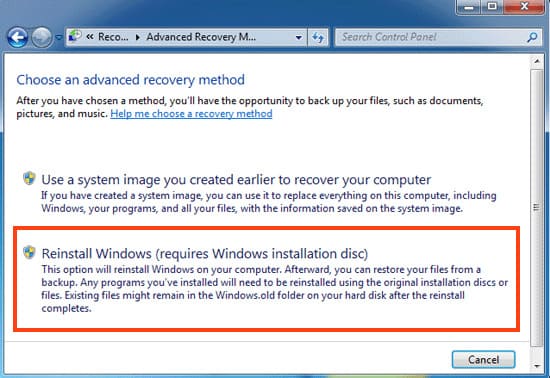
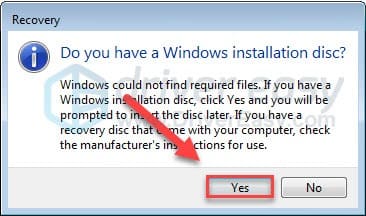
Click “Yes” here.
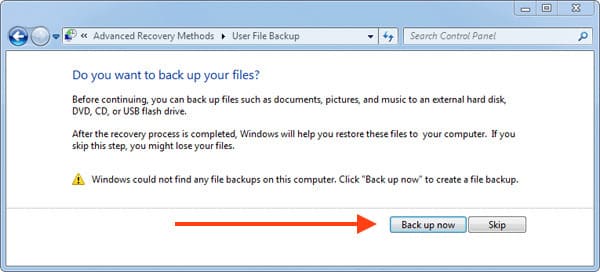
To back up your files, insert a backup flash drive or removable hard drive into your PC and click “Back up.” Alternatively, you can skip this step and continue the procedure.
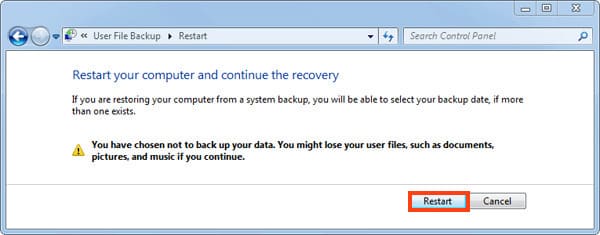
Click “Restart.”
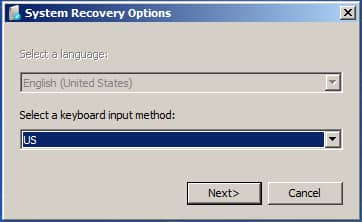
Click “Next” in this window.
In the next three windows, click “Yes”. By clicking “Yes” in these windows, you confirm that you have inserted the bootable flash drive with Windows 7; otherwise, the system reset will be impossible.
Now, wait for the installation process to complete. After installation, the PC will restart, and the system will offer to restore your archived files. Now your system has been reset to factory settings.