After activating Windows 10, the license key is tied to the hardware, specifically the motherboard. In this article, we will visually demonstrate how to transfer the Windows 10 license after replacing hardware, specifically the motherboard.
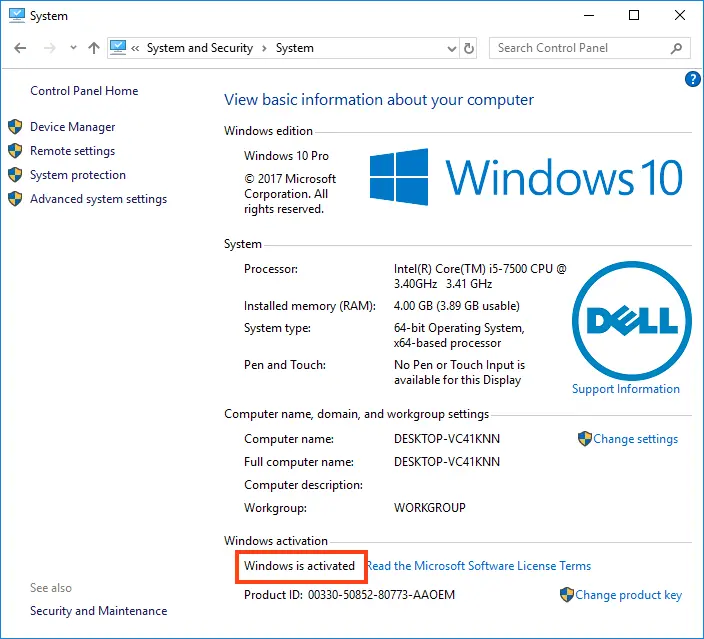
1) Ensure Your Operating System is Activated
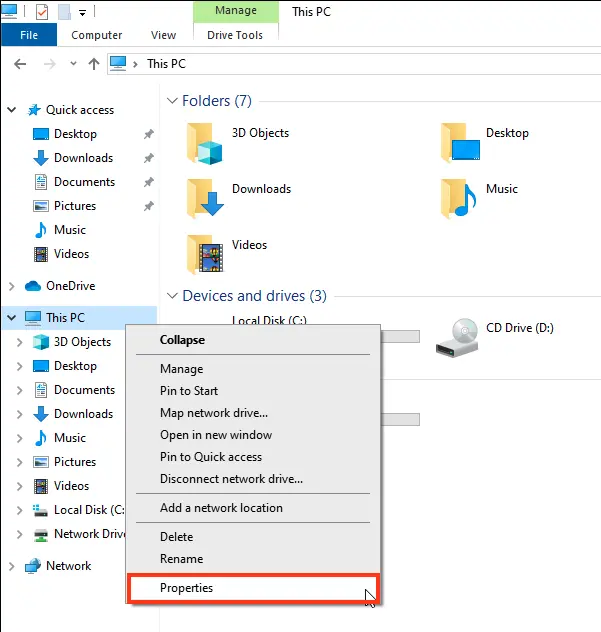
To do this, open File Explorer (any folder), on the left side click “This PC” => right-click => Properties.
2) If Your Windows 10 is Not Activated
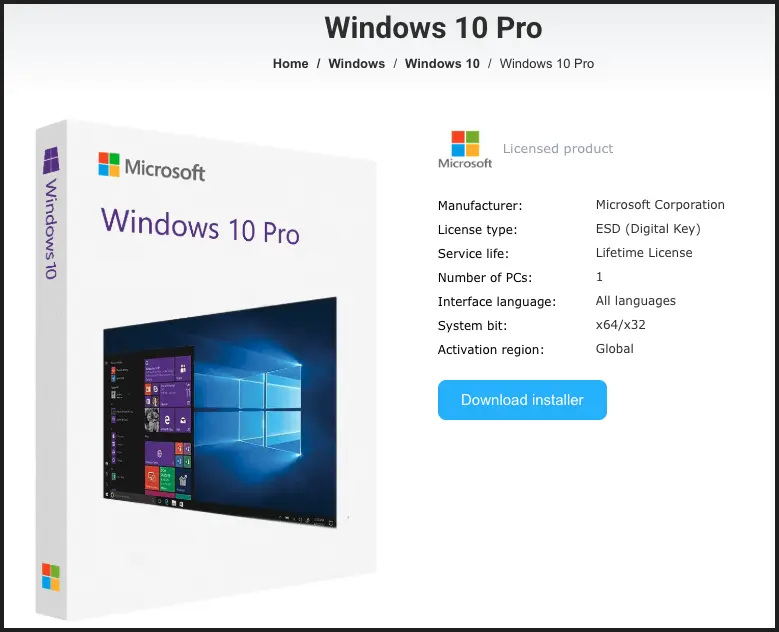
You can purchase a product key in our online store on the following pages: if you have Windows 10 Pro, or if you have Windows 10 Home.
3) Link the License to Your Microsoft Account
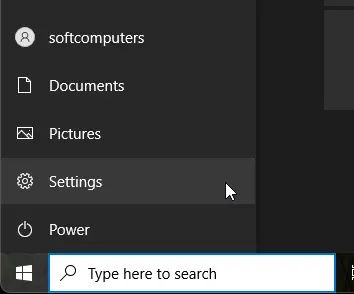
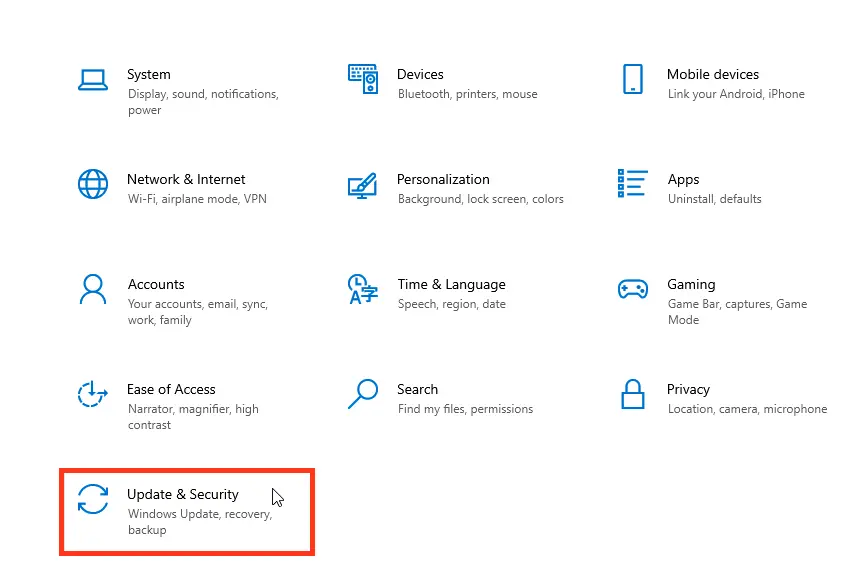
First, check if your account is already linked. Go to the Start menu => Settings => Update & Security => Activation.
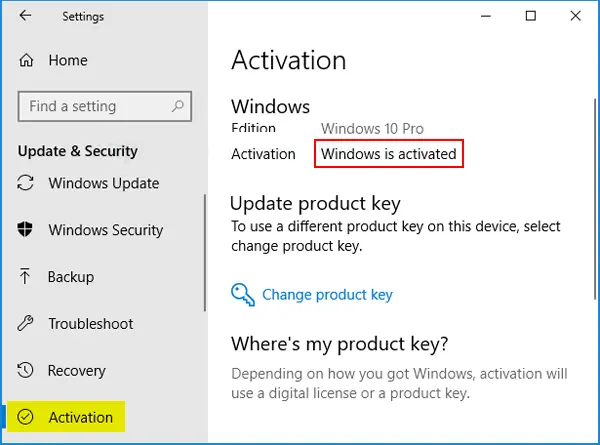
If everything is linked, it will look like the screenshot above.
If not, go to Settings => Accounts, and add your Microsoft account.
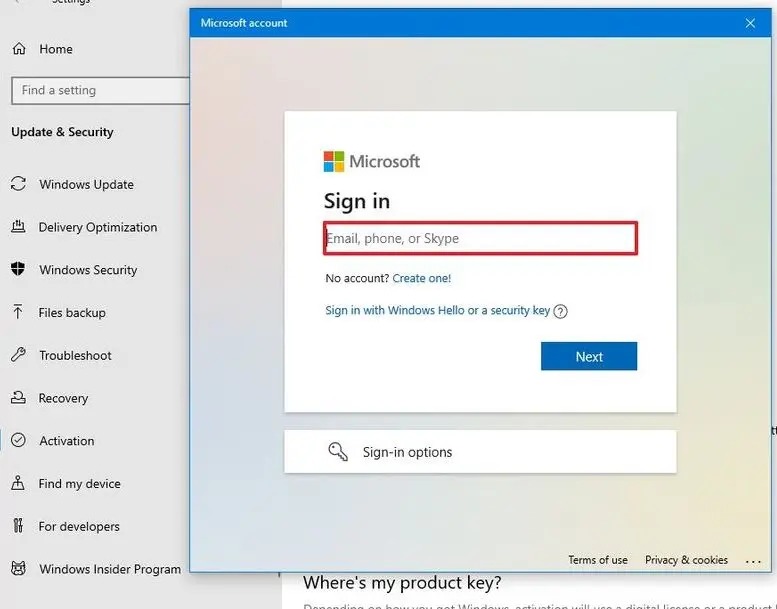
After you start using your Microsoft account on your computer, return to the Activation page, select Add Account, enter your Microsoft account username and password, and then click Sign In.
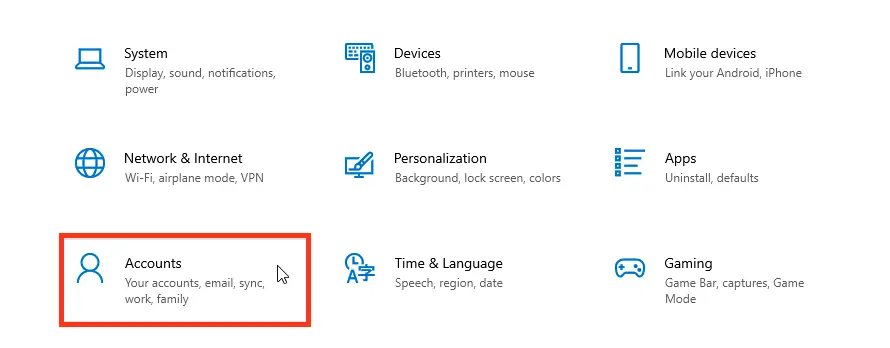
4) Activating Windows After Hardware Replacement
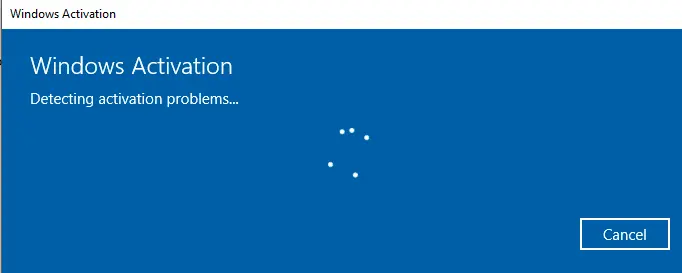
Go to the Start menu => Settings => Update & Security => Activation => Troubleshoot.
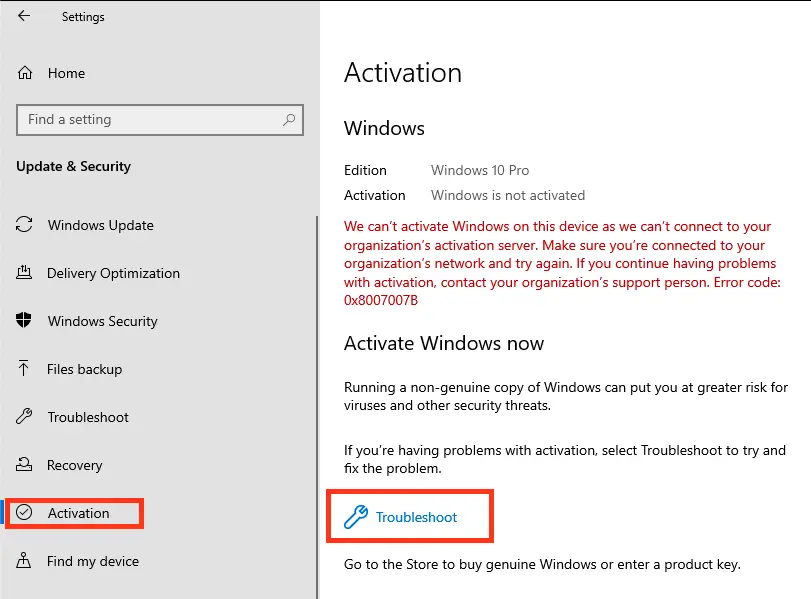
5) In the Next Window
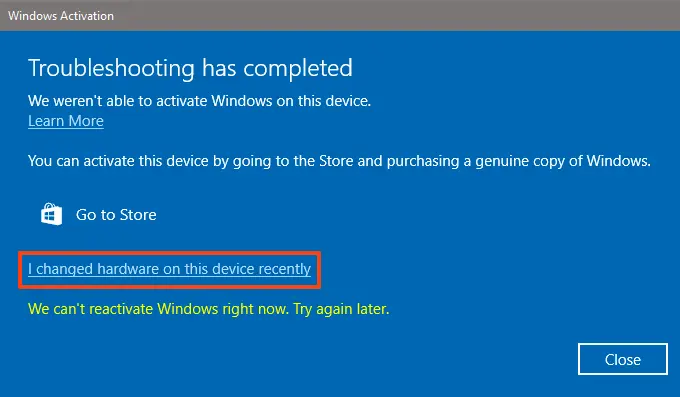
Click: “I recently changed hardware on this device.”
6) Sign In
If you haven’t already, sign in and then click “Sign In.”
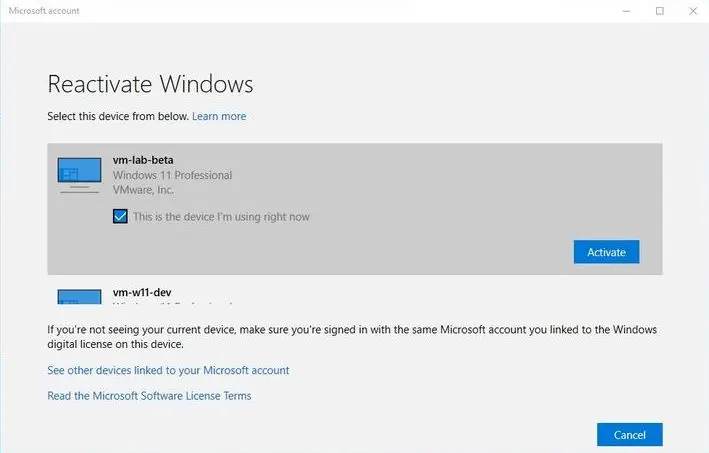
7) Select the Device to Activate
Check the box next to the device you want to activate and click “Activate.” The activation should then proceed successfully.