In this article I will discuss how to use an official utility from Microsoft – Microsoft Office License Removal for Mac (Microsoft Office License Removal).
What is the purpose of this tool?
If you have a purchased license of Microsoft Office for Mac, but after downloading the application and logging in with your Microsoft account – the license does not work for some reason, or the application displays a different license than the one you want to use. For example, you previously used Microsoft Office 365 on a subscription basis, but then you purchased a perpetual license, such as Office 2021 for Mac, and the application still displays Microsoft Office 365, not the 2021 version.
The utility will find old, non-working Office licenses on your Mac, remove them, and then you can reapply the correct Microsoft Office license.
Download: Microsoft Office License Removal
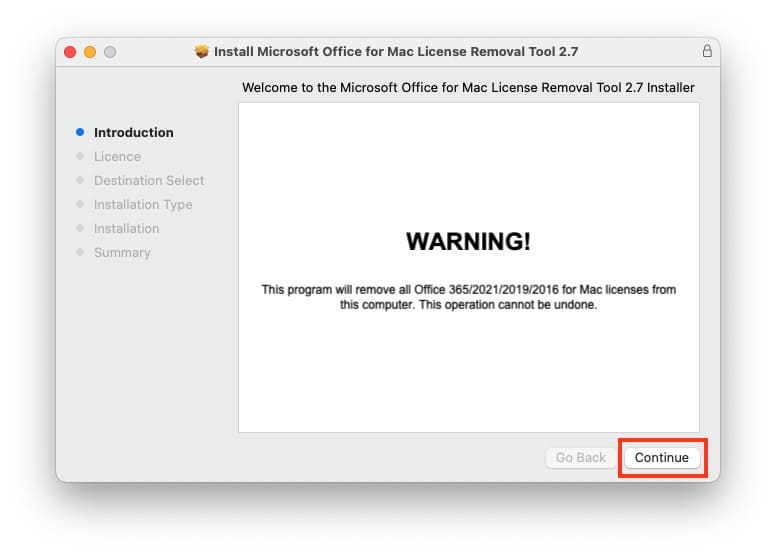
1. Run the downloaded file. Click “Continue.”
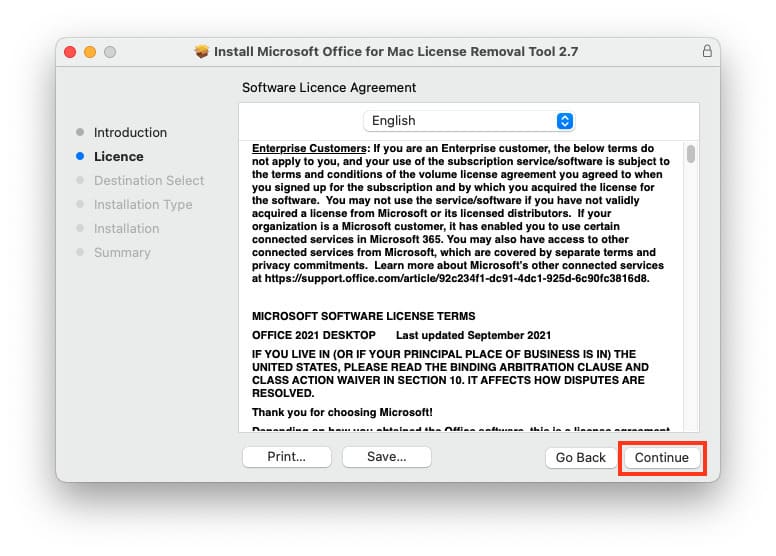
2. Also click “Continue” here.
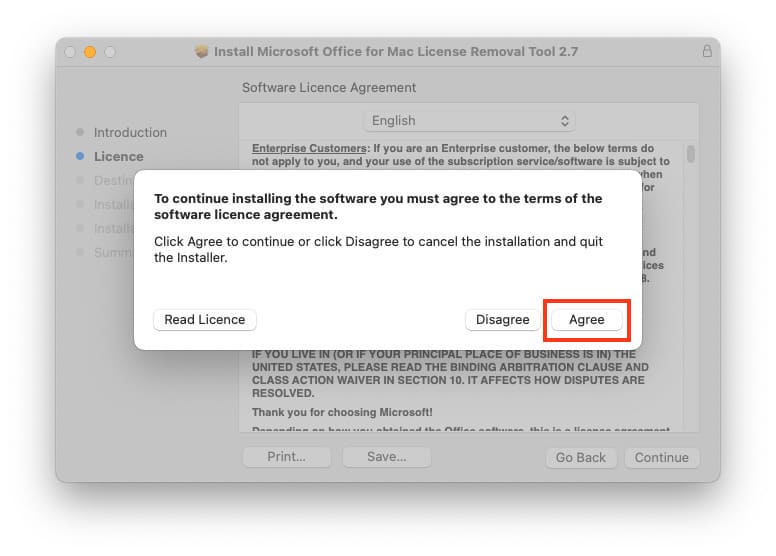
3. Accept the license agreement, click “Agree.”
4. Install for all users. Click “Continue.”
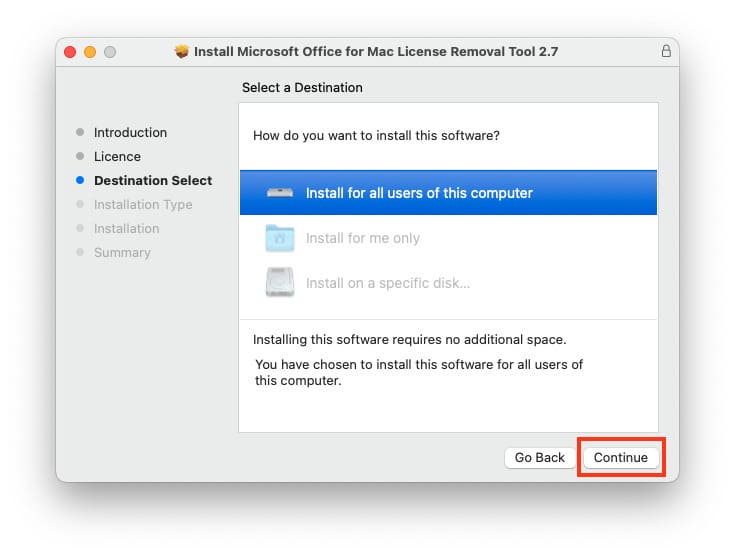
5. Click “Install.”
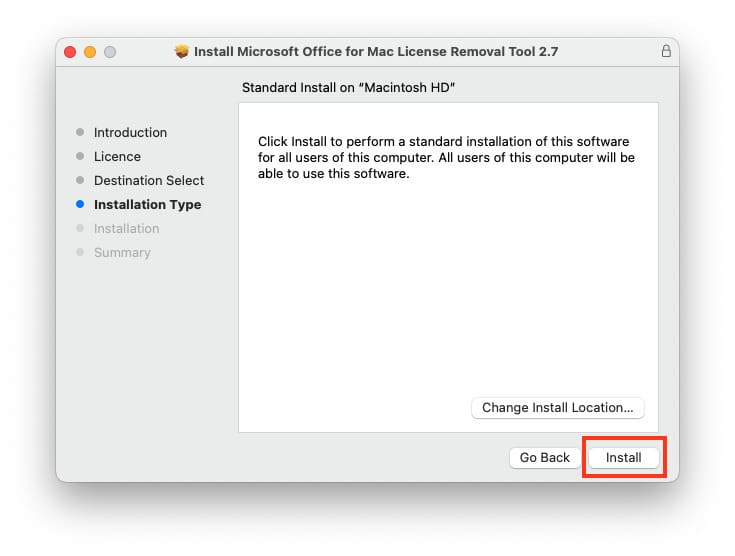
To install, you will need to enter your Mac account password or use Touch ID.
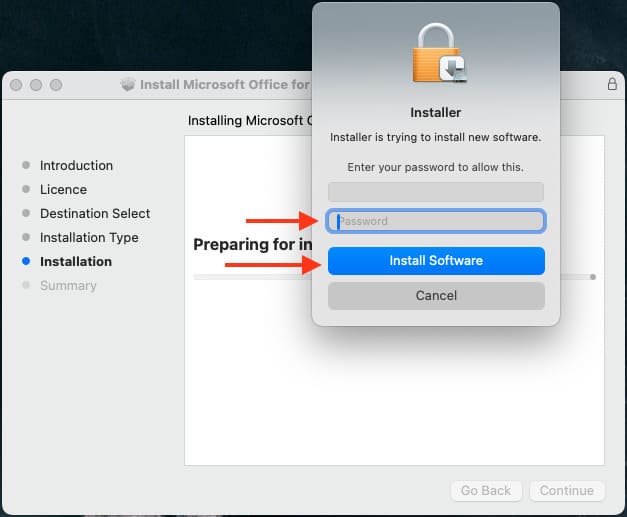
6. Wait for the installation to complete.
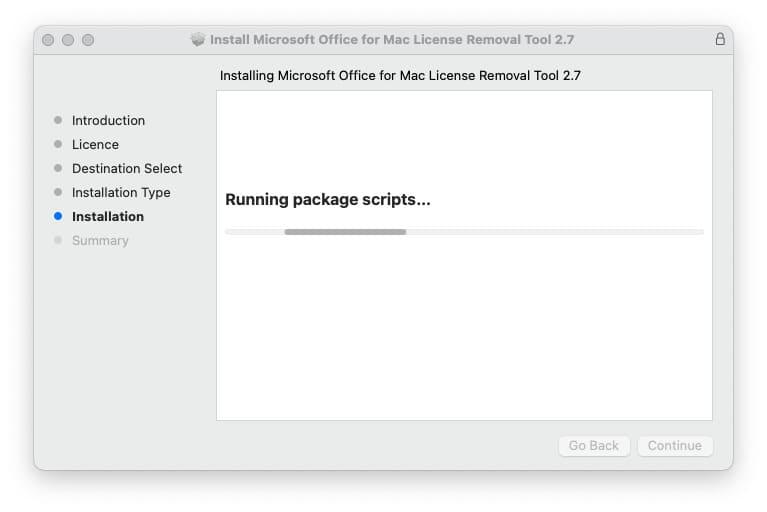
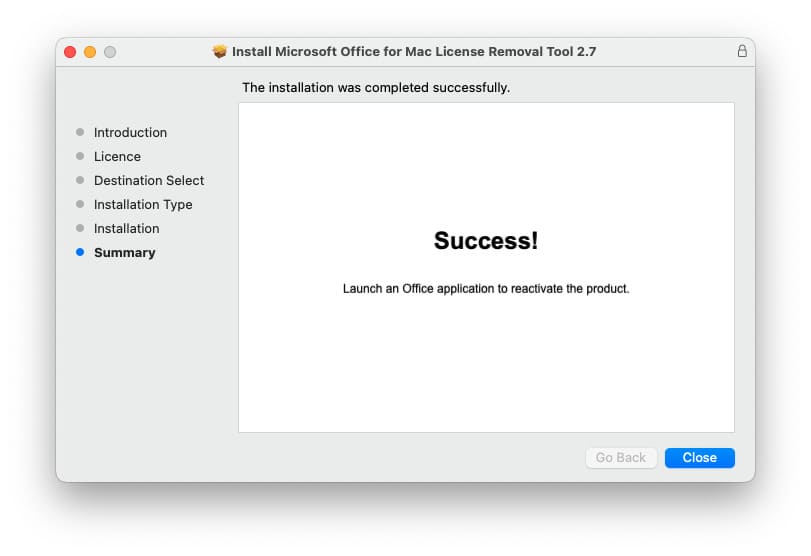
7. What to do next? Actually, that’s it. Now you can open any Office application, such as Excel. The application will prompt you to sign in to your Microsoft account again. Authenticate, and now the correct license should be detected in the application.
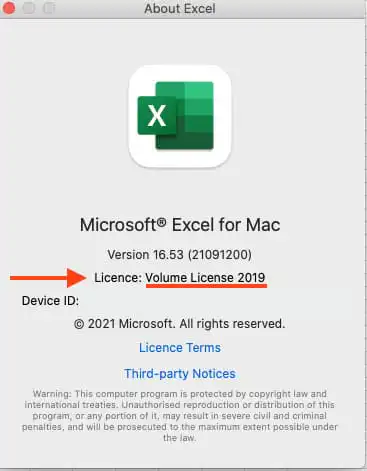
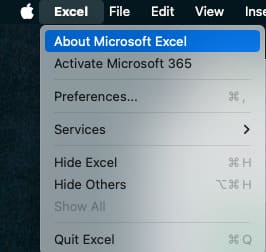
You can check this by launching Excel => Taskbar => “Excel” button => About Microsoft Excel.
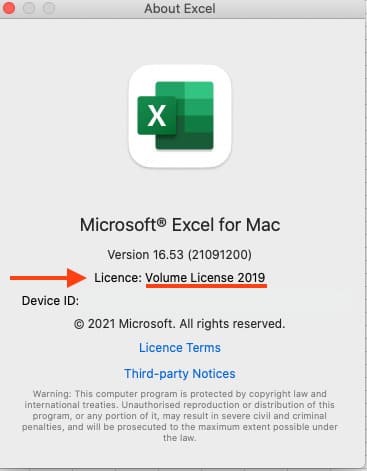
Next, you can see which license is detected, for example, we have Volume License 2019 (you may have your own, depending on the product key you activated).
You can buy Microsoft Office for Mac activation product keys from our catalog on the next page. Fast delivery to your e-mail within 3 hours after payment. Orders are processed 24/7 in automatic mode. Guarantee and 24/7 technical support. For additional questions, you can write to the support chat in the bottom right corner or email: admin@softcomputers.org.