In this article, we will explain how to update your Microsoft Office application on Windows systems. Please note: You cannot upgrade to a newer version of Microsoft Office (e.g., from Office 2016 to Office 2019) through a simple update. Updates only work within the same edition. If you want to upgrade to a newer edition of Microsoft Office, you will need to purchase a product key and download the new application.
This guide is suitable for the following versions of Office: 2019, 2016, 365.
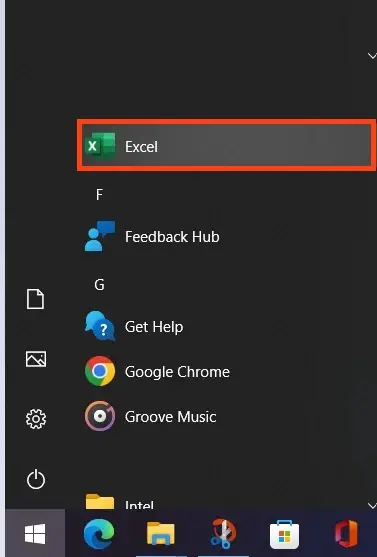
1) Open any Microsoft Office application. You can do this from the “Start” menu by selecting, for example, Excel.
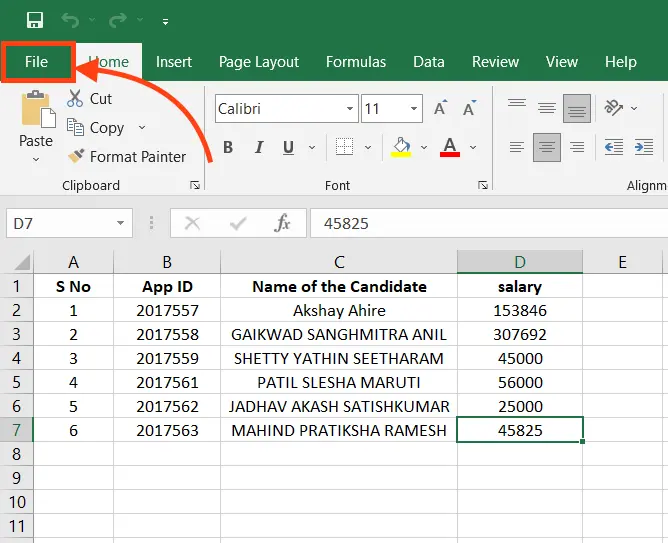
2) After opening the application, press the “Esc” key on your keyboard. A menu will appear at the top. Click on the “File” menu.
3) Next, go to the “Account” tab => Update Options.
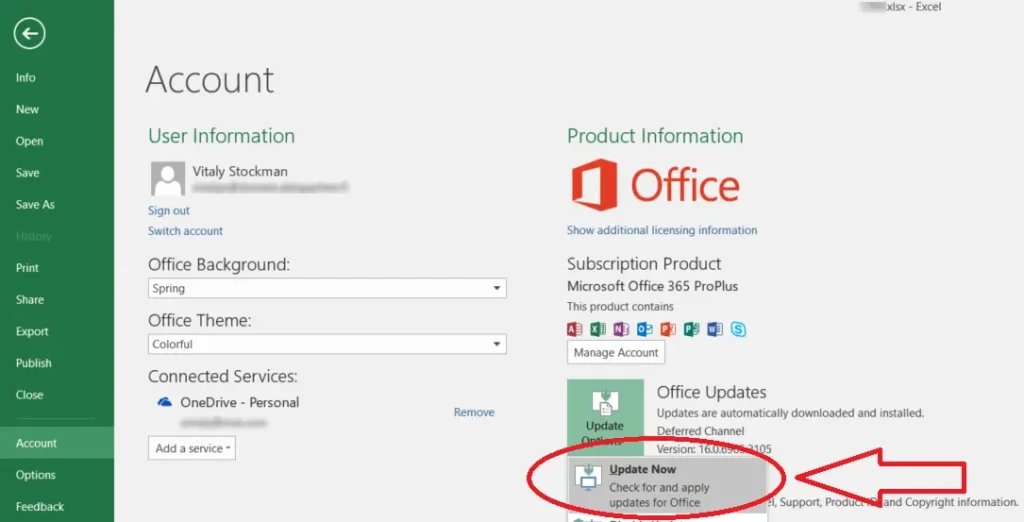
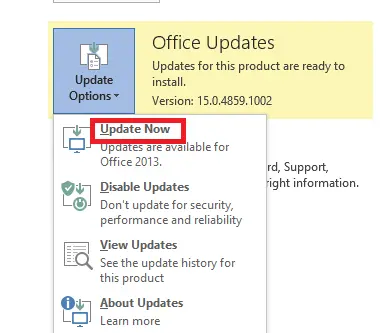
4) In the “Update Options” menu, select “Update Now.” The program will then check for updates on Microsoft’s servers. If updates are available, it will prompt you to download and install them. After updating, restart the application.
Additionally, to ensure everything works correctly in the future, we strongly recommend using only official Microsoft Office installers and genuine licenses for these applications. You can download and purchase genuine product keys in our SoftComputers online store at the lowest prices. Instant delivery of product keys immediately after payment in automatic mode to your email. Guarantee and free 24/7 technical support.
Learn more about Microsoft Office products in our catalog on the following page.