



Blog

Let’s consider in detail how to uninstall any installed program in Windows 7 using two methods:

1) Using standard Windows 7 tools.

2) With the help of the third-party program CCleaner.

Uninstalling a program in Windows 7 using standard tools through the “Programs and Features” menu

Let’s start with the built-in functionality of Windows 7.

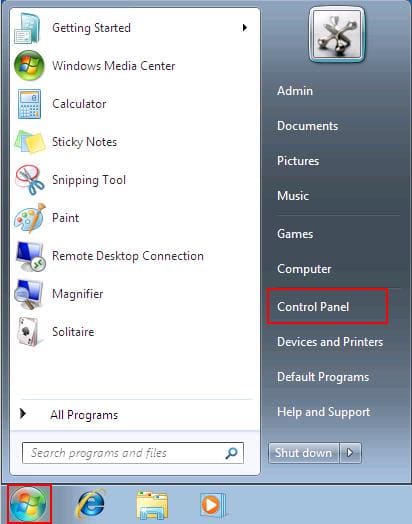
Go to the “Start” menu => Control Panel
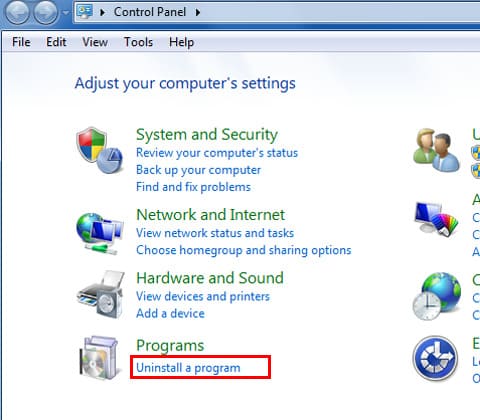
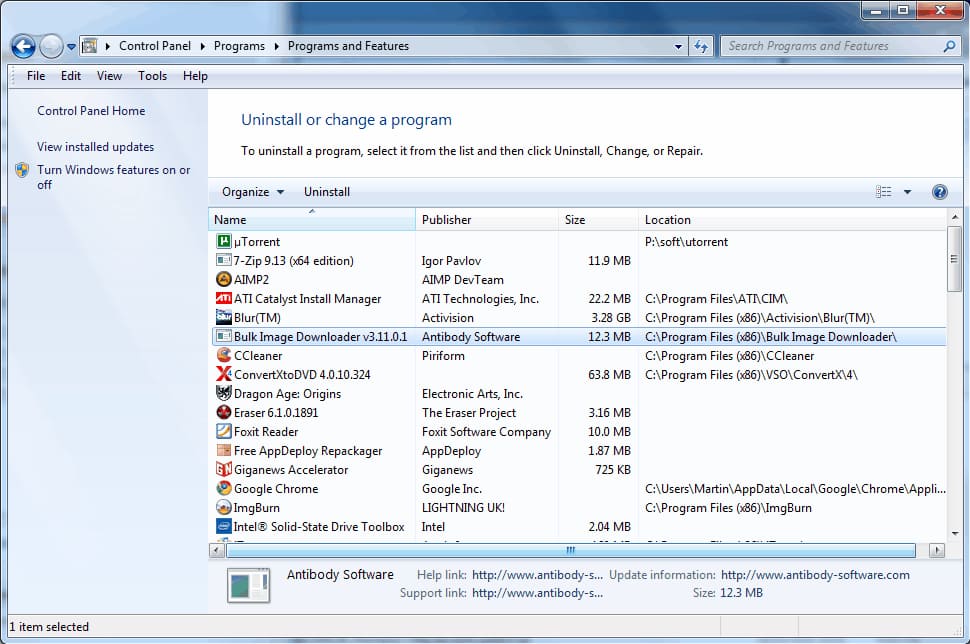
In the “Control Panel” menu, set the view sorting to “Category” and go to the “Programs and Features” menu.
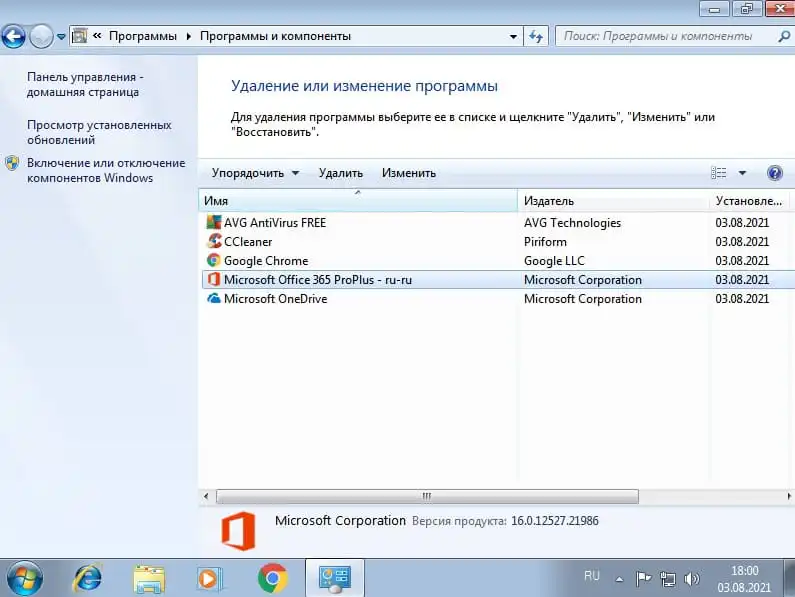
Now you will see a list of installed programs, double-click on the program you want to uninstall, and the application will start the uninstallation process from your PC.
Uninstalling a program in Windows 7 using the CCleaner application

CCleaner – a popular free program for removing applications in the system, cleaning the registry, and much more for system optimization.

Download CCleaner from the official website

Download CCleaner from our server

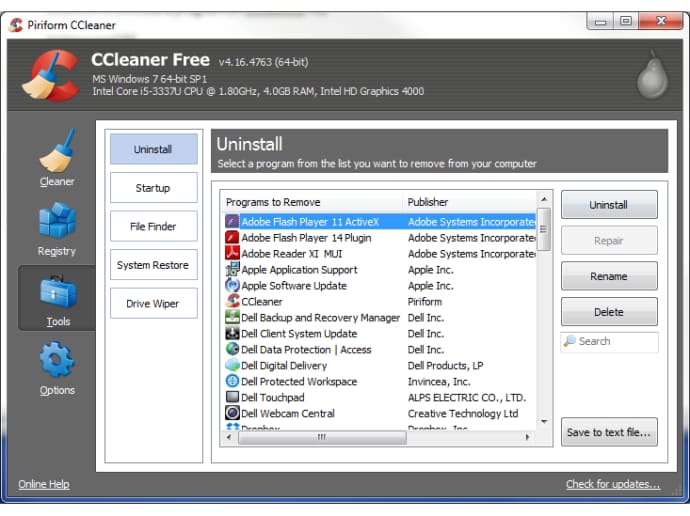
Using the application is straightforward. Launch the application => Go directly to the “Tools” menu on the left and select “Uninstall” => Highlight the program you want to uninstall with the mouse cursor and click on the “Uninstall” button. (The “Remove” button removes the application from the “Uninstall” list but does not uninstall the application itself.)

banner for Windows 7
Windows 7 license from
$13.30 ·
Picking your discount
Promo code ·
Promo code expired. A new one in .
Buy valid for

"Personal discount from 5% to 12%" — promotion rules

  1. Organizer — SoftComputers LLP, website softcomputers.net. The promotion runs indefinitely; the organizer may end it at any time by removing the block from the website.
  2. Participation is free. To take part, enter your email and agree to the processing of personal data and to receive emails.
  3. Each participant receives a promo code for a 5% to 12% discount on any product in the catalog. The amount is chosen at random.
  4. The promo code is single-use, tied to the email you entered, valid for 7 days and applied in the cart at checkout. No minimum order amount. Cannot be combined with other promo codes.
  5. One participant (email / device) can receive one promo code per 7 days; a new code is issued after the previous one expires.
  6. The promo code cannot be exchanged for money. The organizer may void a code in case of abuse.
Subscribe
Notify of
guest
0 comments
Newest
Oldest