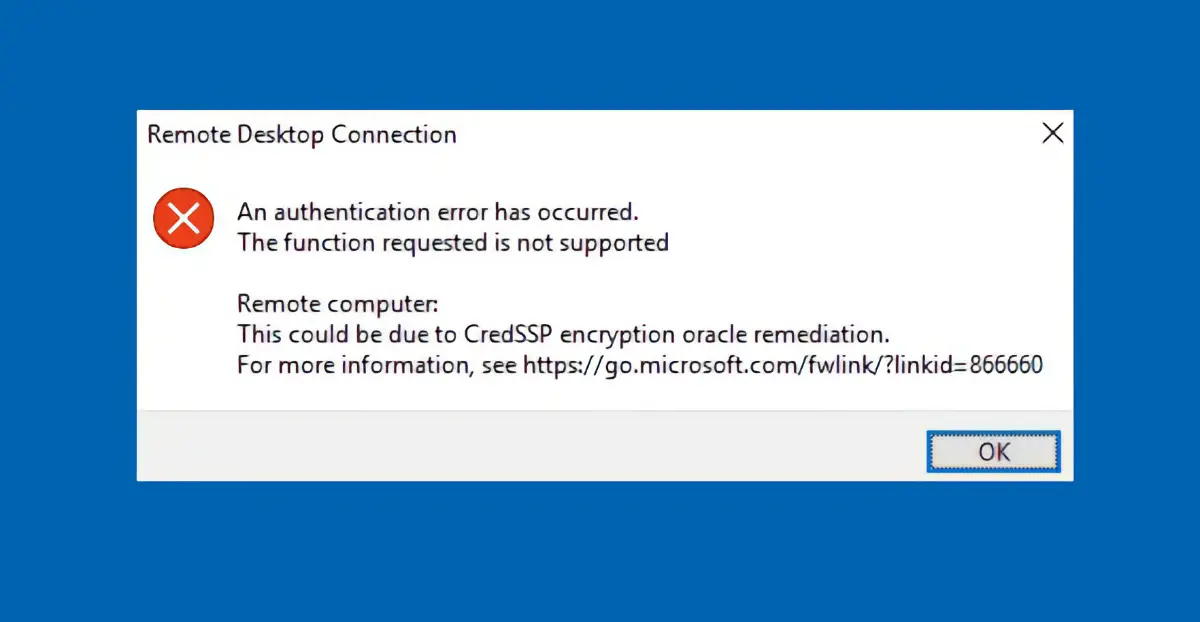
In this article, we’ll explain how to fix the error that occurs when trying to connect via Remote Desktop in Windows:
“An authentication error has occurred. The function requested is not supported. This may be due to CredSSP encryption fix.”
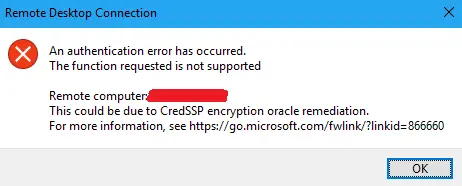
Cause of the error
This error occurs due to the absence of the CVE-2018-0886 update on either the server or the client computer. It is related to the CredSSP encryption fix introduced after May 8, 2018. The error may appear when connecting to Remote Desktop or using RemoteApp.
Ways to fix the issue
Method 1: Install the CredSSP encryption fix update
The best solution is to install the CVE-2018-0886 update on both the server and client computers. The update can be downloaded from the official Microsoft website, depending on your OS version (Windows Server 2016, Windows 10, Windows 8.1, Windows 7, etc.).
* CVE-2018-0886 update for Windows Server 2016 1709
* CVE-2018-0886 update for Windows Server 2016 1703
* CVE-2018-0886 update for Windows Server 2016 1607
* CVE-2018-0886 update for Windows Server 2016
* CVE-2018-0886 update for Windows 10 1709 ARM
* CVE-2018-0886 update for Windows 10 1709 x86
* CVE-2018-0886 update for Windows 10 1709 x64
* CVE-2018-0886 update for Windows 10 1703 ARM
* CVE-2018-0886 update for Windows 10 1703 x86
* CVE-2018-0886 update for Windows 10 1703 x64
* CVE-2018-0886 update for Windows 10 1607 ARM
* CVE-2018-0886 update for Windows 10 1607 x86
* CVE-2018-0886 update for Windows 10 1607 x64
* CVE-2018-0886 update for Windows Server 2012 R2
* CVE-2018-0886 update for Windows 8.1 x86
* CVE-2018-0886 update for Windows 8.1 x64
* CVE-2018-0886 update for Windows Server 2012
* CVE-2018-0886 update for Windows Server 2008 R2
* CVE-2018-0886 update for Windows 7 x86
* CVE-2018-0886 update for Windows 7 x64
Method 2: Disable CredSSP encryption error notification via Group Policy
If installing the update is not possible, you can disable the encryption error notification via Group Policy:
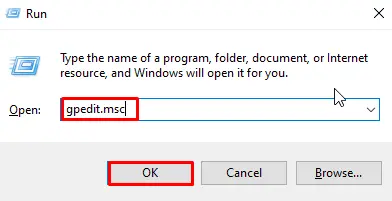
1. Press Win + R, type gpedit.msc, and press Enter. This opens the Local Group Policy Editor.
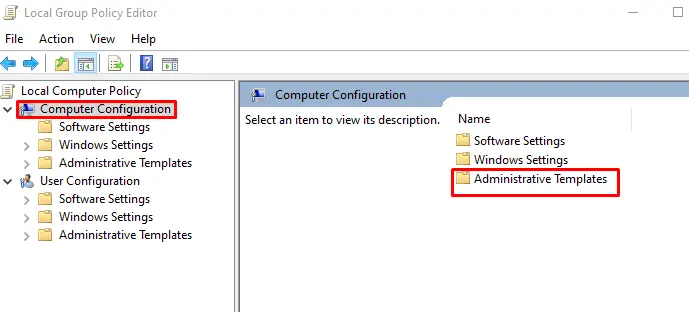
2. Navigate to: Computer Configuration → Administrative Templates → System → Credentials Delegation.
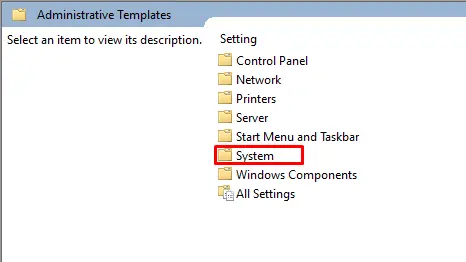
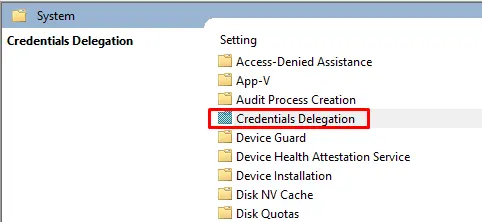
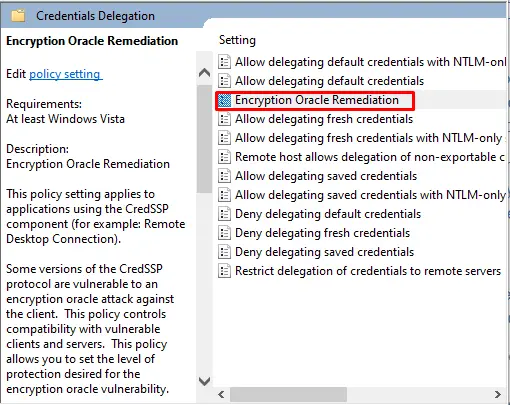
3. Open the setting “Encryption Oracle Remediation”.
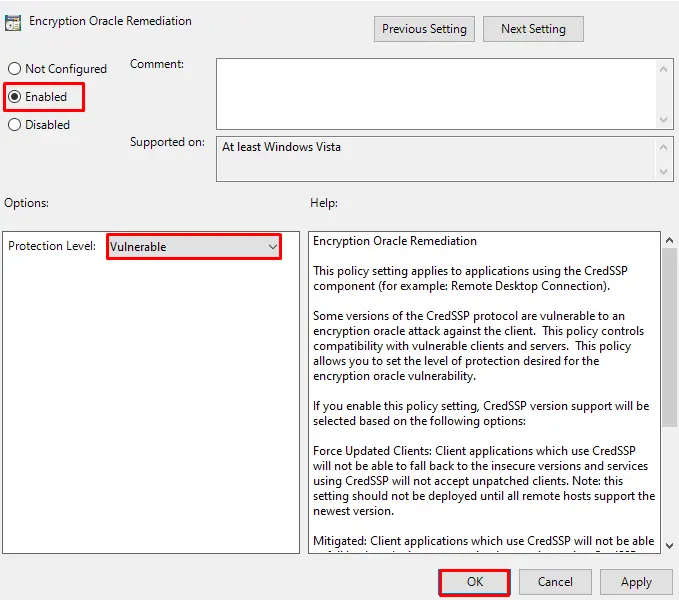
4. Set it to “Enabled” and change the protection level to “Vulnerable.”
5. Click “OK” and close the console.
Method 3: Disable CredSSP encryption error notification via Registry Editor
If the Group Policy Editor is not available (for example, in Windows 10 Home), you can make changes through the Registry Editor:
1. Press Win + R, type regedit, and press Enter.
2. Navigate to: HKLM\Software\Microsoft\Windows\CurrentVersion\Policies\System\CredSSP\Parameters.
3. Locate the DWORD parameter AllowEncryptionOracle and set its value to 2. If it does not exist, create it.
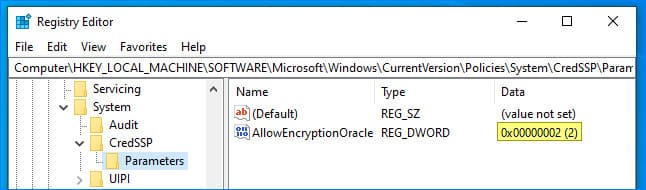
4. Restart the computer.
Alternatively, you can run the following command in an elevated Command Prompt:
REG ADD HKLM\SOFTWARE\Microsoft\Windows\CurrentVersion\Policies\System\CredSSP\Parameters /v AllowEncryptionOracle /t REG_DWORD /d 2