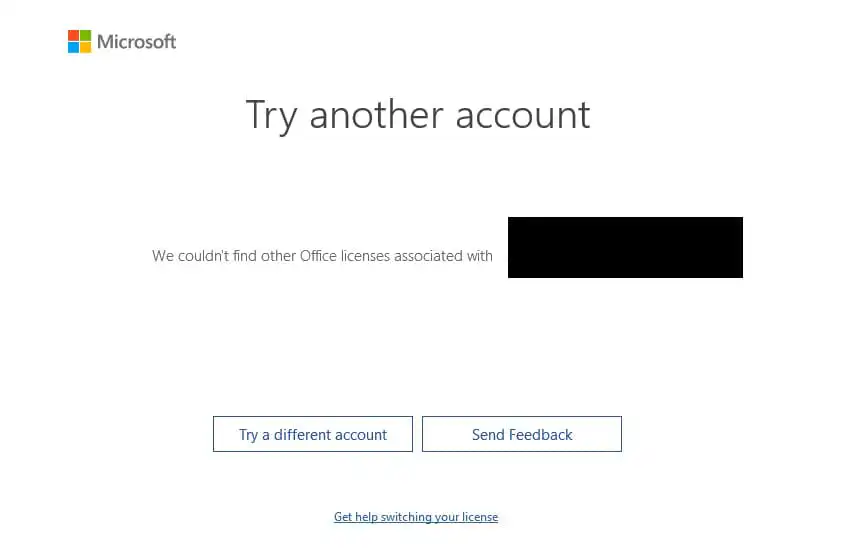
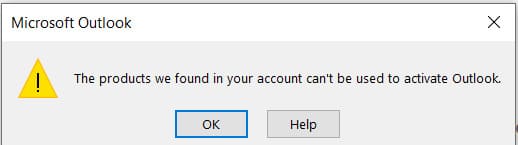
When attempting to activate various versions of Office, you may encounter errors stating that a particular account isn’t associated with your Microsoft Office version. For example, an error like “We couldn’t find other Office licenses associated with your account” along with a prompt to “Try another account.” Errors may appear as follows:
1) First, ensure that you have a valid license for Microsoft Office 365 and that your subscription is active. You can check your subscription status in your Microsoft Office 365 account on this page. If you don’t have an Office 365 subscription, you can purchase one from our catalog. More details are available on the product page.
2) Make sure that you have the correct application installed for your license. You can check this from any Office application, such as Excel => File Menu => Account. For Microsoft Office 365 “Home” or “Personal” subscriptions, it should simply display “Microsoft Office 365” without any additional qualifiers. If you have a license for Microsoft Office 365 Pro Plus or “Business” versions, the Account menu will display “Pro Plus” – i.e., Microsoft Office 365 Pro Plus.
– If the application is installed incorrectly, we recommend uninstalling it following these instructions. Then reinstall the correct application, which you can download from our catalog.
3) Ensure that you are signed in to Microsoft Office 365 with the correct account (login) associated with your license. If the account is incorrect, you need to sign in with the active account. You can do this from any Office application, such as Excel => File Menu => Account => Click “Sign Out” => Restart the application and sign in with the correct license (login).
1) Ensure that you have the correct application installed for your product key. You can check this from any Office application, such as Excel => File Menu => Account. If the application is installed incorrectly, we recommend uninstalling it following these instructions. Then reinstall the correct application, which you can download from our catalog. Alternatively, you can download it from the official Microsoft website at setup.office.com. Sign in with your account on that page and enter your product key. If you don’t have a product key, you can purchase one from our catalog. Product key delivery is instant, sent directly to your email.
2) If the correct application is installed but you’re still encountering the error, try activating the product key without signing in or create a new account.
– Activation without signing in: Open any Office application, such as Excel => File Menu => Account. Click “Sign Out” => Restart all Office applications => Reopen Excel or any other Office app => Activate your product key without signing in. => Check activation status in the “Account” menu.
– Alternatively, you can try creating a new account and activating your product key with it. You can create a Microsoft account on the setup.office.com page.