






This guide explains how to configure automatic backups in OneNote and perform manual backups. While OneNote auto-saves notes during work, creating regular backups is crucial for data protection. Data loss due to hardware failures or errors could permanently erase your notes. Consistent backups ensure critical information recovery in emergencies.
Download official Microsoft Office installers in our catalog.
Automatic OneNote Backup
Note: Automatic backup is exclusive to the Windows desktop version of OneNote. For web or other platform users, download OneNote 2016 for free at www.onenote.com.
To configure automatic backups:
1. Select a backup storage location outside your primary hard drive (e.g., USB drive or network folder).
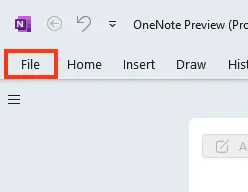
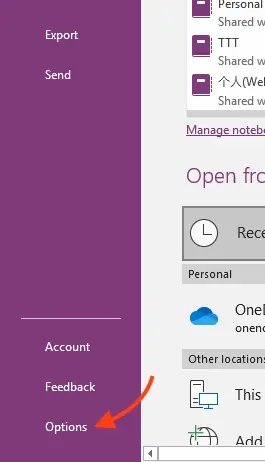
2. Open OneNote and navigate to File > Options.
3. In the OneNote Options dialog, select Save & Backup.
4. Under Save, click Backup Folder > Modify.
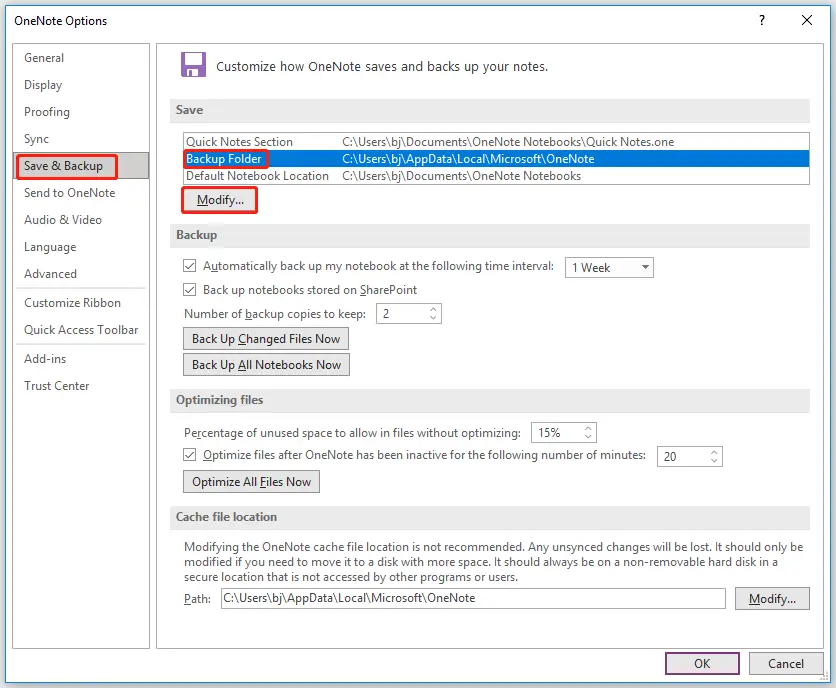
5. Choose your backup folder, click Select, then confirm with OK.
OneNote will now create weekly backups. For frequent critical updates, adjust the backup frequency in the same settings.
Tip:
Modify the backup location anytime by repeating these steps.
Manual OneNote Backup
Perform manual backups after adding large volumes of important data:
1. Go to File > Options.
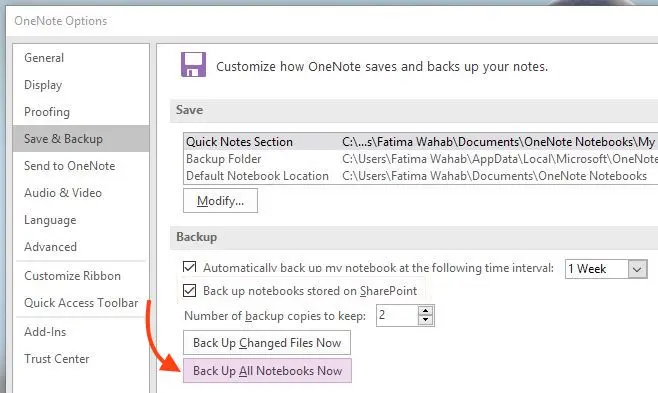
2. In OneNote Options, select Save & Backup.
3. Under Save, click Back Up All Notebooks Now.

Important:
OneNote retains only recent backup versions. To preserve older copies:
– Adjust the Number of Backup Copies to Keep setting to prevent overwrites.
Regular backups safeguard your notes against device failures and ensure seamless data recovery.