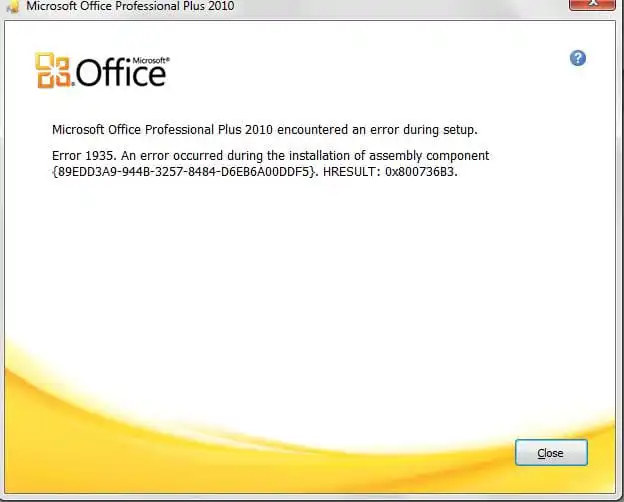
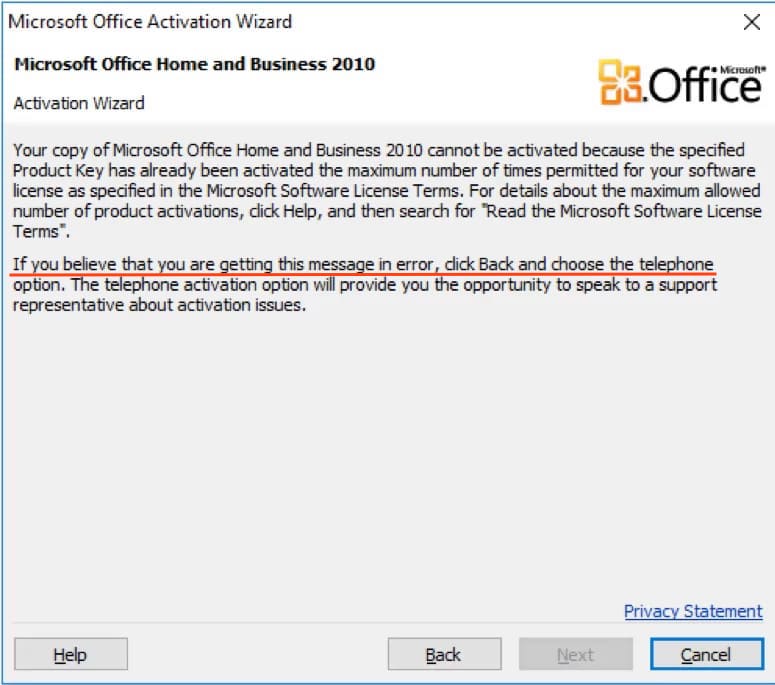
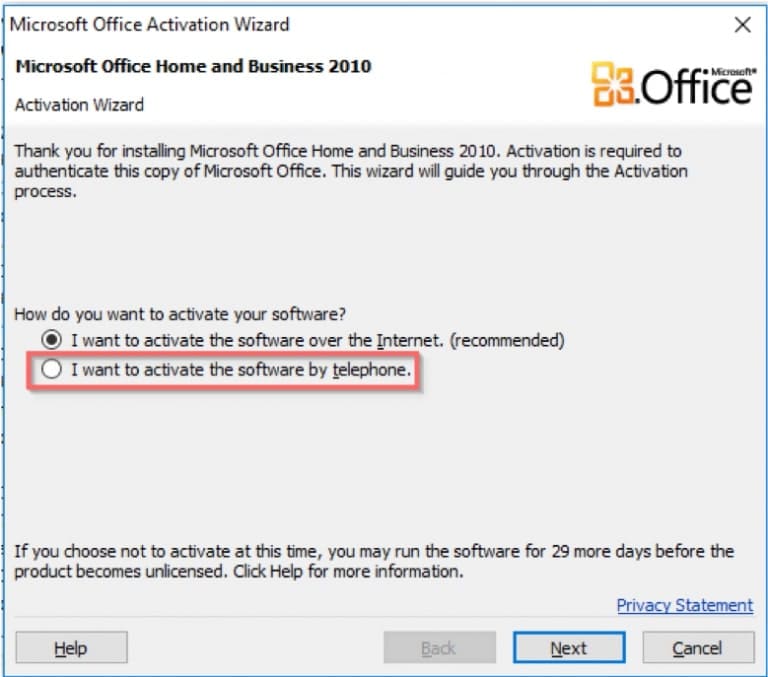
During the standard activation of Microsoft Office 2010, you might encounter errors like the one shown in the screenshot below. In this case, as described in the second paragraph of the error description, you need to activate Microsoft Office 2010 by phone.
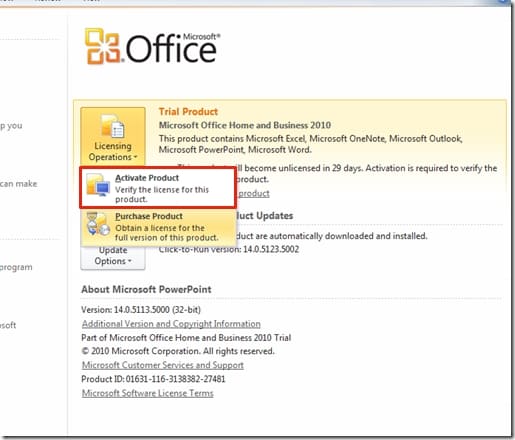
1) In the “Help” menu, click on “License Operations,” then “Activate Product.”
2) The next step is to select “I want to activate the software by telephone” and click “Next.”
3) In the next window, you will be prompted to select your country, such as United States. Below, you may see a message stating that phone activation for this product is no longer supported. However, phone activation works for all Microsoft products.
Call the numbers (Toll-free):
United States: 866-421-7141
United Kingdom: (0) (800) 018 8354
Spain: (900) 150 889
You can find phone numbers for other countries on the Microsoft Office website.
– In the United States, using a TT/TTY modem, dial (800) 718-1599.
– From outside the United States, using a TT/TTY modem, dial (716) 871-6859. TT/TTY service is only available in English.
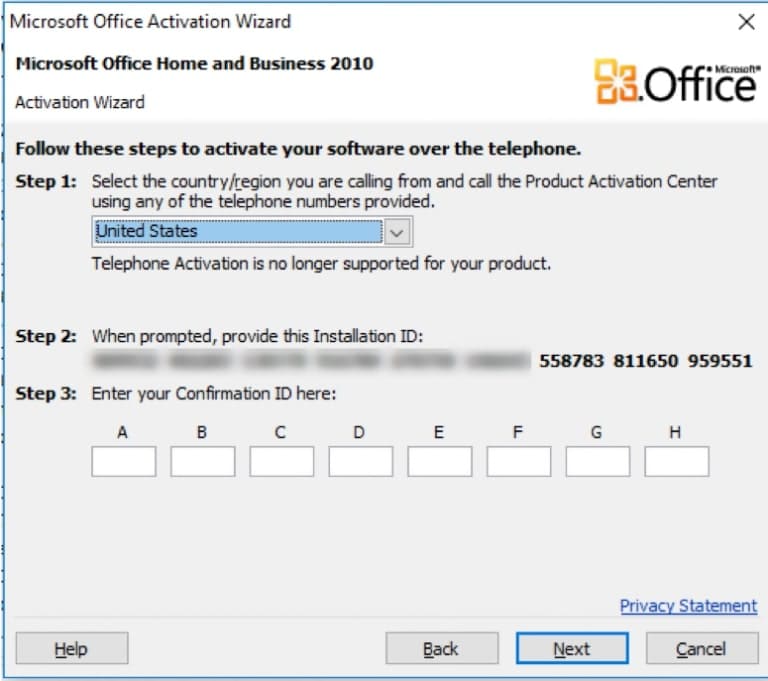
4) During the call: Press 1 or 2 to agree or disagree with the recording of the conversation, this doesn’t matter. Then press 3 for Office activation, and press 1 to enter the digits for the robot (from step 2 in the image above).
-After entering the digits, the robot will ask how many computers the key has been installed on; you should answer “zero.”
Then wait for the robot’s response digits, which you will need to enter into the input fields from A to H to activate Office.
If you don’t have a product key for Microsoft Office 2010, you can purchase it in our store on the next page.
How Else Can You Activate Your Product? Additional Activation Method
Phone Activation in Text Mode:
– Visit the activation page to initiate automatic phone activation in text mode.
Steps:
1. Enter the email address you used when purchasing the product on our website.
2. Input the installation code (IID) from your phone activation window, then click the “Start” button.
3. You will receive a confirmation code consisting of 8 blocks labeled from A to H, each containing 6 digits.
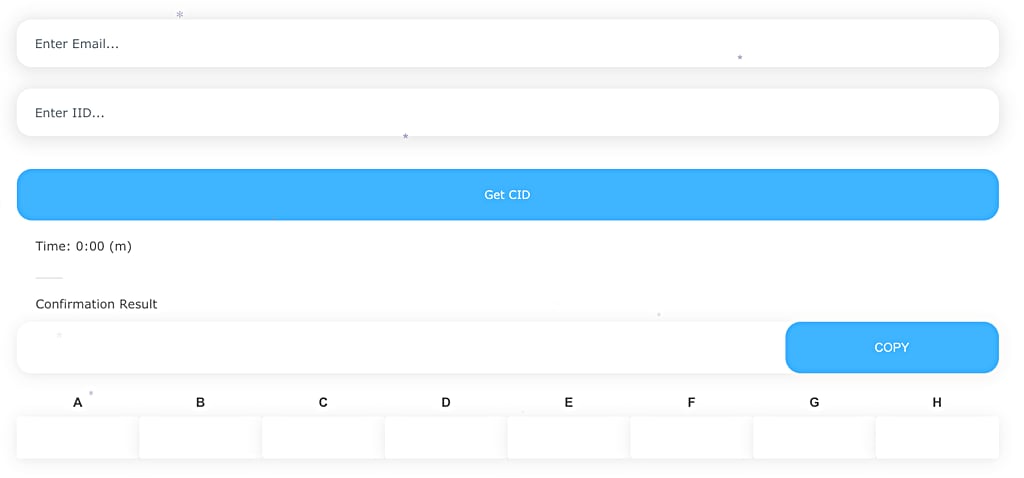
4. Enter these digits into your phone activation window to complete the activation process.