In this article, we will look at how to create a bootable USB drive with Windows on Mac OS.
For this, you will need:
– The application WinDiskWriter.
– A direct link to download this application is here.
– A Windows ISO image, which you can download from our catalog.
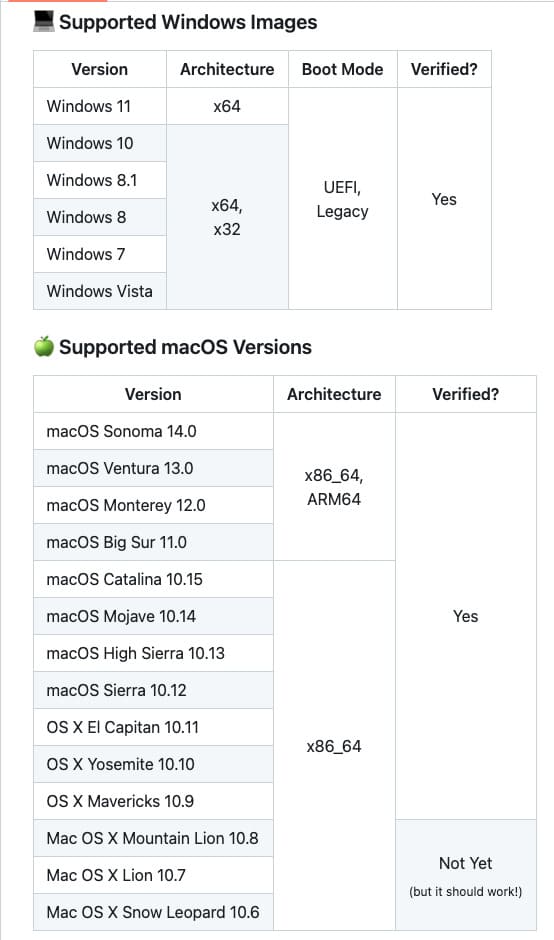
In the screenshot below, the versions of Windows that you can write to the USB drive using WinDiskWriter, as well as the Mac OS versions it works on, are listed.
– Lastly, you will need a USB drive with at least 5 GB of storage.
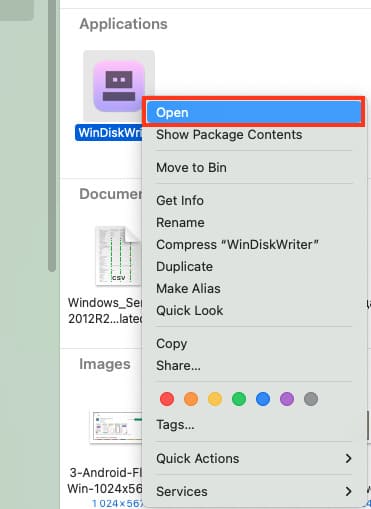
1) Open WinDiskWriter by right-clicking on it and click “Open” in the pop-up window.
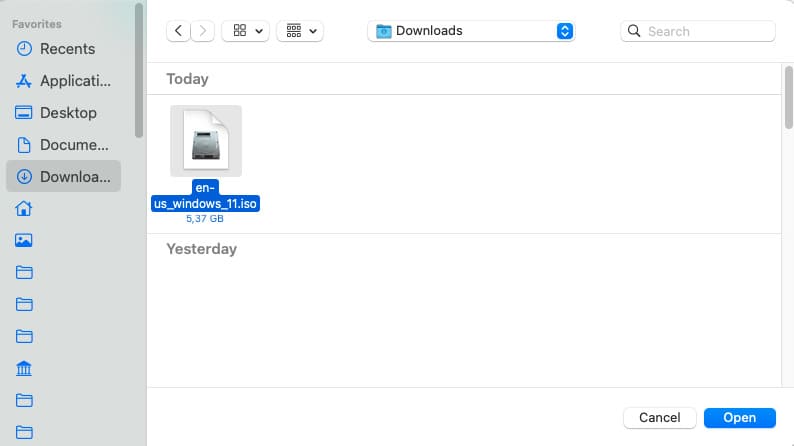
2) In the “Windows Image” section, click “Choose” and select your downloaded Windows ISO image.
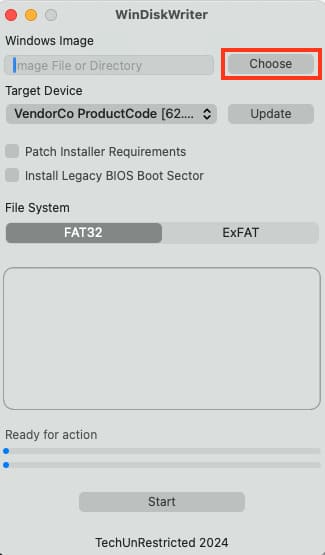
3) After this, insert the USB drive into your Mac and in the WinDiskWriter program click “Update” to display it as the destination device.
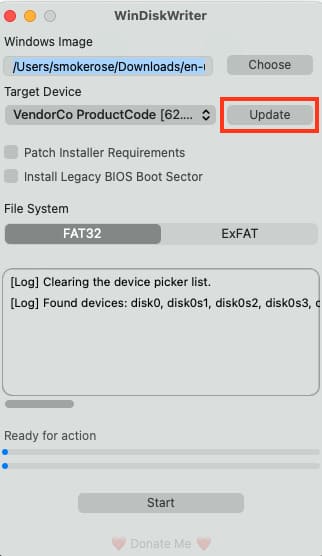
4) Also, if you need to install a new Windows 11 operating system on an old laptop or PC with old hardware, check the “Install boot sector for Legacy BIOS” box.
In my case, I leave everything as default, changing nothing.
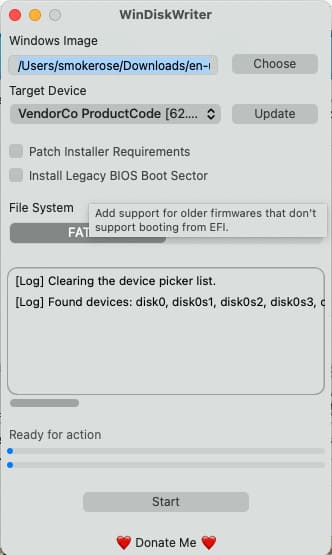
5) Now click “Start”, note that all data on the USB drive will be erased, so make sure to transfer any necessary files to another disk or USB drive beforehand.
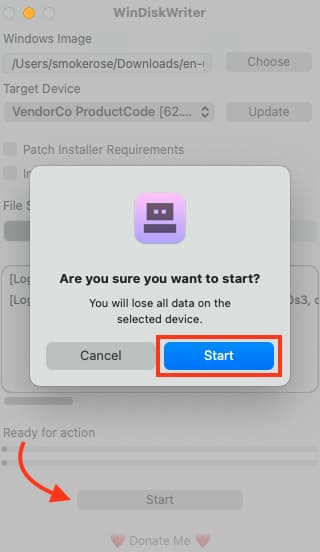
6) In the pop-up window, click “OK”. And just wait for Windows to be written.
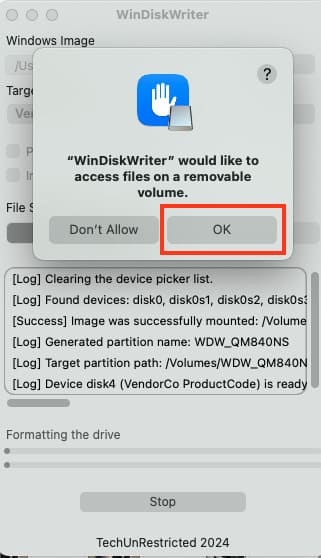
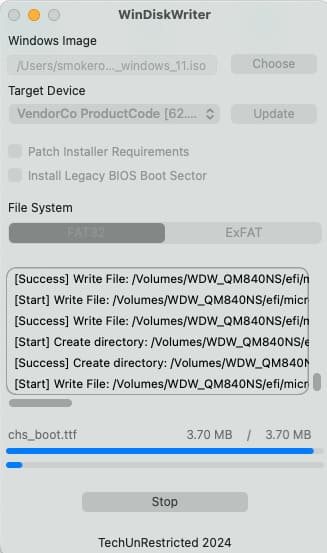
7) At the end of the process, another pop-up window will appear, simply click “Ok”.
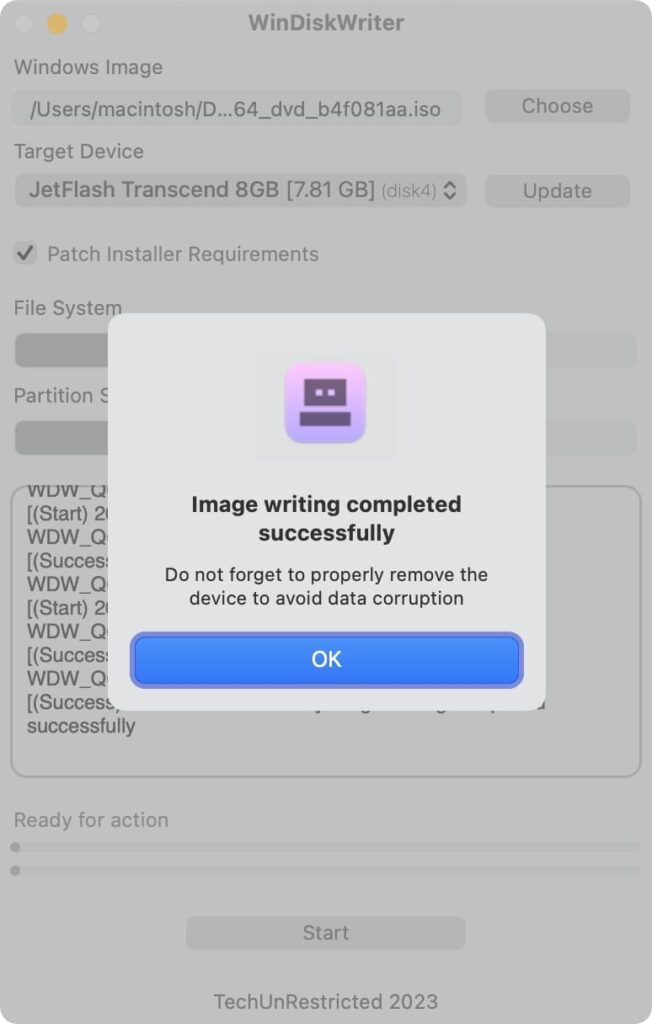
Congratulations! You now have a bootable USB drive with Windows created using Mac OS.
To learn how to install Windows using this bootable USB drive, read our next article!