In this article, we will explain how to disable Windows 7 updates. First, we’ll disable them in the “Windows Update Center,” but this won’t be sufficient, as Microsoft will still attempt to update your system over time. To fully disable updates in Windows 7, you’ll need to disable the update service itself. We’ll cover how to do this in the following steps.
First, let’s disable updates in the “Windows Update”:
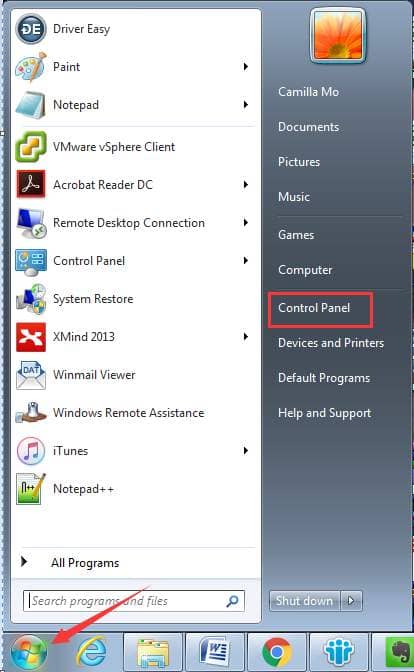
— Click on “Start” => “Control Panel”.
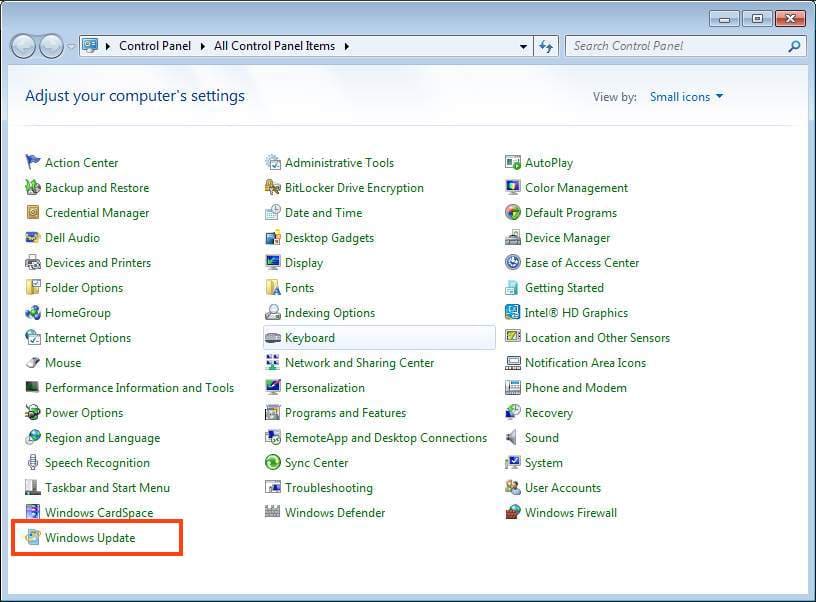
— Navigate to “Windows Update”.
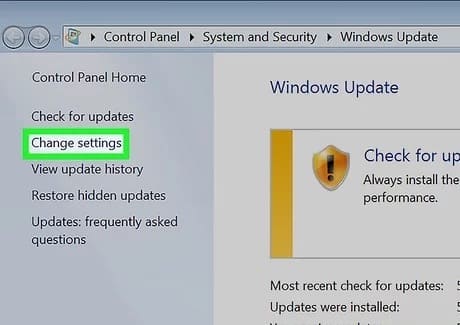
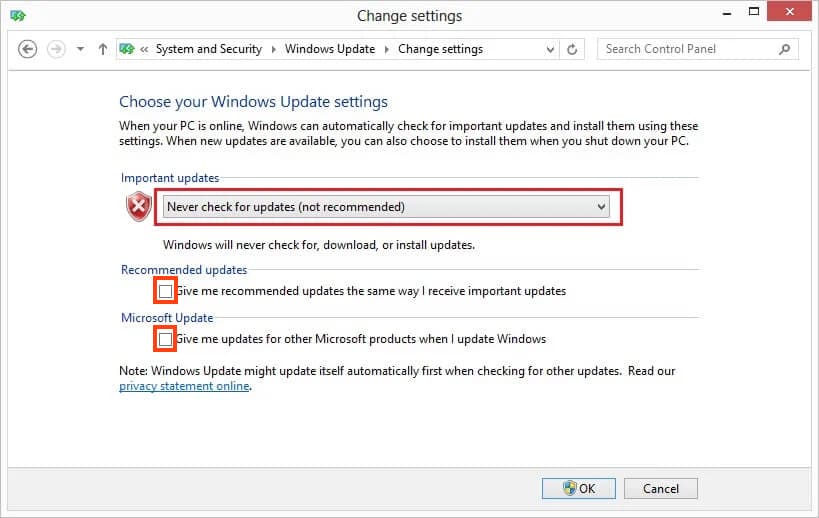
— Then, in the bottom left corner, click on “Change settings”.
— Under “Important updates,” select “Never check for updates (not recommended)”. Also, uncheck the two options below and click “OK” at the bottom.
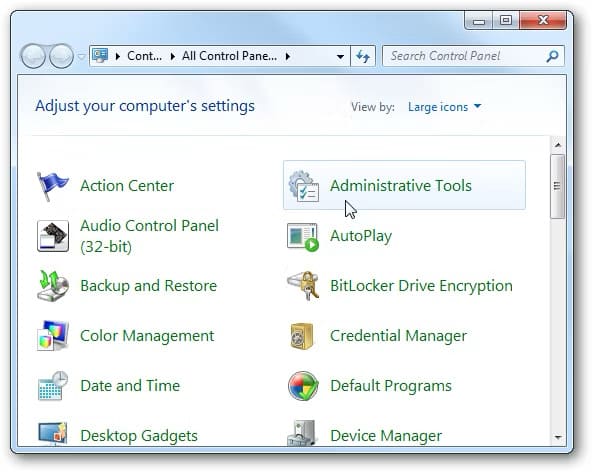
— Now, return to the control panel and go to “Administrative Tools”.
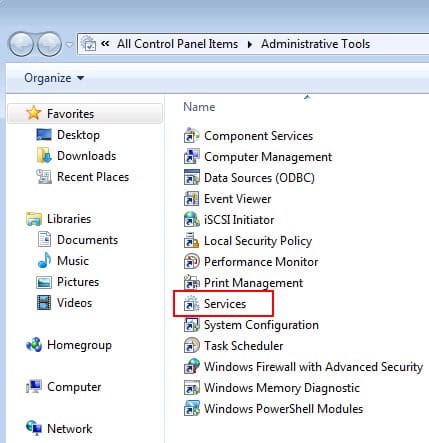
— Then, navigate to “Services”.
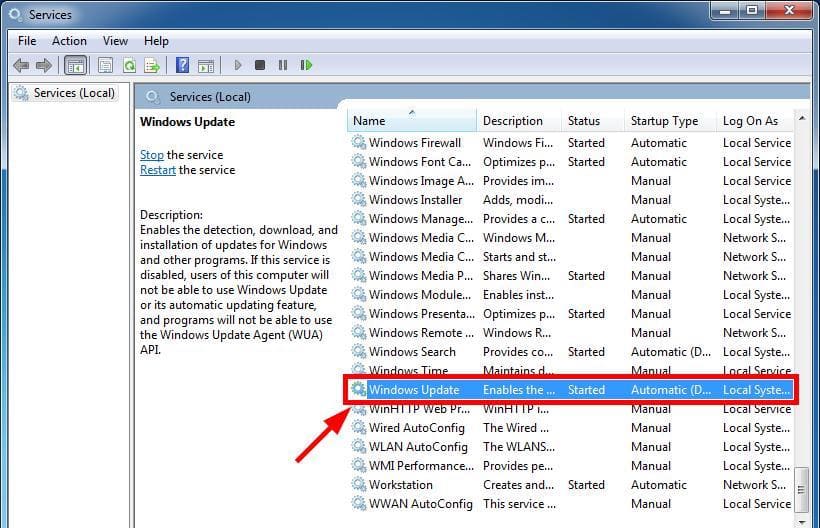
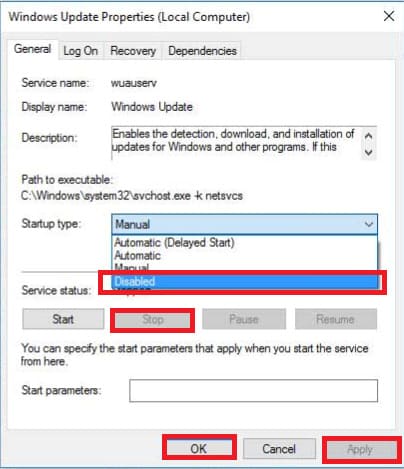
— Scroll down and find “Windows Update”, double click on it to open the service.
— In the “Startup type” section, select “Disabled”, then click “Stop”, followed by “Apply” => “OK”.
That’s it, Windows 7 updates are now completely disabled.
You can purchase genuine Windows 7 product keys in our catalog, at the most favorable prices starting from $9.80.