In this article, we’ll walk through how to change the interface language in Windows 10.
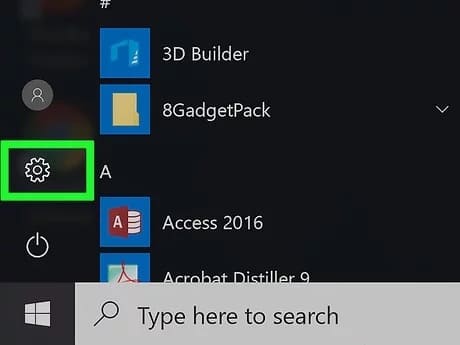
Go to the “Start” menu => Settings
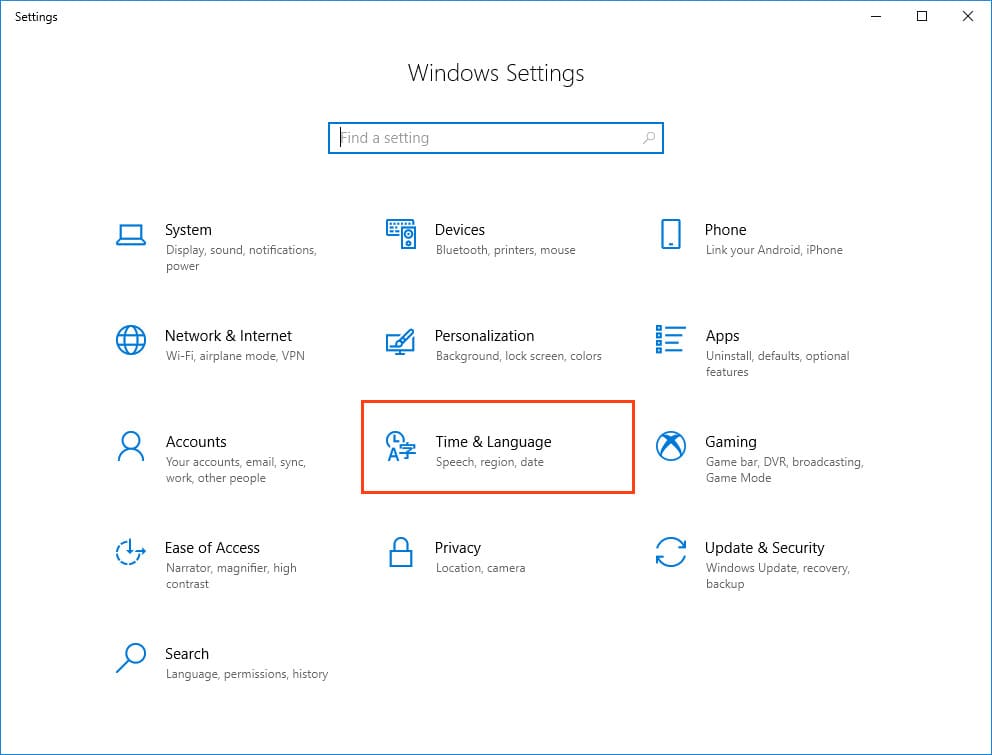
Time & Language
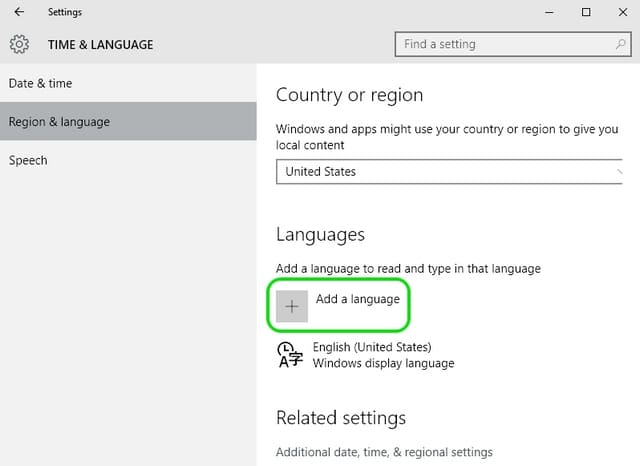
Navigate to the middle tab “Region & Language”. Here you can immediately select one of the available languages without any additional downloads. In the example below, this includes English. You can click on the language, apply it, then restart the system, and the language will change, for example, to English, if you choose it. But if your desired language is not in the list, click the “Add a language” button.
Next, you’ll see a window with a list of languages available for Windows 10. You can immediately specify the language you need in the search bar and select it from the list, then click “Next”.
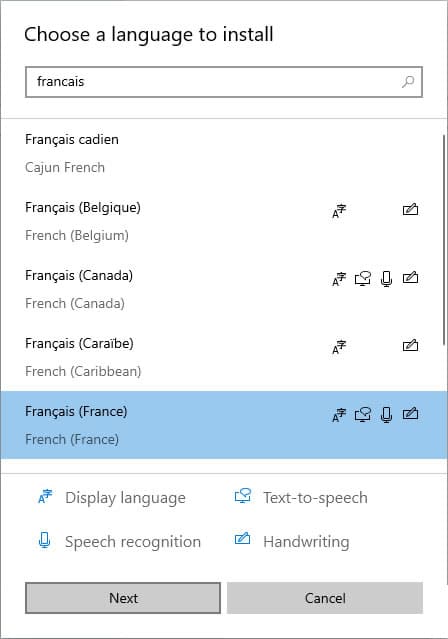
Afterward, confirm what language addition you need to download. Interface, speech, or just the Handwriting. In this example, we’ll leave all options checked, then click “Install”.
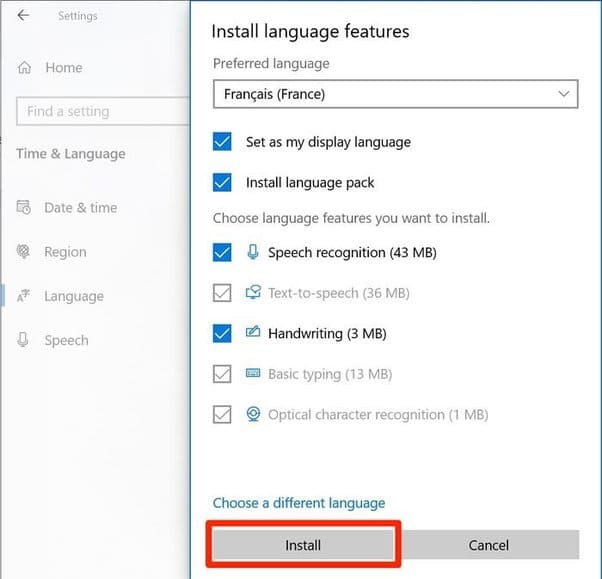
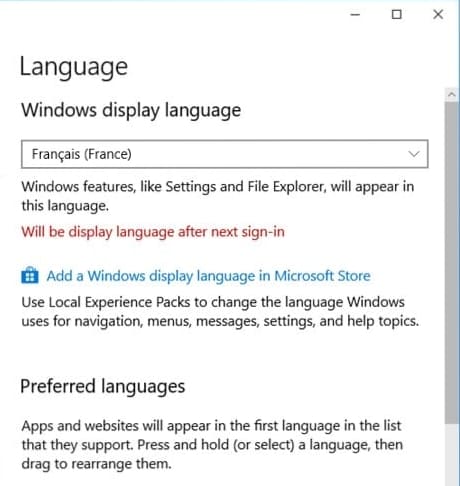
Now, wait for the language addition to download and install. Afterward, simply restart the system, and your language will be changed.
Additionally, we strongly recommend using only original Windows 10 installers to receive all the latest updates and work without any difficulties. You can download them from our catalog.
Apart from that, we also recommend activating the system only with original product keys, which you can purchase from our online store at the lowest prices starting from $9.40. Instant delivery to your email automatically after payment. Guarantee and round-the-clock technical support. More about Windows 10 product keys on the next page.