This article explains how to change the product key in Microsoft Office 2013, Project, or Visio. If you need to change the product key or cannot find the button to enter a new product key, there are two solutions.
You can purchase Microsoft Office 2013 Pro Plus and Standard product keys at the lowest prices in our catalog. Product key delivery is instantaneous, automatically to your email.
1) First method. Open the command prompt as an administrator. If you are using Windows 10, you can type CMD in the search => right-click on the “Command Prompt” result => Open as administrator.
If you are using a different version of Windows, you can find the search bar through the “Start” menu and type CMD there => right-click on the “Command Prompt” result => Open as administrator.
In the command prompt, enter the following command: cscript “c:\program files\microsoft office\office15\OSPP.VBS” /inpkey:xxxxx-xxxxxxx-xxxxxx-xxxxxxx-xxxxxxx
Where, xxxxx-xxxxxxx-xxxxxx-xxxxxxx-xxxxxxx is the product key.
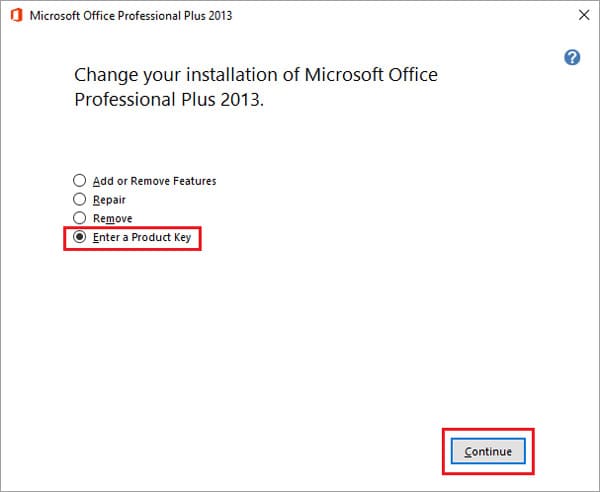
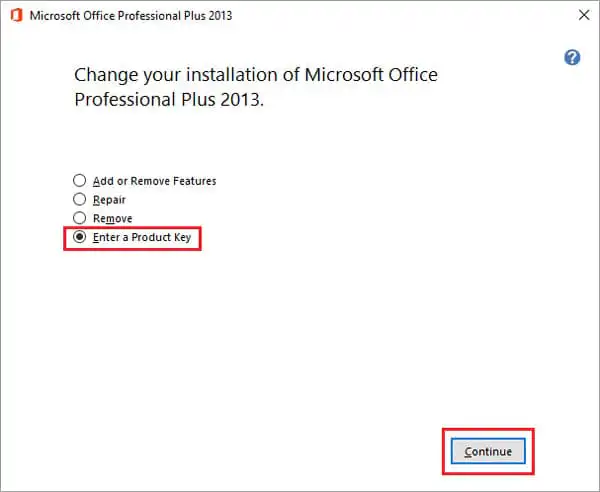
2) Second method. Go to “Control Panel” => Uninstall a program => Find your Microsoft Office 2013 application (or Project, Visio 2013) => Right-click on it => Then click on “Change”. In the product configuration wizard, select “Enter a Product Key”.