In this article, I will discuss how to determine the architecture of your Windows operating system (Windows 10, 8/8.1, 7, Vista). The system architecture can be either x64 or x32. The main difference between them is that x32 (x86) does not support visibility and functionality of RAM (more than 4 GB), and x32 (x86) systems do not support x64 applications.
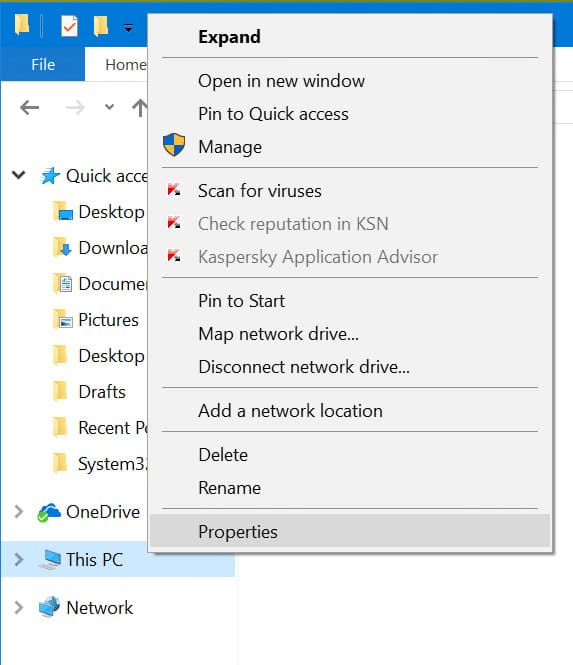
The easiest way to determine this is through File Explorer by accessing the “System Properties” menu, which is suitable for all versions of Windows. Open File Explorer, right-click on “This PC” (or “Computer”) in the left menu, then select “Properties”.
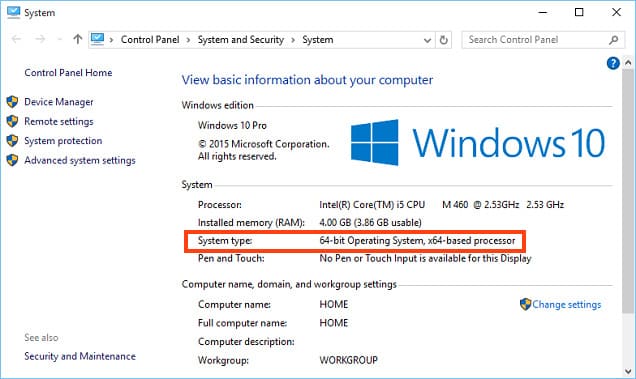
In this menu, look for the “System type” section. For example, as shown in the screenshot below, it indicates that an x64 version of the system is installed.
In Windows 10, there is a special menu called “Windows Settings”, which also allows you to check the system architecture.
Go to the “Start” menu => Settings.
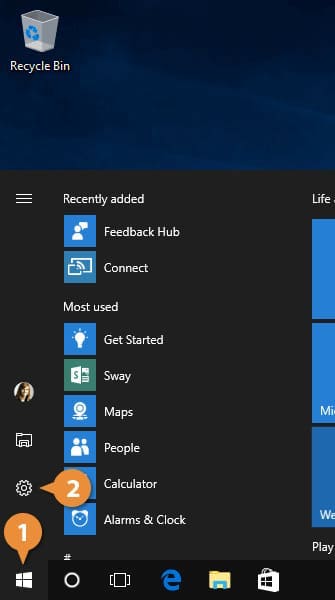
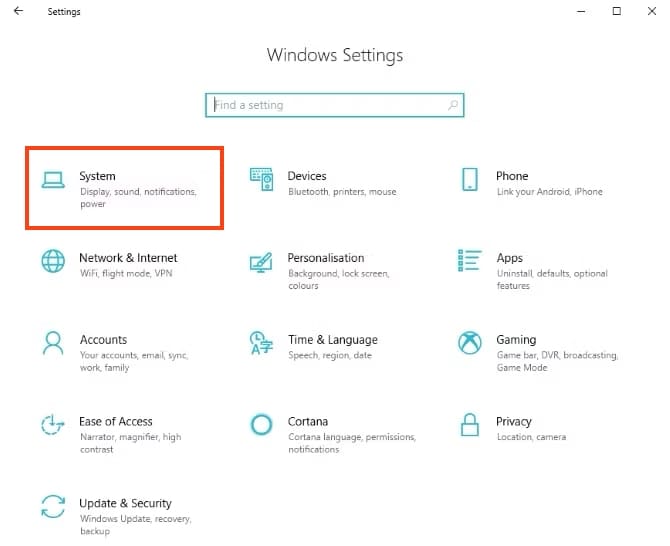
In the “Windows Settings” menu, navigate to the “System” section.
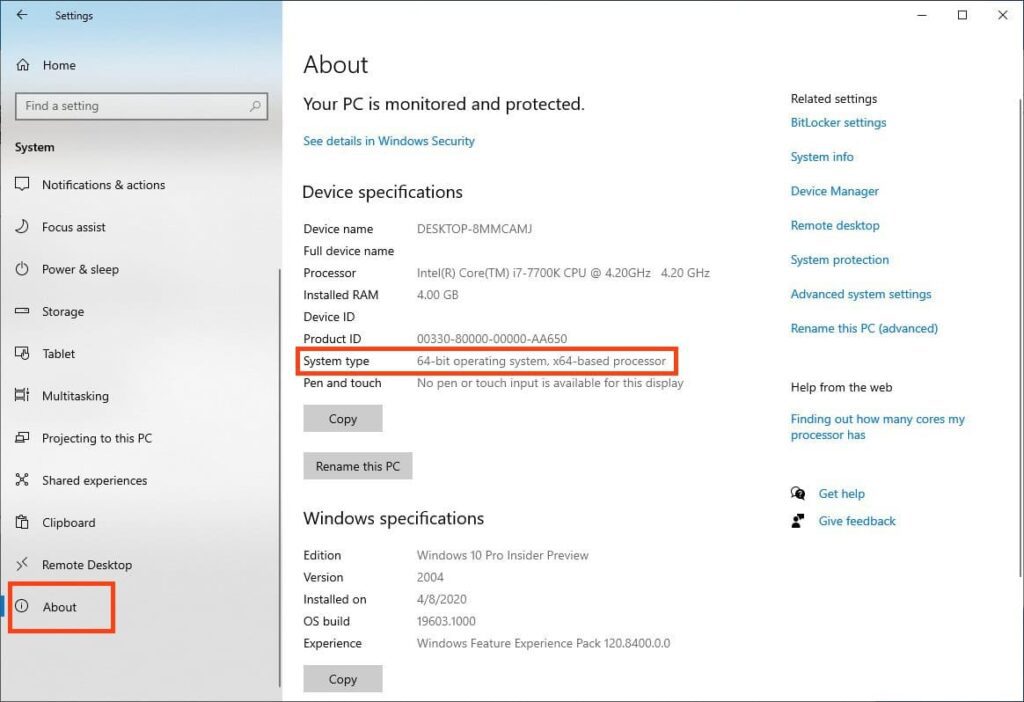
In the new window, go to the “About” section on the left to view your system type. In this example, it’s an x64 version.
You can purchase product keys for Windows 10, Windows 8.1, and Windows 7 from our catalog at the lowest prices starting from $9.80. Instant delivery of licenses to your email address in automatic mode. Round-the-clock technical support. Warranty.