
In this article, I will discuss the process of phone activation in Windows 8 / 8.1 (any edition). To activate Windows 8.1 by phone, you will need a valid product key for your system. If you don’t have a product key, you can purchase Windows 8.1 Pro from our catalog. The product key will be delivered instantly to your email automatically after payment.
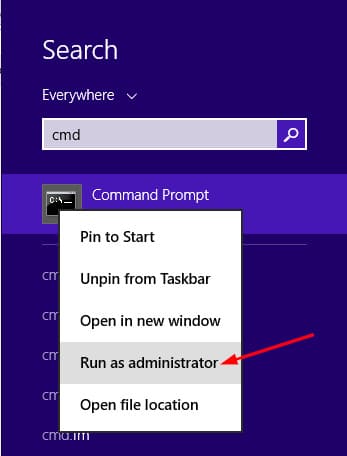
1) Go to Start menu => Search => Type CMD in the search box => Then right-click on the result => “Run as administrator”.
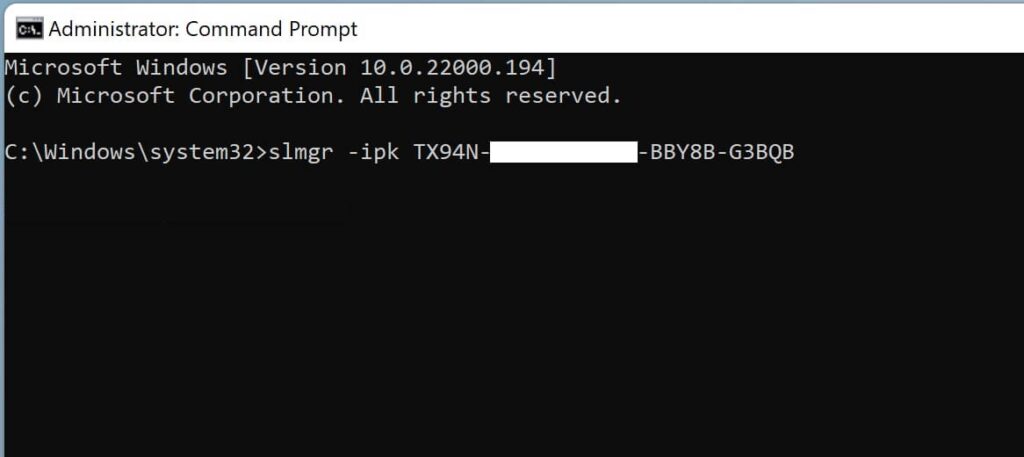
2) Next, in the command prompt, type: slmgr -ipk XXXXX-XXXXX-XXXXX-XXXXX-XXXXX (where “X” represents your product key). Then press Enter. You should see a window indicating that the product key has been successfully installed.
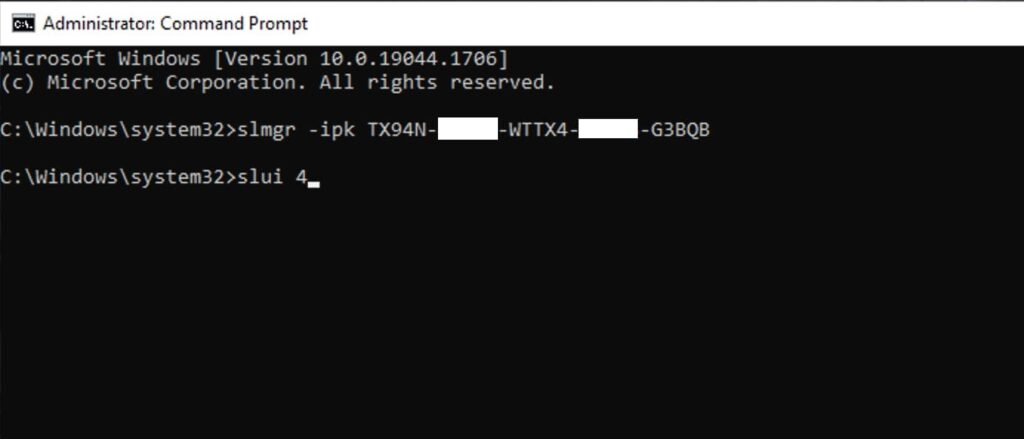
3) Enter the following command: slui 4 and press Enter. Now proceed directly to phone activation.
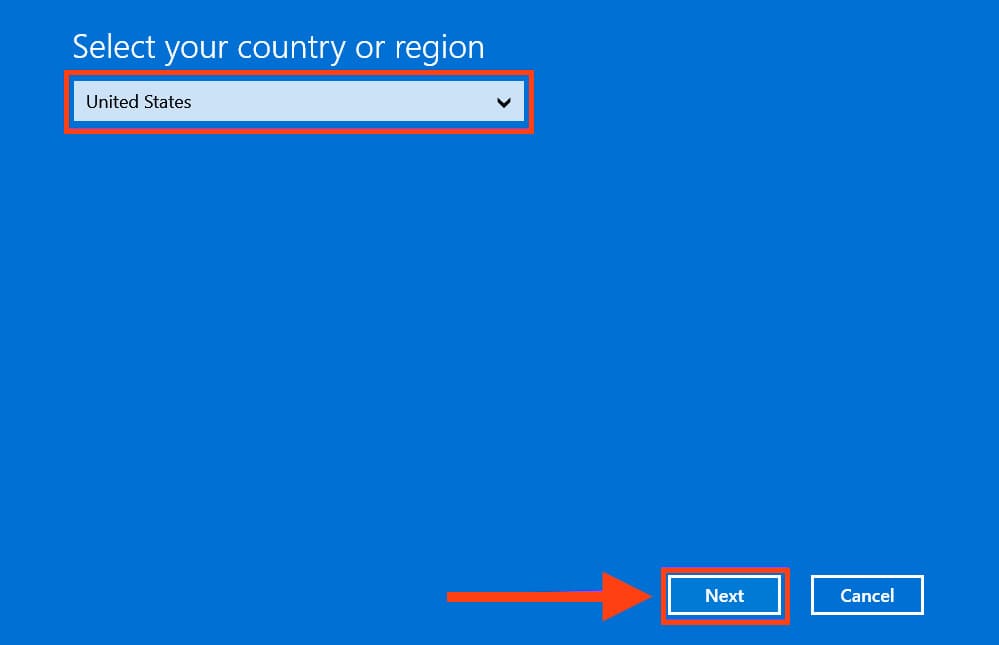
4) Select your region. For example, I will choose “United States”.
5) Next, you will see the phone activation window.
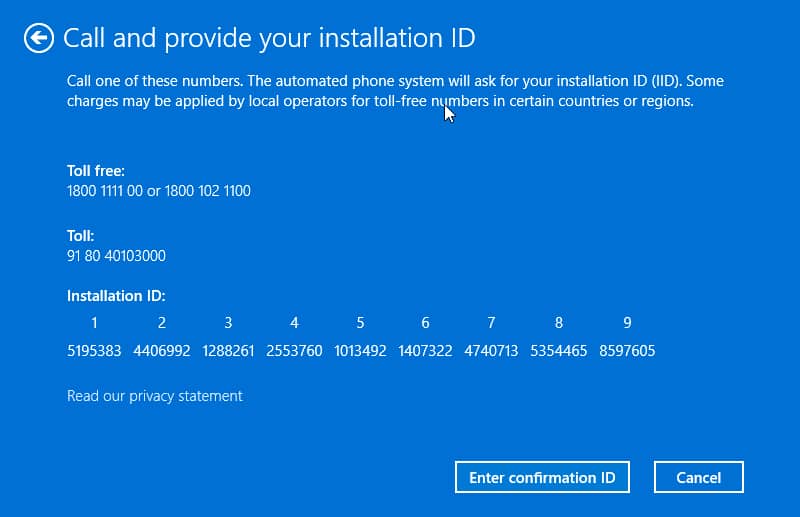
Follow the robot’s activation instructions: Press 1 to agree to recording the conversation. 1 – Activate Windows. 2 – Activate other Windows. 1 – Your activation screen is open.
Now the robot will ask you to enter the “Installation ID.” It consists of 9 blocks of 7 digits, as shown above. You need to enter the digits from your phone activation window; the screenshot above is just an example.
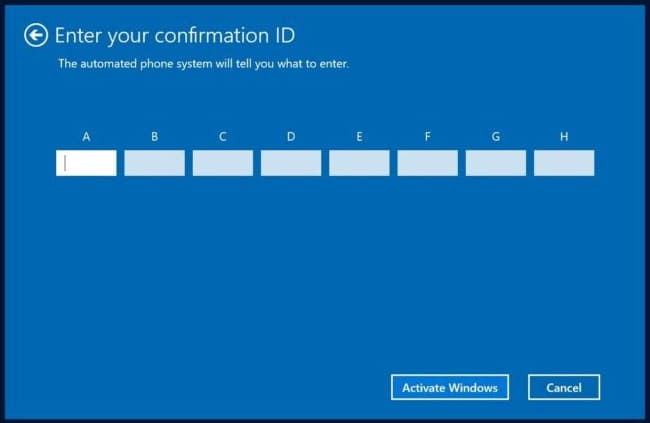
6) After entering all the digits, and clicking “Enter confirmation code,” the robot will dictate the confirmation code to you, divided into blocks from A to H as shown below. Attention: the screenshot below is just an example; you need to enter the numbers dictated by the robot.
After entering the numbers, click “Activate Windows”.
7) If everything is successful, you will see a corresponding window.
8) To verify activation, you can go to the system “Properties” menu and check the activation status.
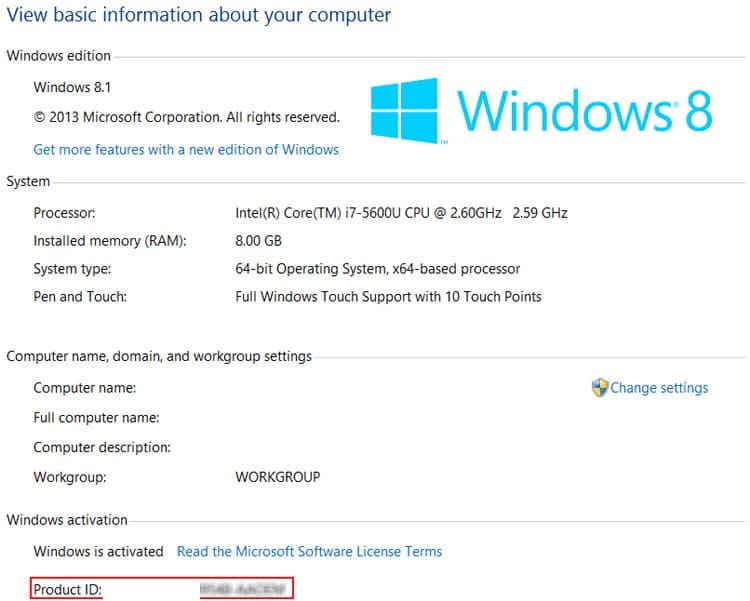
That’s it! Windows 8.1 activation by phone is successfully completed!
How Else Can You Activate Your Product? Additional Activation Method
Phone Activation in Text Mode:
– Visit the activation page to initiate automatic phone activation in text mode.
Steps:
1. Enter the email address you used when purchasing the product on our website.
2. Input the installation code (IID) from your phone activation window, then click the “Start” button.
3. You will receive a confirmation code consisting of 8 blocks labeled from A to H, each containing 6 digits.
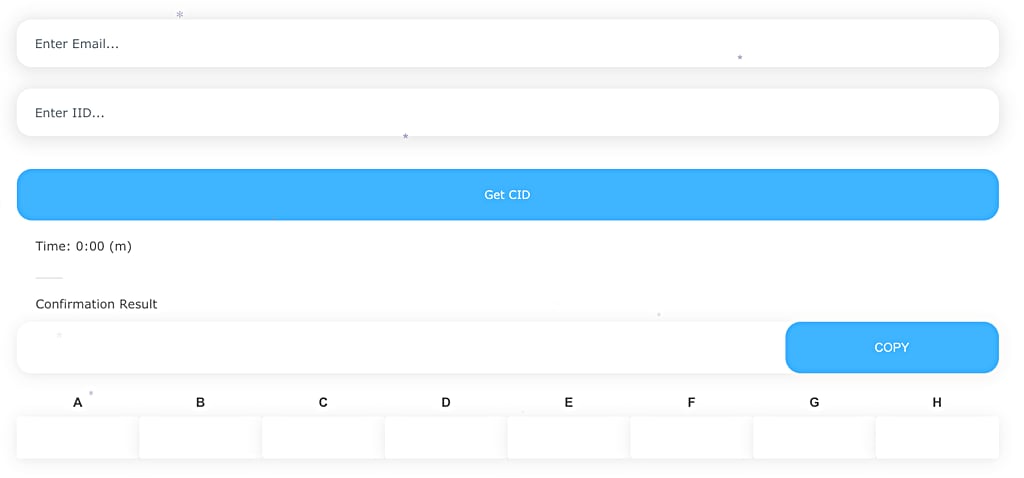
4. Enter these digits into your phone activation window to complete the activation process.