Blog

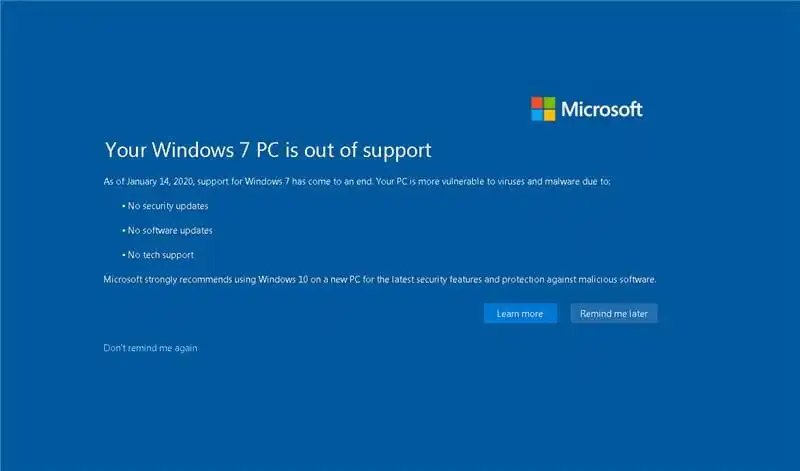
On January 14, 2020, support for Windows 7 was discontinued, and after this date, Windows 7 no longer receives critical updates. With the update “KB4493132,” Microsoft started displaying banners on the entire desktop with a notification that – Your Windows 7 PC is out of support.
How to prevent this message from appearing?

1) You can uninstall the KB4493132 update, but I do not recommend that you do so because the banner may reappear. In addition, users report that removing this update does not always completely remove the banner.

2) Remove the banner using a script in a .bat file. Create a text document with any name but with the extension .bat, and paste the following script:

schtasks.exe /change /TN “Microsoft\Windows\Setup\EOSNotify” /Disable
timeout 2
schtasks.exe /change /TN “Microsoft\Windows\Setup\EOSNotify2” /Disable
timeout 2
REG ADD HKCU\Software\Microsoft\Windows\CurrentVersion\EOSNotify /v DiscontinueEOS /t REG_DWORD /d 0 /f
timeout 5
exit

Alternatively, you can download the ready-made file from our server: Download
Simply run the file as an administrator and restart your PC. The banner should no longer appear!

3) Due to the end of support for Windows 7, as well as the end of support for various drivers and, most importantly, browsers for use on Windows 7, I strongly recommend upgrading to at least Windows 10. It won’t take much time and will preserve your files while significantly improving your PC’s security and support for various everyday software.

You can update Windows 7 to Windows 10 following the instructions on the next page.
banner for Windows 7
Windows 7 license from
$13.30 ·
Picking your discount
Promo code ·
Promo code expired. A new one in .
Buy valid for

"Personal discount from 5% to 12%" — promotion rules

  1. Organizer — SoftComputers LLP, website softcomputers.net. The promotion runs indefinitely; the organizer may end it at any time by removing the block from the website.
  2. Participation is free. To take part, enter your email and agree to the processing of personal data and to receive emails.
  3. Each participant receives a promo code for a 5% to 12% discount on any product in the catalog. The amount is chosen at random.
  4. The promo code is single-use, tied to the email you entered, valid for 7 days and applied in the cart at checkout. No minimum order amount. Cannot be combined with other promo codes.
  5. One participant (email / device) can receive one promo code per 7 days; a new code is issued after the previous one expires.
  6. The promo code cannot be exchanged for money. The organizer may void a code in case of abuse.
Subscribe
Notify of
guest
0 comments
Newest
Oldest
Blog

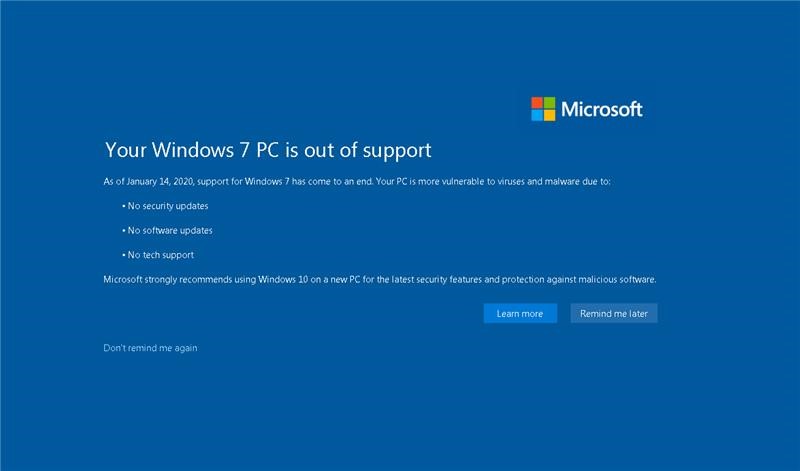
On January 14, 2020, support for Windows 7 was discontinued, and after this date, Windows 7 no longer receives critical updates. With the update “KB4493132,” Microsoft started displaying banners on the entire desktop with a notification that – Your Windows 7 PC is out of support.

How to prevent this message from appearing?

1) Although it is possible to uninstall the KB4493132 update, it is not recommended as it may reappear. Additionally, some users have reported that removing this update does not always completely remove the banner.

2) Remove the banner using a script in a .bat file. Create a text document with any name but with the extension .bat, and paste the following script:

schtasks.exe /change /TN “Microsoft\Windows\Setup\EOSNotify” /Disable
timeout 2
schtasks.exe /change /TN “Microsoft\Windows\Setup\EOSNotify2” /Disable
timeout 2
REG ADD HKCU\Software\Microsoft\Windows\CurrentVersion\EOSNotify /v DiscontinueEOS /t REG_DWORD /d 0 /f
timeout 5
exit

Alternatively, you can download the ready-made file from our server: Download
Simply run the file as an administrator and restart your PC. The banner should no longer appear!

3) Due to the end of support for Windows 7 and the discontinuation of support for various drivers and browsers for use on Windows 7, it is strongly recommended to upgrade to at least Windows 10. This won’t take much time and will preserve your files while significantly improving the security of your PC and supporting various software for daily use.

You can update Windows 7 to Windows 10 following the instructions on the next page.
banner for Windows 7
Windows 7 license from
$13.30 ·
Picking your discount
Promo code ·
Promo code expired. A new one in .
Buy valid for

"Personal discount from 5% to 12%" — promotion rules

  1. Organizer — SoftComputers LLP, website softcomputers.net. The promotion runs indefinitely; the organizer may end it at any time by removing the block from the website.
  2. Participation is free. To take part, enter your email and agree to the processing of personal data and to receive emails.
  3. Each participant receives a promo code for a 5% to 12% discount on any product in the catalog. The amount is chosen at random.
  4. The promo code is single-use, tied to the email you entered, valid for 7 days and applied in the cart at checkout. No minimum order amount. Cannot be combined with other promo codes.
  5. One participant (email / device) can receive one promo code per 7 days; a new code is issued after the previous one expires.
  6. The promo code cannot be exchanged for money. The organizer may void a code in case of abuse.
Subscribe
Notify of
guest
0 comments
Newest
Oldest