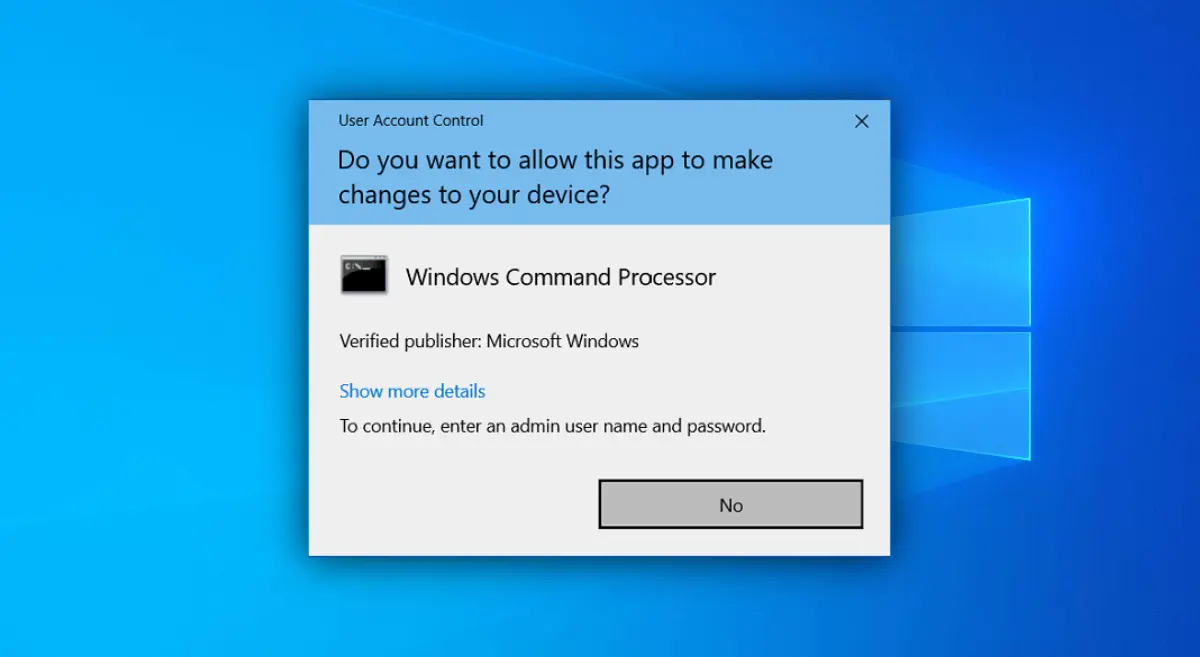
When attempting to run an application as an administrator, you may encounter a prompt asking for an administrator username and password, but only the “No” button is available. This issue appears as shown in the screenshot below.
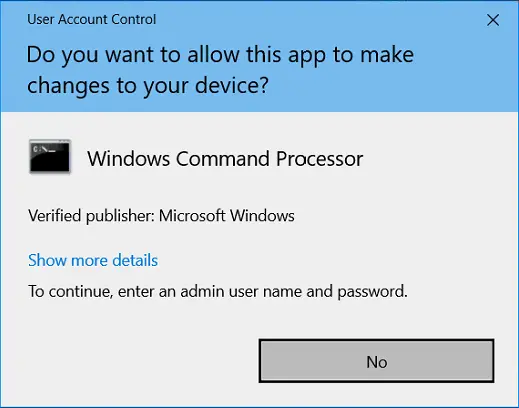
This occurs when there are no users with administrator privileges in the system. The solution involves adding a user to the Administrators group via the recovery console.
Restoring Administrator Privileges in Windows
1. Open the Start menu and select Settings (gear icon).
2. In Settings, click Update & Security.
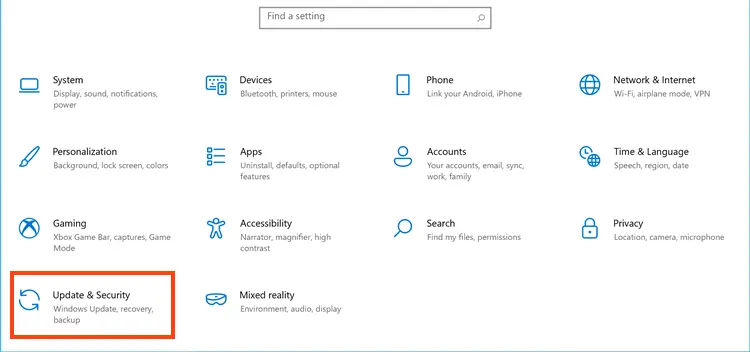
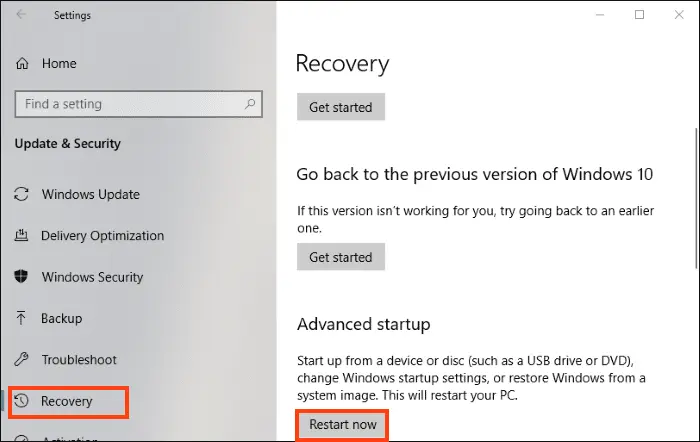
3. In the side menu, select Recovery.
4. Locate the Advanced startup section and click Restart now.
5. A menu will appear prompting you to choose an action. Select Troubleshoot.
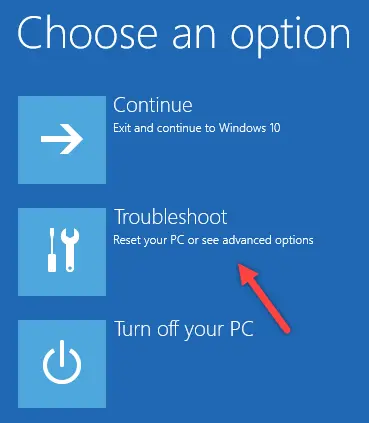
6. Choose Advanced options.
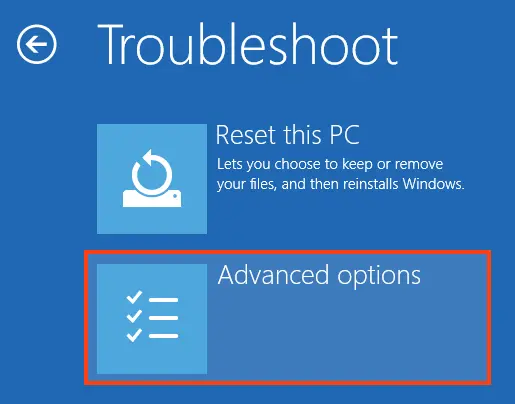
7. Select Startup Settings.
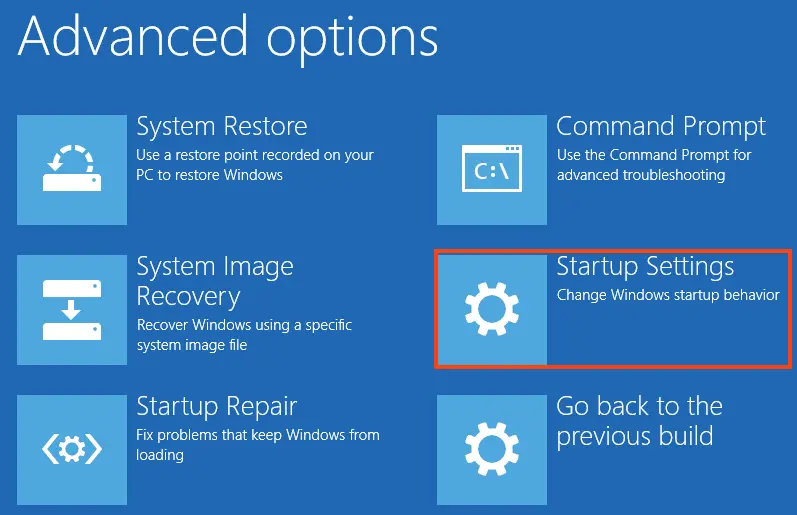
8. Click Restart.
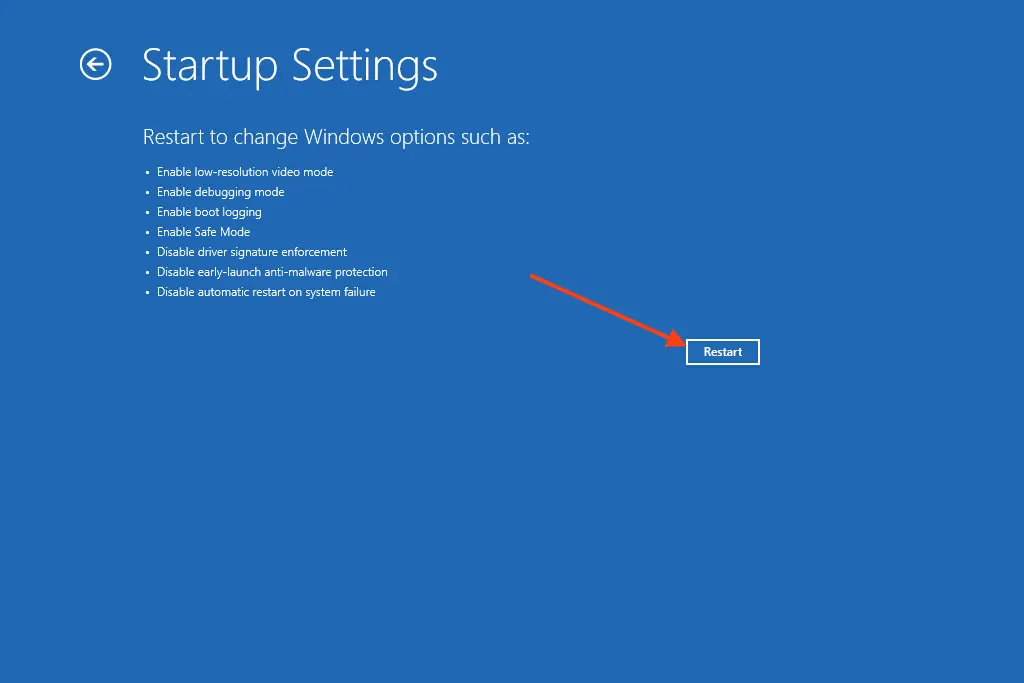
9. After reboot, a menu will appear to select a boot mode. To log in with the built-in administrator account, choose Safe Mode by pressing F4.
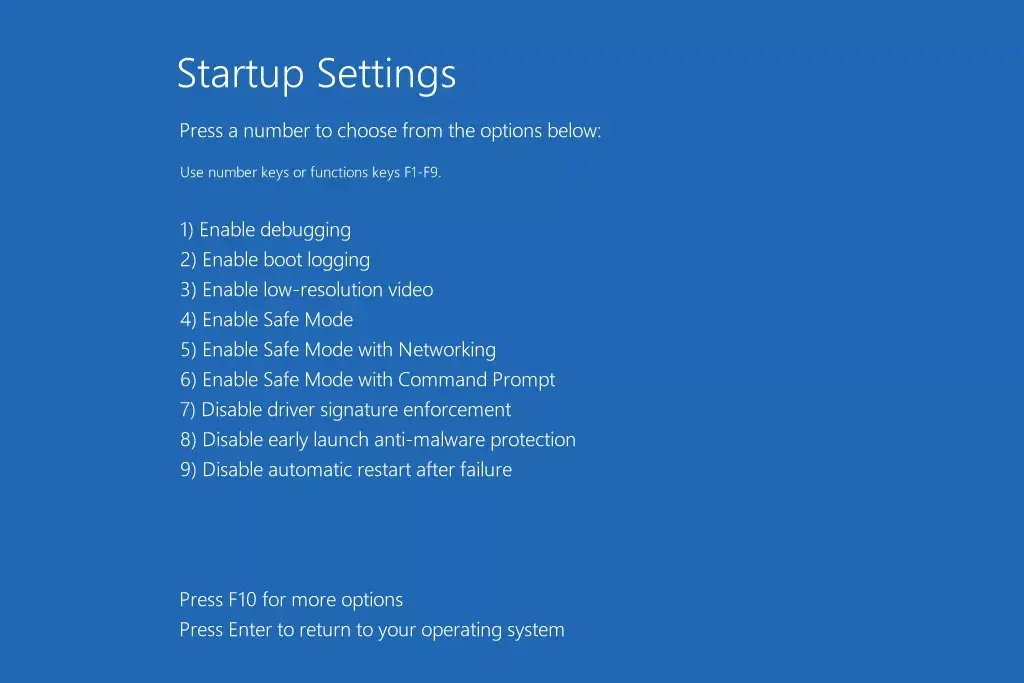
Once F4 is pressed, the system will boot into Safe Mode using the built-in administrator account. After the system loads, open Command Prompt with administrator privileges. Right-click the Start menu and select one of the following:
– PowerShell
– Command Prompt
If PowerShell is selected, type cmd in the opened window and press Enter to switch to Command Prompt.
Next, add the desired user to the Administrators group. To view the list of users on the computer, open Command Prompt and run:
net user
After identifying the username, run the following command to add the user to the Administrators group. For example, if the username is User:
net localgroup Administrators "User" /add
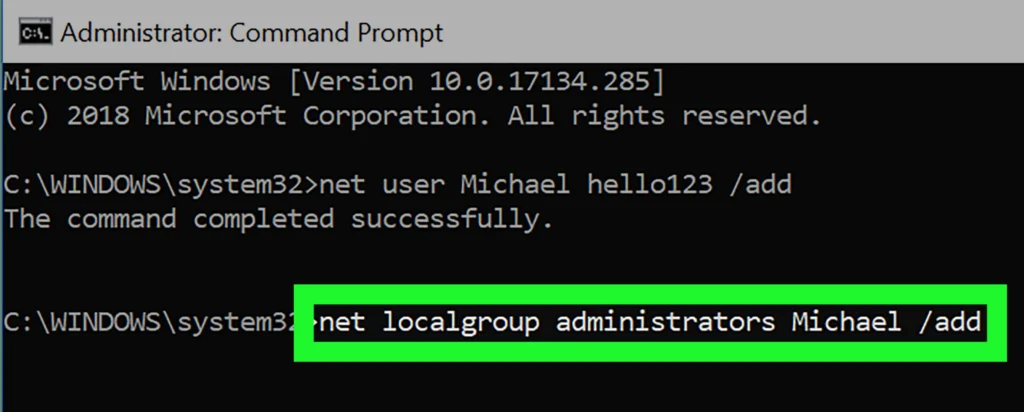
If the command is entered correctly, Command Prompt will display “The command completed successfully”. Afterward, restart the computer and verify the operating system’s functionality.