Adding Features to Windows 8.1
If you attempt to add components (features) to Windows 8.1 Pro, you will be prompted for a key. The product key for activating the system will not work,…

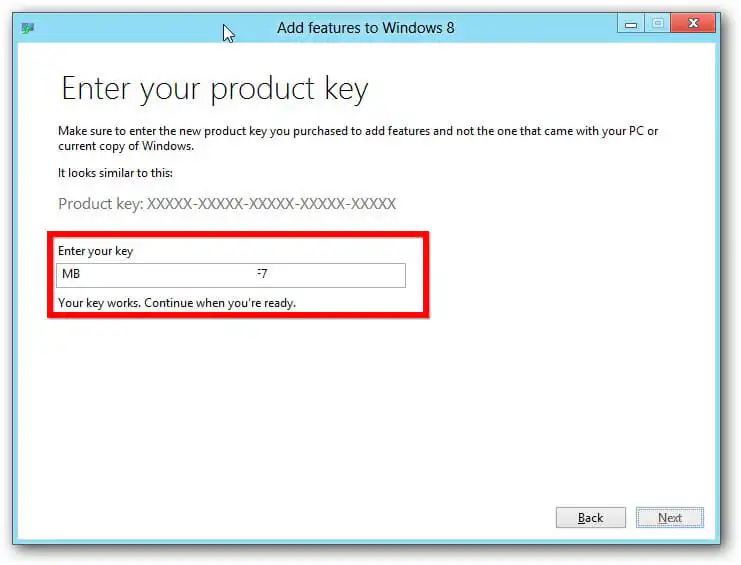
If you attempt to add components (features) to Windows 8.1 Pro, you will be prompted for a key. The product key for activating the system will not work,…
Kernel32.dll is a dynamic link library that may cause issues when installing new versions of Microsoft Office on unsupported systems. However, there is a solution: you can download…
If you encounter the error “We’re sorry, something went wrong and we can’t do this for you right now. Please try again later. (0x80070005)” during Microsoft Office activation,…
If you are trying to activate Microsoft Office and encounter error: “We’re sorry, something went wrong and we can’t do this for you right now. Please try again…
Error codes 0-1011 and 0-1005 during the installation of Microsoft Office may occur due to network connectivity issues or insufficient free space on the hard drive. The first…
This error with code 30180-4 can occur because an antivirus program, proxy server, or firewall may be interfering with the Office installation. Let’s consider the following steps in…
This error with code 30174-4 can occur because an antivirus program, proxy server, or firewall may be interfering with the Office installation. Let’s consider the following steps in…
If you encounter error code 30145 while installing Microsoft Office, try the following steps: 1) Repair Microsoft Office from the Control Panel. – Right-click the “Start” button (bottom…
If you encounter one of the following errors during the installation of Microsoft Office: 30125-4 or 30125-1011, it may be due to an antivirus program, proxy server, or…
These errors with codes 30102-11, 30102-13, 30103-11, 30103-13 during the installation of Microsoft Office can occur due to operating system errors or if there is not enough space…
If you encounter error 30094 during the installation of Microsoft Office, try the following steps: 1) Delete temporary files from the TEMP folder: – Win + R –…
If you encounter error code 30068 during the installation of Microsoft Office, try the following steps, one of which may help resolve the issue. 1) Try restarting your…
Enter your email — we will save this product for later and let you know when the price changes.