In this article, we’ll discuss how to back up your email in Outlook. You’ll learn how to save important messages and documents on your computer by exporting them to a PST file. This method helps you ensure the safety of your data and makes it easier to access archived messages in the future.
You can purchase a genuine product key for Microsoft Outlook from our catalog for just $11.00.
If you use email for work, you likely have an Exchange or IMAP account configured. These servers automatically archive emails, allowing access to them anytime from anywhere. If you’re using an Exchange account, contact your administrator for instructions on accessing archived messages.
To create local backups of your messages, in addition to server storage, you can use the auto-archive feature or export messages to a PST file. This file can later be restored and used via import.
Exporting Email to a PST File
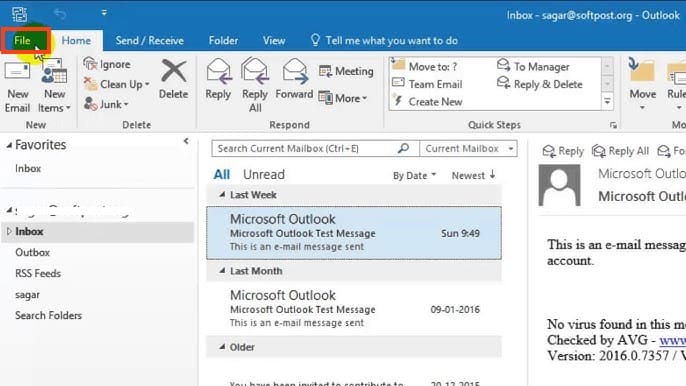
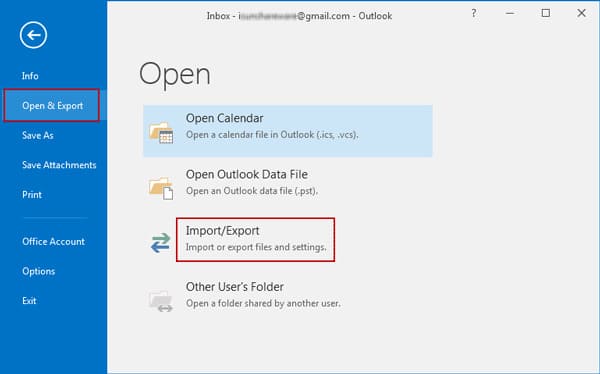
1. Open the File menu: Click “File” in the top menu, then choose “Open & Export” and “Import/Export.”
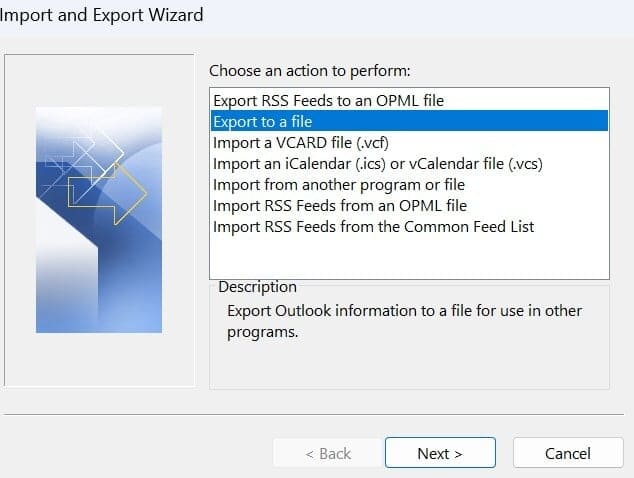
2. Choose Export: In the window that appears, select “Export to a file” and click “Next.”
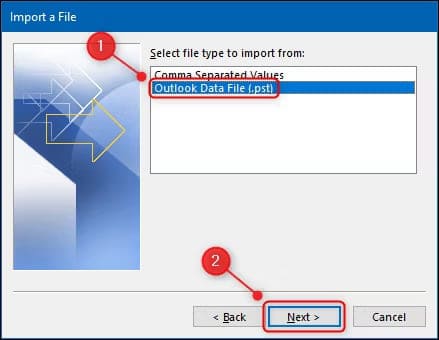
3. Choose Format: Select “Outlook Data File (.pst)” and click “Next.”
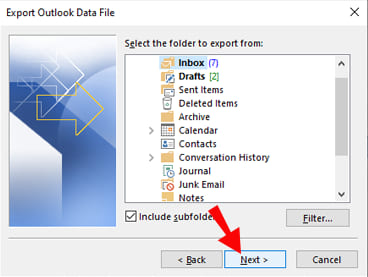
4. Select Folders to Back Up: Specify all the mail folders you want to back up, then click “Next.”
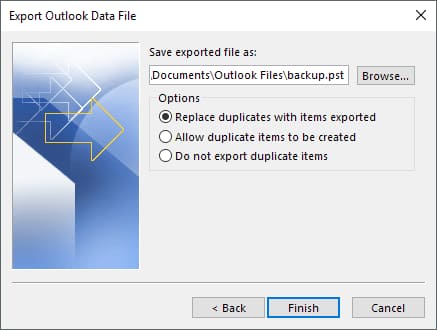
5. Choose File Location: Specify a location on your computer and name the backup file, then click “Finish.”
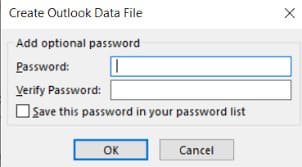
6. Protect the File with a Password: To protect the file from unauthorized access, enter and confirm a password, then click “OK.”
Emails saved in a PST file retain all their properties and can be used just like regular messages. You can forward, reply, and search through them as you would with any other messages in your email client.